
AstikorCarts
Original AstikorCarts reuploaded for Modrinth. No further changes were made, as the mod is no longer being maintained. This mod adds carts that can be pulled by ridden entities and/or the player.
About this Mod
NO LONGER MAINTAINED
This is a reuploaded version to allow for creating modpacks using Modrinth. For newer Versions, check out AstikorCarts Redux (NeoForge) and NiftyCarts (Fabric)
Carts and cart specific controls:
Supply Cart
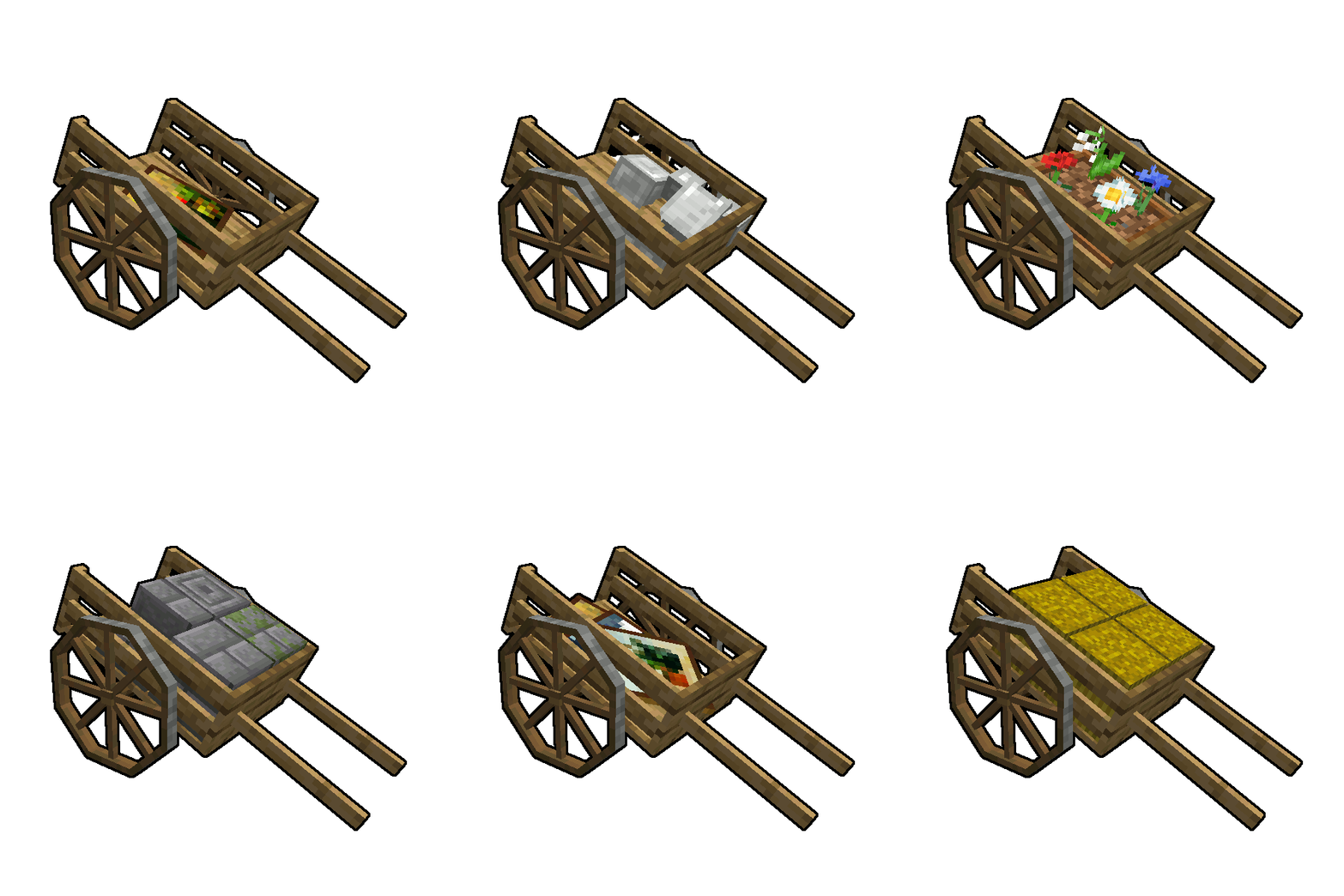
This cart is the oldest of this mod. It comes with a double chest inventory and has room for a friend of yours to sit comfortably on its back. Good luck on the adventures you shall overcome together.
Controls:
The carts inventory can be accessed by sneaking while right clicking it. If you right click it without sneaking, you will start riding the cart instead.
Plow
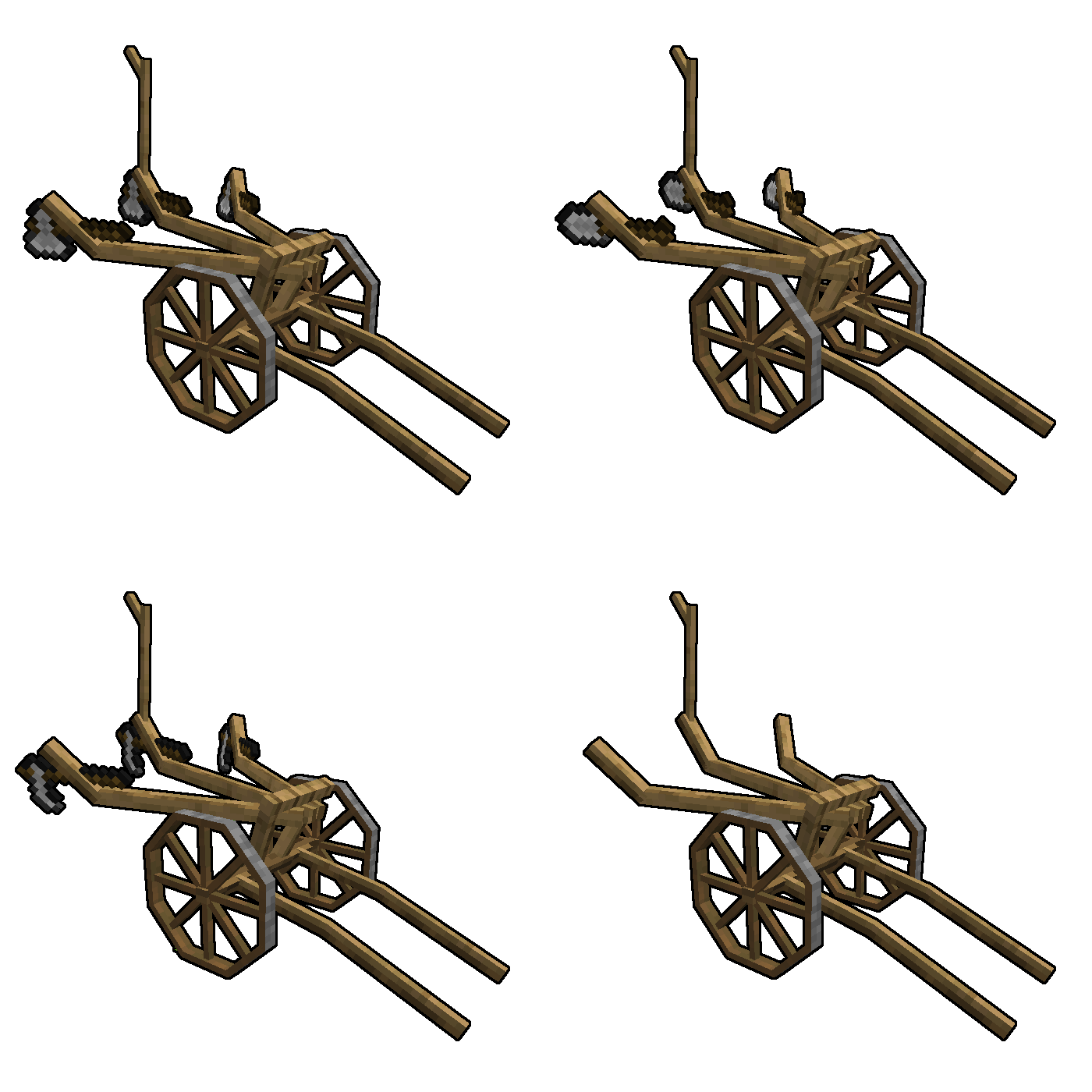
The plow is a useful cart and has been slightly repurposed in v0.1.2.0. Not only can you put hoes in its inventory slots to till up to 3 blocks at once, but also shovels to turn dirt into a path for connecting interesting places within your world.
Controls:
The plowing mode can be toggled by right clicking it. Just like the cart, it's inventory can be accessed by sneaking while right clicking it.
Animal Cart
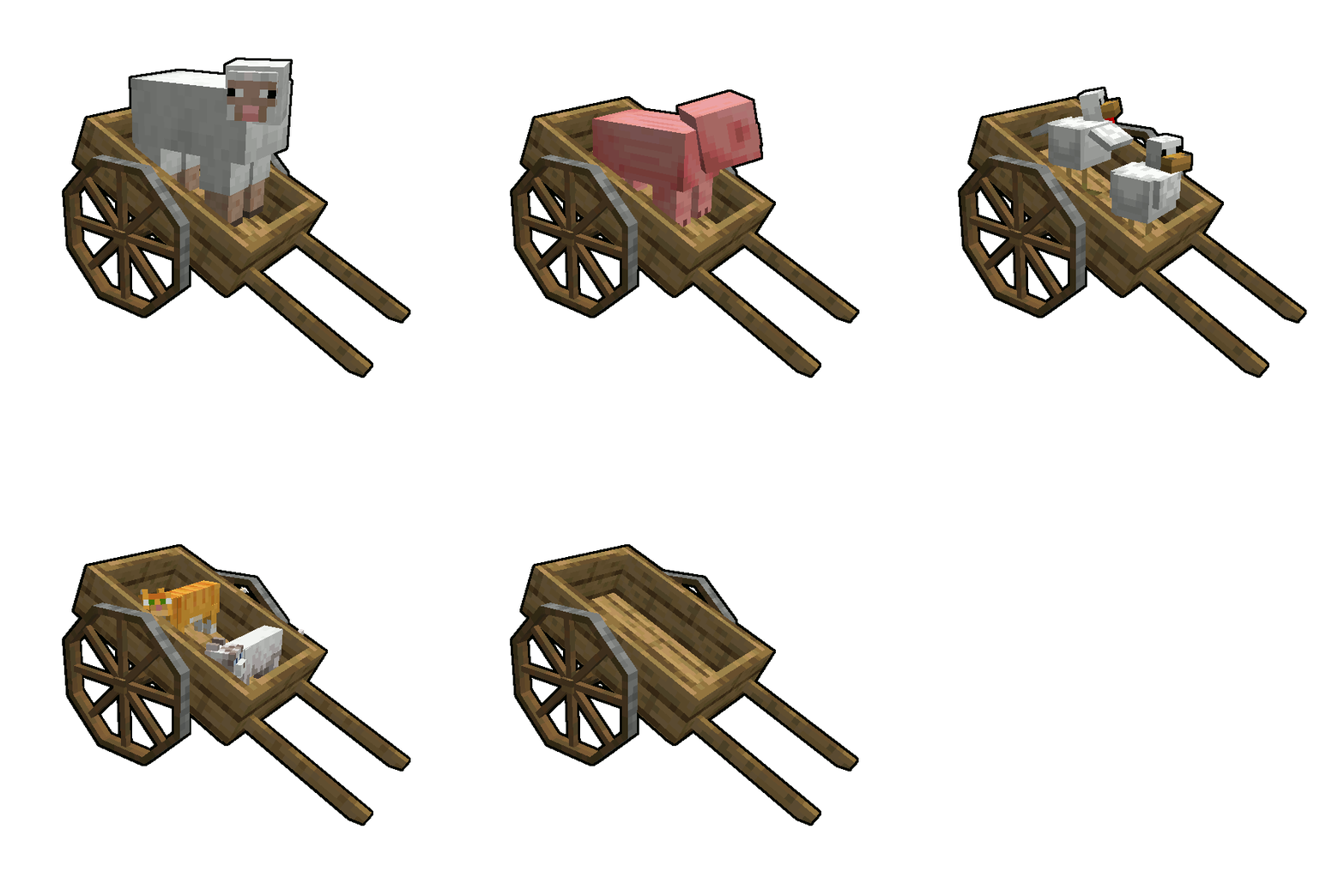
This cart is a boat on wheels. Use it to allow both your human and non-human friends to travel alongside you without sweating.
Controls:
You can push entities into the cart to take them along with you and release them by right clicking the cart while sneaking. Right click it while not sneaking and you will start riding the cart yourse
Available Versions
How to Install AstikorCarts on Your Server
Order Server
Order a Minecraft Java server with at least 3 GB RAM (4 GB recommended).
Set forge Loader
In the panel under "Egg", select the forge loader and matching Minecraft version (1.19.2).
Install Mod
Open the mod browser in the dashboard and search for "AstikorCarts". Click "Install" – done! Alternatively, upload the .jar via SFTP to the /mods folder.
Compatibility
Mod Loaders
Minecraft Versions
1.19.2, 1.18.2, 1.16.5 (+3 more)
Server-side
✓ RequiredRecommended RAM
4 GB(min. 3 GB)Frequently Asked Questions
AstikorCarts server crashes on startup – what to do?
Most common cause: wrong forge version or insufficient RAM. Check the server log (latest.log) for "OutOfMemoryError" or "Mixin" errors. With Mado Hosting: ensure at least 3 GB RAM is allocated and the loader matches the mod version (1.19.2). You can switch loaders with one click in the panel.
Is AstikorCarts compatible with forge?
AstikorCarts officially supports forge for Minecraft 1.19.2, 1.18.2, 1.16.5. The Mado dashboard automatically detects incompatible loader combinations.
Server lagging with AstikorCarts – how to optimize performance?
Recommended RAM: 4 GB (per 8 players). Use /spark profiler to check if AstikorCarts consumes the most tick time. Common fixes: reduce server view-distance to 8-10, install "performant" or "starlight" as supplementary mods on Forge. With Mado Hosting, your server runs on NVMe SSDs with dedicated CPU cores for minimal latency.
Similar Mods




Rent Modded Server
Install AstikorCarts with just one click on your server.