
Vortex
Server-side modpack analytics developed by Atmospace. Tracks player usage of modded blocks, items, crafting, and entities. View in-game summaries and get CSV reports on shutdown to optimize your modpack based on actual player engagement.
Screenshots
About this Mod
Vortex: Mod Usage Analyzer for NeoForge Servers

Vortex is a lightweight, server-side NeoForge mod designed to give server administrators clear insights into how their modpack is actually being used by players.
What it Does:
Tracks Modded Content Usage: Vortex silently monitors player interactions with content from other mods, including:
- Right-clicking on modded blocks.
- Right-clicking with modded items.
- Crafting recipes that output modded items.
- Dealing damage to modded entities.
Filters Out Vanilla: It intelligently ignores all interactions with vanilla Minecraft content, focusing solely on the mods you've added.
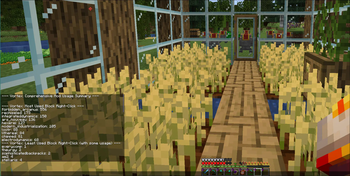
In-Game Summaries: Administrators can use a simple command (
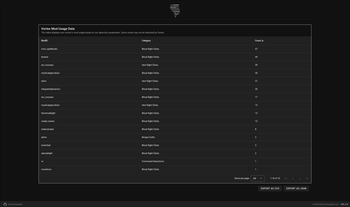
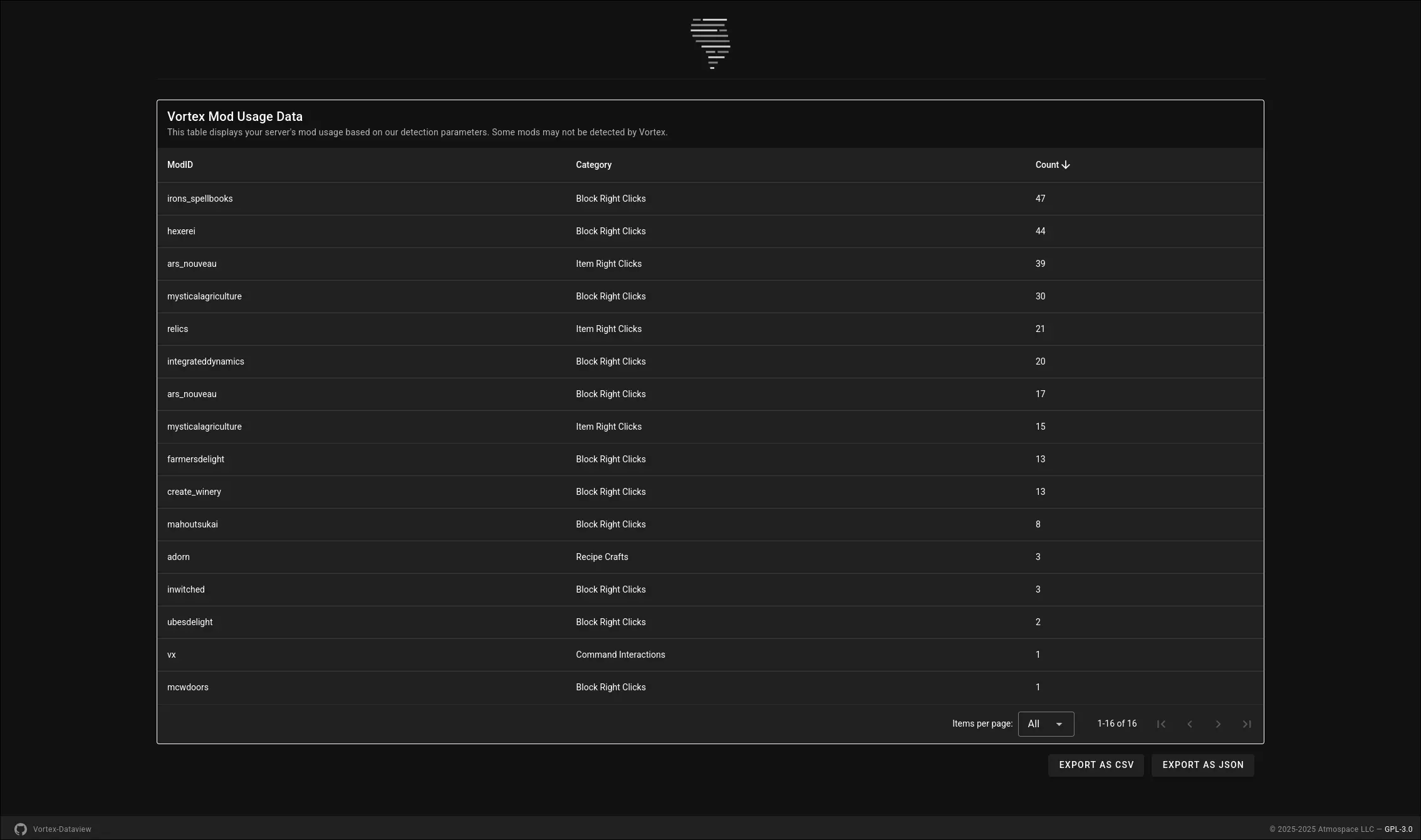
/vortexor/vx) to get an immediate summary of the most and least used mods across all tracked categories directly in the game chat.Dataview web-panel: A simple web-panel that allows admins to view the data Vortex has collected on their server in an easy to read and sortable manner.
- Detailed CSV Export: When your server shuts down, Vortex automatically generates a detailed CSV file (e.g.,
vortex_mod_usage_data_MM-DD-YYYY.HH-mm.csv) in your server'sconfig/vortex/folder. This file provides raw, organized data for deeper analysis in spreadsheet software or data visualization tools.
Why Your Server Needs Vortex:
- Optimize Your Modpack: Make data-driven decisions to streamline your modpack. Identify mods that are rarely used and consider removing them to reduce server load, client lag, and overall file size.
- Enhance Player Experience: Discover which mods your community loves and uses the most, helping you focus on content that truly engages your players.
- Informed Decisions: Move beyond guesswork or player polls. Vortex provides concrete usage statistics to refine your server's modded experience.
Vortex is an essential tool for any NeoForge server administrator looking to maintain a lean, efficient, and player-centric modpack.
NOTICE!
This mod is still in development.
Features may be added, removed, or modified during the development process.
Atmospace is not responsible for any issues the mod might cause while it is within the beta development cycle, but will try to assist with issues when possible.
Available Versions
How to Install Vortex on Your Server
Order Server
Order a Minecraft Java server with at least 3 GB RAM (4 GB recommended).
Set neoforge Loader
In the panel under "Egg", select the neoforge loader and matching Minecraft version (1.21.11).
Install Mod
Open the mod browser in the dashboard and search for "Vortex". Click "Install" – done! Alternatively, upload the .jar via SFTP to the /mods folder.
Compatibility
Mod Loaders
Minecraft Versions
1.21.11, 1.21.10, 1.21.9 (+9 more)
Server-side
✓ RequiredRecommended RAM
4 GB(min. 3 GB)Frequently Asked Questions
Vortex server crashes on startup – what to do?
Most common cause: wrong neoforge version or insufficient RAM. Check the server log (latest.log) for "OutOfMemoryError" or "Mixin" errors. With Mado Hosting: ensure at least 3 GB RAM is allocated and the loader matches the mod version (1.21.11). You can switch loaders with one click in the panel.
Is Vortex compatible with neoforge?
Vortex officially supports neoforge for Minecraft 1.21.11, 1.21.10, 1.21.9. The Mado dashboard automatically detects incompatible loader combinations.
Server lagging with Vortex – how to optimize performance?
Recommended RAM: 4 GB (per 8 players). Use /spark profiler to check if Vortex consumes the most tick time. Common fixes: reduce server view-distance to 8-10, install "performant" or "starlight" as supplementary mods on Forge. With Mado Hosting, your server runs on NVMe SSDs with dedicated CPU cores for minimal latency.
Similar Mods






Rent Modded Server
Install Vortex with just one click on your server.