
attention!
Off-screen danger warning mod for vanilla-friendly survival. Less panic, more control.
Screenshots
About this Mod
⚠️ Attention!



🎥 Preview


A subtle vanilla-friendly QoL warning marker for off-screen danger.
More awareness. Less panic.
🧠 What is this?
A small awareness mod that helps you keep control of the situation.
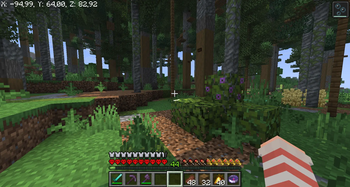
It adds a compact segmented marker around the crosshair when a nearby threat is just outside your view.
✨ Why use it?
This mod is for players who:
- want a little more control over nearby danger
- prefer subtle QoL over loud HUD elements
- want something that still feels close to vanilla
- get startled by sudden zombie hits or creeper explosions
It is especially useful if sudden off-screen hits make you jump and you want a calmer warning before the damage happens.
⚙️ Features
- Compact segmented warning marker near the crosshair
- Tracks the nearest valid off-screen threat
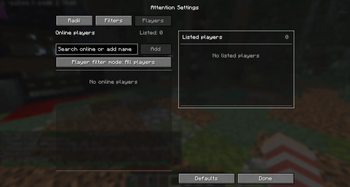
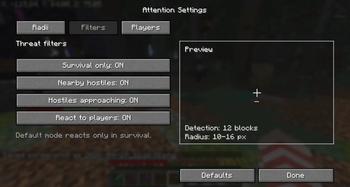
- Supports nearby hostiles, approaching hostiles, and off-screen players
- Optional directional ping when the marker first appears
- Detection radius configurable from
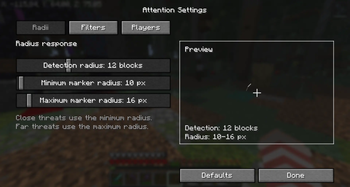
6to24blocks, default12 - Configurable marker radius and player filters
- Survival-only mode
- Mod Menu settings integration
- Client-side only
🎮 Controls
Open Attention Settingskeybind, unbound by default/attention settings/attention reload/attention demo on/attention demo off/attention demo pulse/attention demo angle <degrees>
❓ FAQ
Does it work on servers?
Yes. It is a client-side mod.
Do other players need to install it?
No.
Does it only warn about off-screen threats?
Yes. The marker is meant for awareness outside your current view.
Is it meant to stay vanilla-friendly?
Yes. It is a QoL mod, not a gameplay overhaul.
Can I disable player warnings?
Yes. You can disable them completely or filter them with the player list.
Where is the config stored?
config/attention.json
📁 Additional Info
- Supports Minecraft
1.21.8 - 1.21.11 - Fabric only
- Client-side only
- GPL-3.0 License
Available Versions
How to Install attention! on Your Server
Order Server
Order a Minecraft Java server with at least 3 GB RAM (4 GB recommended).
Set fabric Loader
In the panel under "Egg", select the fabric loader and matching Minecraft version (1.21.11).
Install Mod
Open the mod browser in the dashboard and search for "attention!". Click "Install" – done! Alternatively, upload the .jar via SFTP to the /mods folder.
Compatibility
Mod Loaders
Minecraft Versions
1.21.11, 1.21.10, 1.21.9 (+1 more)
Server-side
✗ UnsupportedRecommended RAM
4 GB(min. 3 GB)Frequently Asked Questions
attention! server crashes on startup – what to do?
Most common cause: wrong fabric version or insufficient RAM. Check the server log (latest.log) for "OutOfMemoryError" or "Mixin" errors. With Mado Hosting: ensure at least 3 GB RAM is allocated and the loader matches the mod version (1.21.11). You can switch loaders with one click in the panel.
Is attention! compatible with fabric?
attention! officially supports fabric for Minecraft 1.21.11, 1.21.10, 1.21.9. The Mado dashboard automatically detects incompatible loader combinations.
Server lagging with attention! – how to optimize performance?
Recommended RAM: 4 GB (per 8 players). Use /spark profiler to check if attention! consumes the most tick time. Common fixes: reduce server view-distance to 8-10, install "performant" or "starlight" as supplementary mods on Forge. With Mado Hosting, your server runs on NVMe SSDs with dedicated CPU cores for minimal latency.
Similar Mods




Rent Modded Server
Install attention! with just one click on your server.