
Screenshots
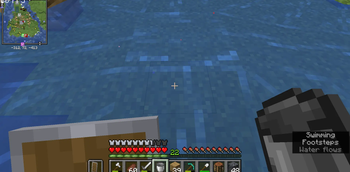
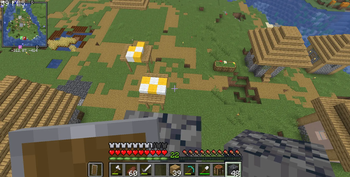
About this Mod
Auto-MLG (Fabric)
A lightweight, high-performance utility designed to save you from certain death. Whether you're falling from a sky-base or getting knocked off a cliff, this mod automates the precise timing needed to land a water bucket MLG.
✨ Features
Intelligent Inventory Search: The mod scans your entire inventory (not just your hotbar) for a water bucket and automatically swaps it into your hand when you fall.
Predictive Landing: Uses your current falling velocity and server latency (ping) to calculate the exact millisecond to place the water.
Automatic Cleanup: Scoops the water back up exactly 0.5 seconds after landing and returns your original item (like your sword) to your hand.
Movement Compensation: Scans a 3x3 area around your feet to ensure the water is picked up even if you drift slightly after landing.
Camera Lock: Automatically snaps your view to the ground during a fall to ensure a successful placement.
⌨️ Keybindings
Toggle Mod: Press G (default) to enable or disable the Auto-MLG logic.
🛠 Technical Details
Version: 1.21.11
Platform: Fabric
Requirements: Fabric API
Note: This mod is designed for technical testing and survival assistance. Please be mindful of server rules regarding automated utilities when playing on multiplayer servers!
Available Versions
How to Install Auto MLG/Clutch Mod on Your Server
Order Server
Order a Minecraft Java server with at least 3 GB RAM (4 GB recommended).
Set fabric Loader
In the panel under "Egg", select the fabric loader and matching Minecraft version (26.1.2).
Install Mod
Open the mod browser in the dashboard and search for "Auto MLG/Clutch Mod". Click "Install" – done! Alternatively, upload the .jar via SFTP to the /mods folder.
Compatibility
Mod Loaders
Minecraft Versions
26.1.2, 26.1, 1.21.11 (+1 more)
Server-side
✗ UnsupportedRecommended RAM
4 GB(min. 3 GB)Frequently Asked Questions
Auto MLG/Clutch Mod server crashes on startup – what to do?
Most common cause: wrong fabric version or insufficient RAM. Check the server log (latest.log) for "OutOfMemoryError" or "Mixin" errors. With Mado Hosting: ensure at least 3 GB RAM is allocated and the loader matches the mod version (26.1.2). You can switch loaders with one click in the panel.
Is Auto MLG/Clutch Mod compatible with fabric?
Auto MLG/Clutch Mod officially supports fabric for Minecraft 26.1.2, 26.1, 1.21.11. The Mado dashboard automatically detects incompatible loader combinations.
Server lagging with Auto MLG/Clutch Mod – how to optimize performance?
Recommended RAM: 4 GB (per 8 players). Use /spark profiler to check if Auto MLG/Clutch Mod consumes the most tick time. Common fixes: reduce server view-distance to 8-10, install "performant" or "starlight" as supplementary mods on Forge. With Mado Hosting, your server runs on NVMe SSDs with dedicated CPU cores for minimal latency.
Rent Modded Server
Install Auto MLG/Clutch Mod with just one click on your server.