
Auto Server Names
Stop naming every server "A Minecraft Server". This mod auto fixes that.
Screenshots
About this Mod
Auto Minecraft Server Namer
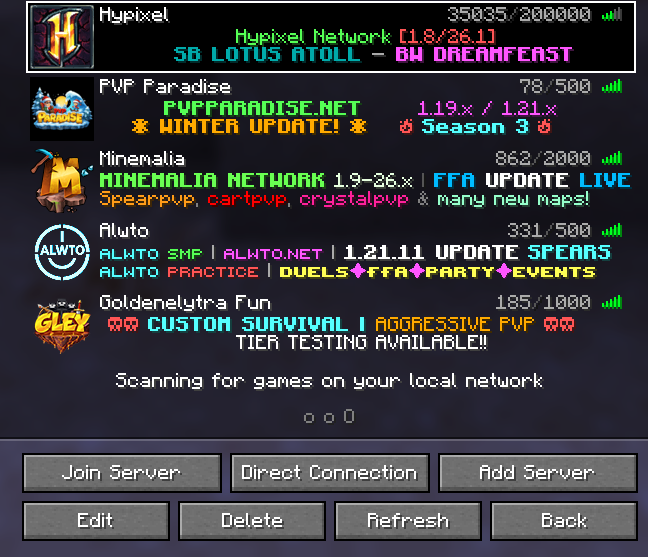
Stop seeing generic server names like "Minecraft Server".
Auto Minecraft Server Namer automatically generates clean, readable names from the server address you enter and can even rename your existing saved servers with a single click.
Features
🔤 Automatic Server Naming
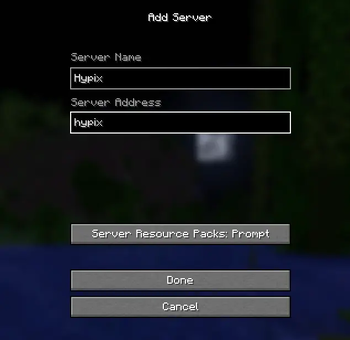
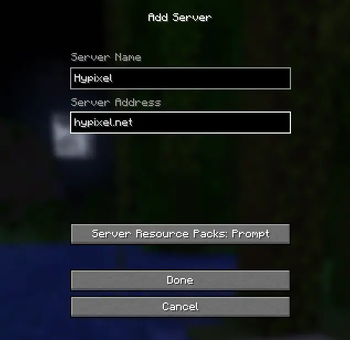
When adding a new server, the mod automatically generates a readable name from the server address.
Examples:
| Server Address | Generated Name |
|---|---|
play.minemalia.net |
Minemalia |
nightlight-smp.play.hosting |
Night Light SMP |
pvpserver.aternos.me |
PVP Server |
mc.hypixel.net |
Hypixel |
🖱️ Assign Names Button
Adds an Assign Names button directly to the Multiplayer screen.
With a single click, the mod:
- Scans your saved servers
- Finds servers with generic names such as:
Minecraft ServerA Minecraft Server- Empty names
- Generates proper names from their IP/domain
- Renames them automatically
- Saves the updated server list
No more manually renaming dozens of servers.
⚡ Real-Time Detection
- Works while typing a server address
- Works when pasting a server address
- Instantly suggests a readable server name
🛡️ Smart Protection
- Never overwrites manually edited server names
- Skips numeric IP addresses
- Detects duplicate names
- Automatically adds suffixes like:
MinemaliaMinemalia (2)Minemalia (3)
🧠 Intelligent Name Generation
The mod cleans up server addresses by:
Removing common prefixes:
playmcjoinhub
Converting:
nightlight-smp- into
Night Light SMP
Preserving common Minecraft terms:
- SMP
- PVP
- UHC
- RPG
- MMO
- OP
- FFA
📦 Supported Versions
- Minecraft 1.20.x
- Minecraft 1.21.x
🔧 Mod Loader
- Fabric
🚀 Technical Details
- Client-side only
- Java 21
- Lightweight and fast
- No external APIs
- No internet requests
- No telemetry
- Works completely offline
Why Use This Mod?
Minecraft already knows the server address.
Auto Minecraft Server Namer makes sure the server name looks just as clean.
Available Versions
How to Install Auto Server Names on Your Server
Order Server
Order a Minecraft Java server with at least 3 GB RAM (4 GB recommended).
Set fabric Loader
In the panel under "Egg", select the fabric loader and matching Minecraft version (1.21.11).
Install Mod
Open the mod browser in the dashboard and search for "Auto Server Names". Click "Install" – done! Alternatively, upload the .jar via SFTP to the /mods folder.
Compatibility
Mod Loaders
Minecraft Versions
1.21.11, 1.21.10, 1.21.9 (+11 more)
Server-side
✗ UnsupportedRecommended RAM
4 GB(min. 3 GB)Frequently Asked Questions
Auto Server Names server crashes on startup – what to do?
Most common cause: wrong fabric version or insufficient RAM. Check the server log (latest.log) for "OutOfMemoryError" or "Mixin" errors. With Mado Hosting: ensure at least 3 GB RAM is allocated and the loader matches the mod version (1.21.11). You can switch loaders with one click in the panel.
Is Auto Server Names compatible with fabric?
Auto Server Names officially supports fabric for Minecraft 1.21.11, 1.21.10, 1.21.9. The Mado dashboard automatically detects incompatible loader combinations.
Server lagging with Auto Server Names – how to optimize performance?
Recommended RAM: 4 GB (per 8 players). Use /spark profiler to check if Auto Server Names consumes the most tick time. Common fixes: reduce server view-distance to 8-10, install "performant" or "starlight" as supplementary mods on Forge. With Mado Hosting, your server runs on NVMe SSDs with dedicated CPU cores for minimal latency.
Similar Mods






Rent Modded Server
Install Auto Server Names with just one click on your server.