Auto sorter
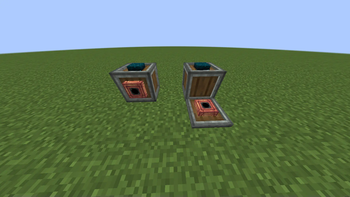
the mod adds two new blocks for your warehouse, with which you can simplify its sorting
Screenshots
About this Mod
Eng:
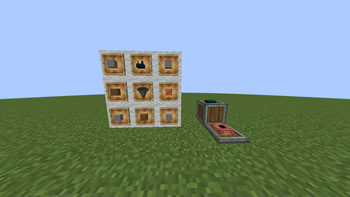
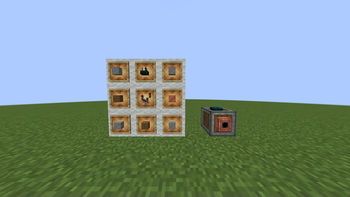
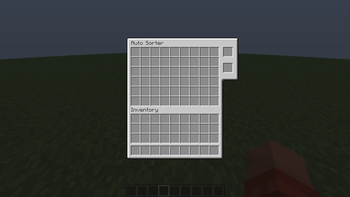
The mod adds two new blocks for your warehouse, with which you can simplify its sorting.
The first "Sorting Sentencer" block, when the red stone signal is given, takes things from the chest and sends them to the second block.
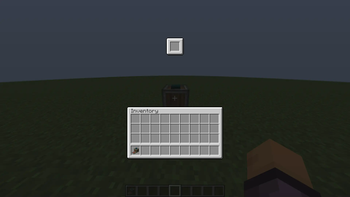
The second block "Resource Receiver" compares the received item with the items in its inventory (filter slots) and, if the item matches, transfers it to the storage in front of it
Ru:
Мод добавляет два новых блока для вашего склада, с помощью которых вы можете упростить его сортировку.
Первый блок "Сортировочный приготовитель", когда на него подается сигнал redstone, забирает вещи из стоящего перед ним сундука(хранилища) и отправляет их во второй блок.
Второй блок "Получатель ресурсов" сравнивает полученный стак предметов с предметами в своем инвентаре (ячейки фильтра) и, если предметы совпадают, передает его в хранилище, расположенное перед ним
Available Versions
How to Install Auto sorter on Your Server
Order Server
Order a Minecraft Java server with at least 3 GB RAM (4 GB recommended).
Set fabric Loader
In the panel under "Egg", select the fabric loader and matching Minecraft version (1.20.1).
Install Mod
Open the mod browser in the dashboard and search for "Auto sorter". Click "Install" – done! Alternatively, upload the .jar via SFTP to the /mods folder.
Compatibility
Mod Loaders
Minecraft Versions
1.20.1
Server-side
✓ RequiredRecommended RAM
4 GB(min. 3 GB)Frequently Asked Questions
Auto sorter server crashes on startup – what to do?
Most common cause: wrong fabric version or insufficient RAM. Check the server log (latest.log) for "OutOfMemoryError" or "Mixin" errors. With Mado Hosting: ensure at least 3 GB RAM is allocated and the loader matches the mod version (1.20.1). You can switch loaders with one click in the panel.
Is Auto sorter compatible with fabric?
Auto sorter officially supports fabric for Minecraft 1.20.1. The Mado dashboard automatically detects incompatible loader combinations.
Server lagging with Auto sorter – how to optimize performance?
Recommended RAM: 4 GB (per 8 players). Use /spark profiler to check if Auto sorter consumes the most tick time. Common fixes: reduce server view-distance to 8-10, install "performant" or "starlight" as supplementary mods on Forge. With Mado Hosting, your server runs on NVMe SSDs with dedicated CPU cores for minimal latency.
Similar Mods


Rent Modded Server
Install Auto sorter with just one click on your server.