
AutoEater
AutoEater is a client-side Fabric mod that automatically eats food for you when your hunger bar falls below a threshold you set — no more dying to starvation while mining or building.
Screenshots
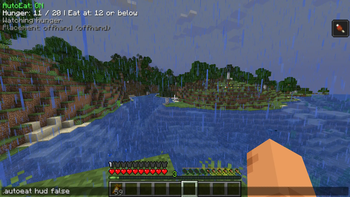
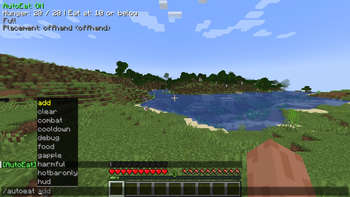
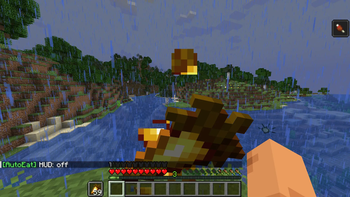
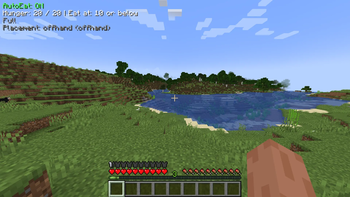
About this Mod
AutoEater is a client-side Fabric mod that automatically eats food for you when your hunger bar falls below a threshold you set — no more dying to starvation while mining or building.
Features
- Auto-eats when hunger drops below a configurable threshold
- Configurable hunger target (eat until this level is reached)
- Food priority modes: Best food first, Worst food first, or Custom priority list
- Food placement options: empty hotbar slot, replace held item, or offhand
- Saturation threshold trigger — eat before hunger even visually drops
- Emergency Golden Apple mode — auto-eats gapples below a set health level
- Combat safety mode — aborts eating when you take damage, with a 3-second pause
- Toggle hotbar-only mode (slots 1–9 or full inventory)
- Toggle harmful food (rotten flesh, spider eyes, poisonous potato, pufferfish)
- Optional HUD overlay
- All settings configurable via in-game commands or autoeat.json
Commands
All commands support tab auto-completion and work with .autoeat prefix on servers.
| Command | Description |
|---|---|
/autoeat |
Show current status and all settings |
/autoeat threshold <1-20> |
Hunger level that triggers eating |
/autoeat target <1-20> |
Hunger level to eat up to |
/autoeat saturation <float> |
Eat when saturation drops below this (0.0 to disable) |
/autoeat cooldown <ticks> |
Delay between eating items (20 ticks = 1 second) |
/autoeat maxeats <1-100> |
Max food items eaten per activation |
/autoeat food [best|worst|custom] |
Food selection priority |
/autoeat place [empty|held|offhand] |
Where to place food before eating |
/autoeat add <item_id> |
Add item to custom priority list |
/autoeat clear |
Clear custom priority list |
/autoeat gapple <float> |
Health threshold for emergency Golden Apple use |
/autoeat combat <true|false> |
Toggle combat safety mode |
/autoeat harmful <true|false> |
Allow/block harmful foods |
/autoeat hotbaronly <true|false> |
Restrict to hotbar only |
/autoeat hud [true|false] |
Toggle HUD overlay |
/autoeat debug <true|false> |
Enable console debug logging |
Requirements
- Minecraft 1.21+
- Fabric Loader ≥ 0.15.0
- Fabric API
- Java 21+
Client-side only — works on any server.
Available Versions
How to Install AutoEater on Your Server
Order Server
Order a Minecraft Java server with at least 3 GB RAM (4 GB recommended).
Set fabric Loader
In the panel under "Egg", select the fabric loader and matching Minecraft version (26.1.2).
Install Mod
Open the mod browser in the dashboard and search for "AutoEater". Click "Install" – done! Alternatively, upload the .jar via SFTP to the /mods folder.
Compatibility
Mod Loaders
Minecraft Versions
26.1.2, 26.1.1, 26.1 (+12 more)
Server-side
✗ UnsupportedRecommended RAM
4 GB(min. 3 GB)Frequently Asked Questions
AutoEater server crashes on startup – what to do?
Most common cause: wrong fabric version or insufficient RAM. Check the server log (latest.log) for "OutOfMemoryError" or "Mixin" errors. With Mado Hosting: ensure at least 3 GB RAM is allocated and the loader matches the mod version (26.1.2). You can switch loaders with one click in the panel.
Is AutoEater compatible with fabric?
AutoEater officially supports fabric for Minecraft 26.1.2, 26.1.1, 26.1. The Mado dashboard automatically detects incompatible loader combinations.
Server lagging with AutoEater – how to optimize performance?
Recommended RAM: 4 GB (per 8 players). Use /spark profiler to check if AutoEater consumes the most tick time. Common fixes: reduce server view-distance to 8-10, install "performant" or "starlight" as supplementary mods on Forge. With Mado Hosting, your server runs on NVMe SSDs with dedicated CPU cores for minimal latency.
Similar Mods



Rent Modded Server
Install AutoEater with just one click on your server.