
AutoGG Custom
Sends a message after a message, we have built-in presets for server. You can send presets to be added in the mod.
Screenshots

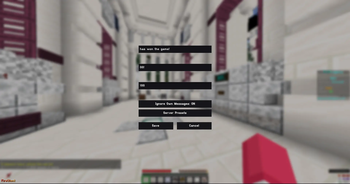
About this Mod
AutoGG
AutoGG is a lightweight Fabric mod designed to automatically send your “GG” (Good Game) message when a match ends. Instead of manually typing a message after every round, AutoGG detects the end of a game and instantly sends your selected preset in chat. This makes it perfect for players who want a quick, consistent way to show sportsmanship while focusing on gameplay.
The mod is built with simplicity and performance in mind. It runs with minimal overhead and integrates smoothly into the Minecraft client without affecting gameplay. AutoGG focuses on doing one job well: making post-match messages automatic, customizable, and easy to manage.
Key Features
Automatic GG Messages
AutoGG detects when a match ends and automatically sends a GG message in chat. This saves time and ensures you never forget to acknowledge the end of a round.
Message Presets
Create and manage a list of GG message presets that you can quickly switch between. For example:
GGgg wpggsgg everyonegg well played
You can add as many presets as you like and select which one AutoGG will use.
Favorites System
Mark your most-used presets as favorites so they’re easier to access and select. This is especially useful if you maintain a large collection of GG messages.
Built-In Search
AutoGG includes a search feature that lets you quickly find specific presets. Instead of scrolling through a long list, simply type part of the message to locate it instantly.
Paging for Large Lists
If you have many presets, AutoGG organizes them using paging. This keeps the interface clean and easy to navigate, even with dozens of saved messages.
Quick Actions
Manage presets quickly using built-in actions:
- Add new presets
- Update/Edit existing messages
- Delete presets you no longer want
- Use a preset instantly as your active GG message
These tools make managing your message list fast and convenient.
Server Presets
AutoGG supports server-specific presets, allowing you to maintain different GG messages for different servers. This makes it easy to customize your messages depending on where you're playing.
Send Server Presets
You can send Server Presets to the owner thats gonna look like this:
player: (USERNAME)
uuid: (UUID, for banning people from sending presets)
server ip: (The Server IP the server presets should work on)
reaction: (On what message the automatic GG message gets sent)
message: (The GG Message)
Community Preset Submissions
If you create a preset that you think other players would enjoy, you can send it to the mod owner. Submitted presets may be reviewed and added as built-in presets in future updates of AutoGG, allowing the community to contribute to the default preset collection.
Lightweight and Client-Friendly
AutoGG is intentionally designed to be:
- Lightweight
- Fast
- Easy to configure
- Non-intrusive
It does not introduce unnecessary complexity and works seamlessly with Fabric-based Minecraft clients.
Why Use AutoGG?
AutoGG is perfect for players who:
- Want to automatically send GG messages
- Prefer customizable message presets
- Play frequently and want to save time after matches
- Like keeping their chat behavior consistent and automated
Whether you’re playing casually or competitively, AutoGG helps ensure you always end your matches with a simple GG.
Available Versions
How to Install AutoGG Custom on Your Server
Order Server
Order a Minecraft Java server with at least 3 GB RAM (4 GB recommended).
Set fabric Loader
In the panel under "Egg", select the fabric loader and matching Minecraft version (1.21.11).
Install Mod
Open the mod browser in the dashboard and search for "AutoGG Custom". Click "Install" – done! Alternatively, upload the .jar via SFTP to the /mods folder.
Compatibility
Mod Loaders
Minecraft Versions
1.21.11
Server-side
✗ UnsupportedRecommended RAM
4 GB(min. 3 GB)Frequently Asked Questions
AutoGG Custom server crashes on startup – what to do?
Most common cause: wrong fabric version or insufficient RAM. Check the server log (latest.log) for "OutOfMemoryError" or "Mixin" errors. With Mado Hosting: ensure at least 3 GB RAM is allocated and the loader matches the mod version (1.21.11). You can switch loaders with one click in the panel.
Is AutoGG Custom compatible with fabric?
AutoGG Custom officially supports fabric for Minecraft 1.21.11. The Mado dashboard automatically detects incompatible loader combinations.
Server lagging with AutoGG Custom – how to optimize performance?
Recommended RAM: 4 GB (per 8 players). Use /spark profiler to check if AutoGG Custom consumes the most tick time. Common fixes: reduce server view-distance to 8-10, install "performant" or "starlight" as supplementary mods on Forge. With Mado Hosting, your server runs on NVMe SSDs with dedicated CPU cores for minimal latency.
Rent Modded Server
Install AutoGG Custom with just one click on your server.