
AutoGG+
The best AutoGG mod for Hypixel out there!
Screenshots


About this Mod
AutoGG+
AutoGG+ is a mod designed for Hypixel to automatically say a message when a game finishes.
Why AutoGG+?
Compared to other existing AutoGG mods, AutoGG+ has some exclusive features, such as:
- Message randomization: Tired of Hypixel constantly blocking your message for spam? AutoGG+ automatically rotates the capitalization of your message, so it never gets blocked!
- Customizable messages: You can set your own custom messages, so you can say whatever you want.
- Second message: Want to say more after your GG message? AutoGG+ makes it possible!
- Accurate triggers: No false positives - AutoGG+ uses accurate patterns to detect when a game finishes, ensuring you don't randomly shout "Good Game!" in the middle of a game. AutoGG+ can even send "gg" when a Pit event finishes!
- Support for the latest Hypixel games: AutoGG+ supports most of Hypixel games (with more to come!).
- Nice and easy to use configuration: AutoGG+ uses OneConfig as its configuration manager, allowing you to easily change the mod's options in a beautiful interface with just a click of a button (R-SHIFT by default).
- Plug and play: Just install the mod and it's ready to work, no configuration required!
Mod showcase
Configuration menu

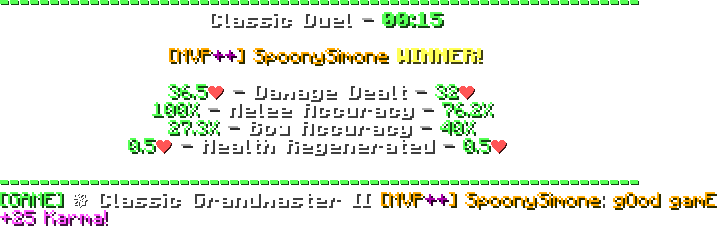
Mod in action
Commands
/autoggplus- Opens the configuration menu./gg- Send a GG message in the chat with your configured settings.
Credits
Credits to Sk1er for a portion of the triggers list
Thanks to Lucide for providing the message icon

Disclaimers
This product is not affiliated or endorsed by Hypixel in any way.
As with all mods on Hypixel, you use this at your own risk. That said, AutoGG mods have never led to any punishment.
Available Versions
How to Install AutoGG+ on Your Server
Order Server
Order a Minecraft Java server with at least 3 GB RAM (4 GB recommended).
Set forge Loader
In the panel under "Egg", select the forge loader and matching Minecraft version (1.8.9).
Install Mod
Open the mod browser in the dashboard and search for "AutoGG+". Click "Install" – done! Alternatively, upload the .jar via SFTP to the /mods folder.
Compatibility
Mod Loaders
Minecraft Versions
1.8.9
Server-side
✗ UnsupportedRecommended RAM
4 GB(min. 3 GB)Frequently Asked Questions
AutoGG+ server crashes on startup – what to do?
Most common cause: wrong forge version or insufficient RAM. Check the server log (latest.log) for "OutOfMemoryError" or "Mixin" errors. With Mado Hosting: ensure at least 3 GB RAM is allocated and the loader matches the mod version (1.8.9). You can switch loaders with one click in the panel.
Is AutoGG+ compatible with forge?
AutoGG+ officially supports forge for Minecraft 1.8.9. The Mado dashboard automatically detects incompatible loader combinations.
Server lagging with AutoGG+ – how to optimize performance?
Recommended RAM: 4 GB (per 8 players). Use /spark profiler to check if AutoGG+ consumes the most tick time. Common fixes: reduce server view-distance to 8-10, install "performant" or "starlight" as supplementary mods on Forge. With Mado Hosting, your server runs on NVMe SSDs with dedicated CPU cores for minimal latency.
Similar Mods





Rent Modded Server
Install AutoGG+ with just one click on your server.