
Automobility: Unofficial Port
Unofficial Fabric port of FoundationGames' Automobility vehicle mod for Minecraft 26.x.
Screenshots


About this Mod
Automobility Unofficial Port
This project provides unofficial Fabric ports of Automobility by FoundationGames for Minecraft Java 26.x versions.
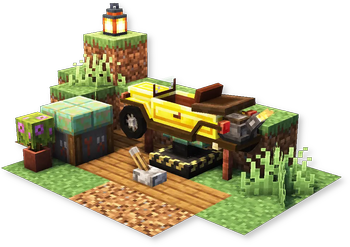
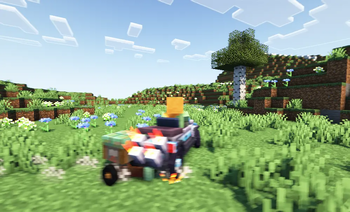
Automobility adds customizable and functional vehicles, vehicle parts, attachments, road-building blocks, driving controls, sounds, and data/resource-pack vehicle support.
This is an unofficial fork/port. It is not affiliated with or endorsed by FoundationGames unless stated otherwise by the upstream maintainers. Please report issues for this port on this project's issue tracker, not on upstream Automobility support channels.
Features
- Customizable automobiles with frames, engines, wheels, and attachments
- Auto Mechanic Table and Automobile Assembler progression
- Drivable vehicles with drifting, horn, sounds, boost FOV, speed HUD, and drift smoke
- Slopes, dash panels, off-road blocks, launch gel, pressure plates, and related road-building tools
- Optional Controlify controller support on Fabric
- Data-pack and resource-pack support for custom vehicles
Current Versions
Public builds are published per Minecraft target. Current targets include Minecraft Java 26.1.x and 26.2 on Fabric.
Requirements
- A matching Minecraft Java 26.x build
- Fabric Loader for that Minecraft version
- Fabric API
- Java 25 or newer
Optional
- Controlify for controller support
Related Addons
- Momentum for Automobility: Unofficial Port is an optional addon for this port that adds smoother handling, cruise control, brake/drift input sync, and a compact speed HUD. If used in multiplayer, install it on both the client and the server.
Status
This port is beta. Core vehicle gameplay, rendering, sounds, particles, crafting screens, assembler flow, attachments, slopes, and multiplayer vehicle visual sync are working.
Testing has been done in singleplayer and multiplayer Fabric environments, including a larger Fabric mod set with common performance mods, world generation mods, mapping mods, voice chat, controller support, shader/renderer mods, and quality-of-life mods. This does not guarantee compatibility with every modpack, so please include logs and a full mod list when reporting issues.
Available Versions
How to Install Automobility: Unofficial Port on Your Server
Order Server
Order a Minecraft Java server with at least 3 GB RAM (4 GB recommended).
Set fabric Loader
In the panel under "Egg", select the fabric loader and matching Minecraft version (26.2).
Install Mod
Open the mod browser in the dashboard and search for "Automobility: Unofficial Port". Click "Install" – done! Alternatively, upload the .jar via SFTP to the /mods folder.
Compatibility
Mod Loaders
Minecraft Versions
26.2, 26.1.2, 26.1.1 (+1 more)
Server-side
✓ RequiredRecommended RAM
4 GB(min. 3 GB)Frequently Asked Questions
Automobility: Unofficial Port server crashes on startup – what to do?
Most common cause: wrong fabric version or insufficient RAM. Check the server log (latest.log) for "OutOfMemoryError" or "Mixin" errors. With Mado Hosting: ensure at least 3 GB RAM is allocated and the loader matches the mod version (26.2). You can switch loaders with one click in the panel.
Is Automobility: Unofficial Port compatible with fabric?
Automobility: Unofficial Port officially supports fabric for Minecraft 26.2, 26.1.2, 26.1.1. The Mado dashboard automatically detects incompatible loader combinations.
Server lagging with Automobility: Unofficial Port – how to optimize performance?
Recommended RAM: 4 GB (per 8 players). Use /spark profiler to check if Automobility: Unofficial Port consumes the most tick time. Common fixes: reduce server view-distance to 8-10, install "performant" or "starlight" as supplementary mods on Forge. With Mado Hosting, your server runs on NVMe SSDs with dedicated CPU cores for minimal latency.
Similar Mods





Rent Modded Server
Install Automobility: Unofficial Port with just one click on your server.