
AutoText
This Fabric client mod automatically sends your configured chat messages at either a fixed or random interval, and it can be toggled with a keybind. It also includes an in-game configuration screen, available through a keybind and much more.
Screenshots
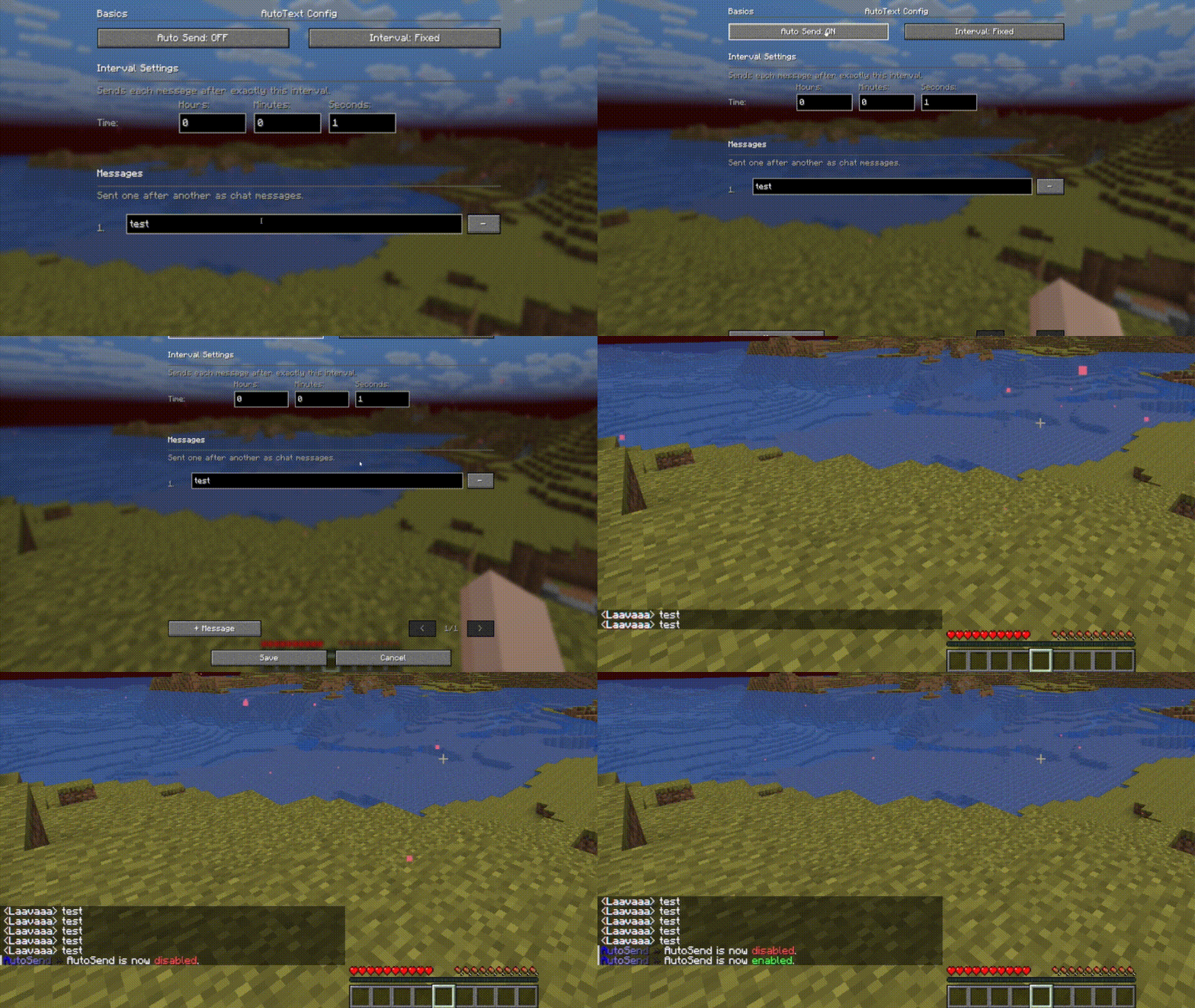
About this Mod
AutoText
AutoText is a lightweight client-side Fabric mod for Minecraft that helps you quickly send predefined chat messages and commands.
It is useful if you often type the same messages, server commands, or other repeated chat text. Instead of writing everything manually every time, you can save your text once and send it faster with a keybind.
Features
- Save predefined text messages
- Quickly send saved text in chat
- Useful for repeated messages and commands
- Works completely client-side
- Lightweight and simple to use
- Configurable text entries
- Keybind support for quick access
- Built for Fabric
Keybinds
AutoText adds keybinds that can be changed in the Minecraft controls menu.
Default keybinds:
| Keybind | Description |
|---|---|
R |
Opens the AutoText menu |
K |
Starts the Mod. |
You can change the keybinds in:
Options → Controls → Key Binds → AutoText
If another mod already uses the same key, you can simply assign a different key.
Important information
AutoText does not add cheats, hacks, combat assistance, movement modifications, X-ray, duplication, or any unfair gameplay advantages.
The mod only helps with sending configurable chat text. Please use it responsibly and follow the rules of the servers you play on.
Some servers may have rules about automated or repeated messages. Make sure your usage follows the server rules.
Compatibility
AutoText is a client-side mod.
| Side | Required |
|---|---|
| Client | Yes |
| Server | No |
The server does not need to install this mod.
License
Check the project license for more information.
Available Versions
How to Install AutoText on Your Server
Order Server
Order a Minecraft Java server with at least 3 GB RAM (4 GB recommended).
Set fabric Loader
In the panel under "Egg", select the fabric loader and matching Minecraft version (1.21.11).
Install Mod
Open the mod browser in the dashboard and search for "AutoText". Click "Install" – done! Alternatively, upload the .jar via SFTP to the /mods folder.
Compatibility
Mod Loaders
Minecraft Versions
1.21.11, 1.21.10, 1.21.4
Server-side
✗ UnsupportedRecommended RAM
4 GB(min. 3 GB)Frequently Asked Questions
AutoText server crashes on startup – what to do?
Most common cause: wrong fabric version or insufficient RAM. Check the server log (latest.log) for "OutOfMemoryError" or "Mixin" errors. With Mado Hosting: ensure at least 3 GB RAM is allocated and the loader matches the mod version (1.21.11). You can switch loaders with one click in the panel.
Is AutoText compatible with fabric?
AutoText officially supports fabric for Minecraft 1.21.11, 1.21.10, 1.21.4. The Mado dashboard automatically detects incompatible loader combinations.
Server lagging with AutoText – how to optimize performance?
Recommended RAM: 4 GB (per 8 players). Use /spark profiler to check if AutoText consumes the most tick time. Common fixes: reduce server view-distance to 8-10, install "performant" or "starlight" as supplementary mods on Forge. With Mado Hosting, your server runs on NVMe SSDs with dedicated CPU cores for minimal latency.
Similar Mods






Rent Modded Server
Install AutoText with just one click on your server.