
Screenshots
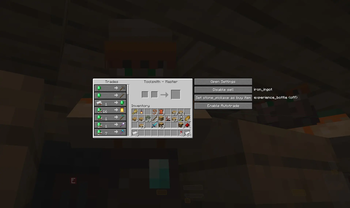
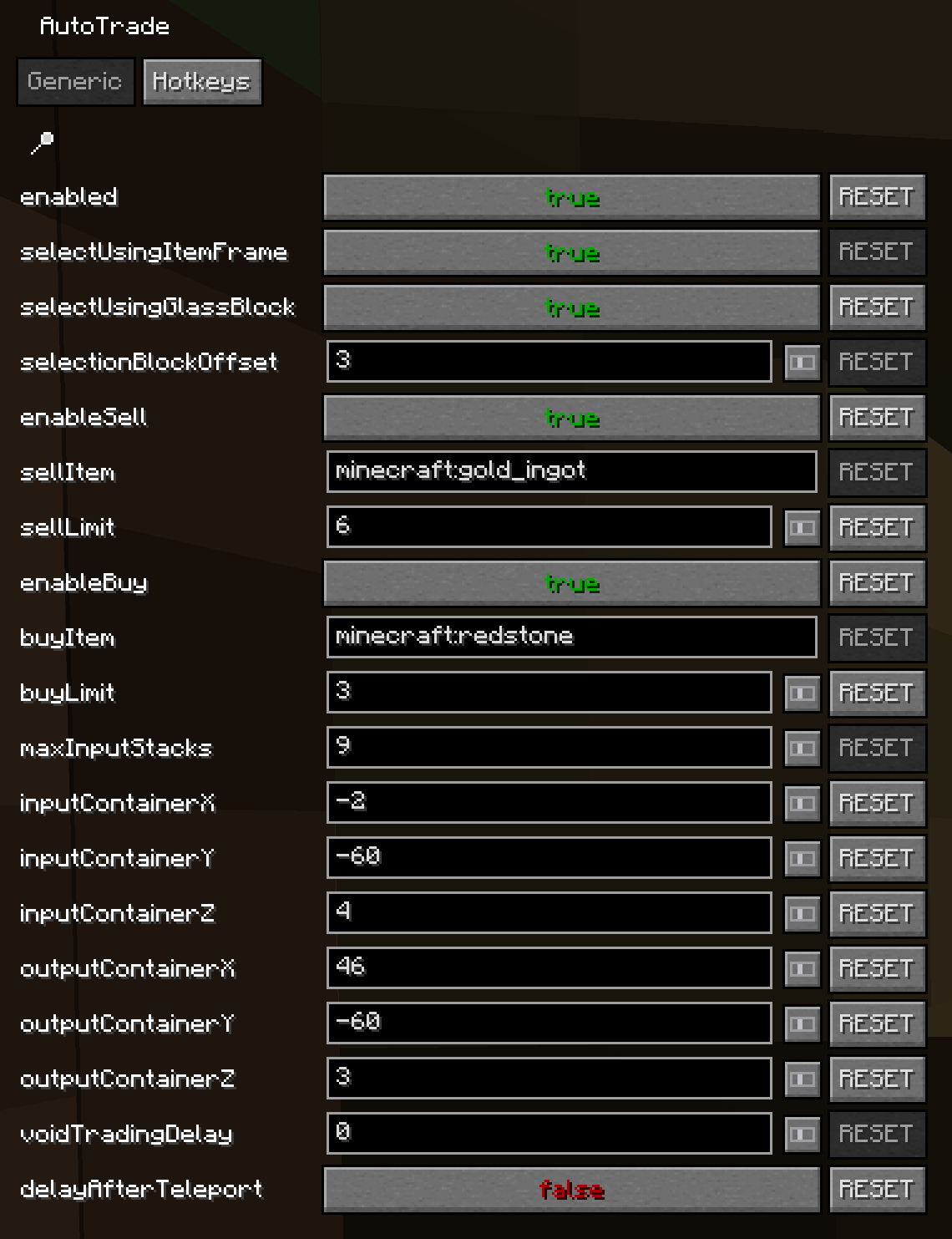
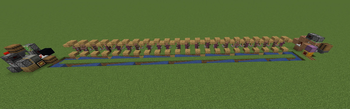
About this Mod

AutoTrade-fabric
Table of contents
feel free to ask questions: https://github.com/sebseb7/autotrade-fabric/discussions
Description
Allows you to AFK trade with villagers.
Player movement is not part of this mod. You have to move between villagers and input and output containers using minecart, water stream or other methods. Use a light sensor to trade only once per day per villager to keep prices from climbing.
Default keybind for options GUI: Right-Shift+T
Beginning with version v0.0.10 you can select the sell/buy items using nametagged items in items frames and the input/output containers by placing colored glass blocks nearby.
if you can't access settings via the keybind, try modmenu https://modrinth.com/mod/modmenu
Supported Version:
- Minecraft 1.19.4 - 1.20.4, 1.21.11, 26.1.2
Build for 1.20.3 / 1.20.4
./gradlew build
Build for older minecraft versions:
./gradlew build -Pminecraft_version_out=1.20.2 -Pminecraft_version=1.20.2 -Pminecraft_version_min=1.20.2 -Pmalilib_version=0.17.0 -Pmod_menu_version=8.0.1 -Pmappings_version=1.20.2+build.4
./gradlew build -Pminecraft_version_out=1.20.1 -Pminecraft_version=1.20.1 -Pminecraft_version_min=1.20 -Pmalilib_version=0.16.1 -Pmod_menu_version=7.0.1 -Pmappings_version=1.20.1+build.10
./gradlew build -Pminecraft_version_out=1.19.4 -Pminecraft_version=1.19.4 -Pminecraft_version_min=1.19.4 -Pmalilib_version=0.15.2 -Pmod_menu_version=6.1.0 -Pmappings_version=1.19.4+build.2
Requires:
- malilib
Known Issues
- itemscroller trade favorites break trading
Possible Setup
- shulker unloader presenter for input
- shulker loader presenter for output
- input, output, villagers connected by circular water stream to move the player
- block the water stream like this, to have the player trade only once per day to keep prices low:
- on 2b2t water stream for player movement doesn't work somehow, minecart circuit works, or this EssentialClient Script https://gist.github.com/sebseb7/6477190dd531d05991741ccb031c0684
Demo Video
Void Trading Example & Settings
- selectUsingGlassBlock: true
- selectionOffset: -3
- voidTradingDelay: 50
- delayAfterTeleport: true
https://github.com/sebseb7/autotrade-fabric/releases/download/v0.0.10/void_trader_outer_island.litematic
https://github.com/sebseb7/autotrade-fabric/releases/download/v0.0.10/void_trader_central_island.litematic
WDL
https://github.com/sebseb7/autotrade-fabric/releases/download/v0.0.10/AutoTradeDemoWDL.zip
Available Versions
How to Install autotrade-fabric on Your Server
Order Server
Order a Minecraft Java server with at least 3 GB RAM (4 GB recommended).
Set fabric Loader
In the panel under "Egg", select the fabric loader and matching Minecraft version (26.1.2).
Install Mod
Open the mod browser in the dashboard and search for "autotrade-fabric". Click "Install" – done! Alternatively, upload the .jar via SFTP to the /mods folder.
Compatibility
Mod Loaders
Minecraft Versions
26.1.2, 1.21.11, 1.21.10 (+6 more)
Server-side
✗ UnsupportedRecommended RAM
4 GB(min. 3 GB)Frequently Asked Questions
autotrade-fabric server crashes on startup – what to do?
Most common cause: wrong fabric version or insufficient RAM. Check the server log (latest.log) for "OutOfMemoryError" or "Mixin" errors. With Mado Hosting: ensure at least 3 GB RAM is allocated and the loader matches the mod version (26.1.2). You can switch loaders with one click in the panel.
Is autotrade-fabric compatible with fabric?
autotrade-fabric officially supports fabric for Minecraft 26.1.2, 1.21.11, 1.21.10. The Mado dashboard automatically detects incompatible loader combinations.
Server lagging with autotrade-fabric – how to optimize performance?
Recommended RAM: 4 GB (per 8 players). Use /spark profiler to check if autotrade-fabric consumes the most tick time. Common fixes: reduce server view-distance to 8-10, install "performant" or "starlight" as supplementary mods on Forge. With Mado Hosting, your server runs on NVMe SSDs with dedicated CPU cores for minimal latency.
Rent Modded Server
Install autotrade-fabric with just one click on your server.