
aVm mod
A mod that adds items from AVM.
Screenshots
About this Mod
English
This mod adds almost all things from AVM (Animation vs Minecraft)
This mod adds things like:
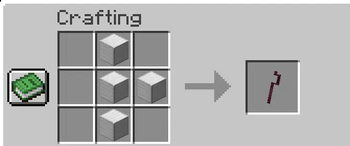
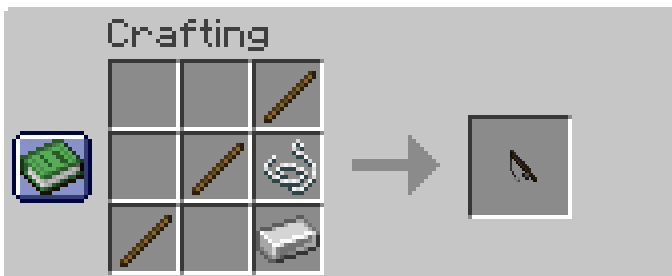
- A fishing rod and a harpoon that allows you to move like in an AVM

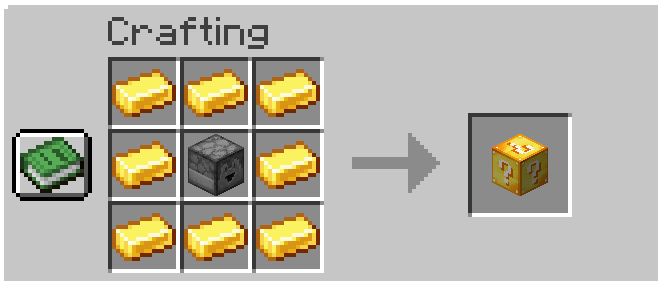
- Lucky block and orb

- Also Green's Guitar

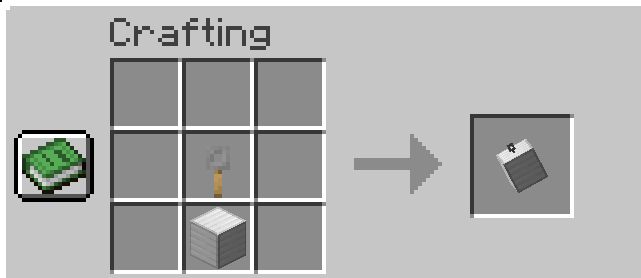
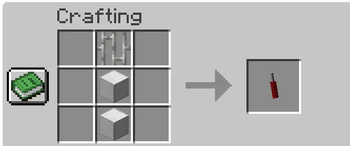
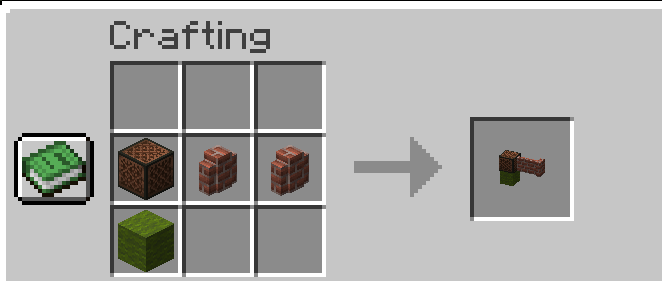
- And, of course, Yellow's staffs! (unfortunately only 4)

Also, to insert objects into the staff, you need to take the iron block/portal frame to the end/command block in your left hand. And in the main hand take the staff and press Shift+RMB
To use abilities on a staff, press RMB while holding shift/controll. To remove a block from a staff, right-click while holding alt.
Русский
Этот мод добавляет практически все вещи из AVM (Animation vs Minecraft)
Этот мод добавляет такие вещи, как:
- Удочка и гарпун, позволяющие двигаться как в АVМ
- Лаки блок и сфера
- Также гитару Зелёного
- И конечно посохи Жёлтого! (К сожалению пока только 4)
Также, чтобы вставить предметы в посох, нужно взять в левую руку железный блок/рамку портала в энд/командный блок. А в основную руку возьмите посох и нажмите Shift+ПКМ.
Чтобы использовать способности посоха, нажмите ПКМ, удерживая Shift/Control. Чтобы удалить блок из посоха, щелкните правой кнопкой мыши, удерживая Alt.
Available Versions
How to Install aVm mod on Your Server
Order Server
Order a Minecraft Java server with at least 3 GB RAM (4 GB recommended).
Set fabric Loader
In the panel under "Egg", select the fabric loader and matching Minecraft version (1.20.1).
Install Mod
Open the mod browser in the dashboard and search for "aVm mod". Click "Install" – done! Alternatively, upload the .jar via SFTP to the /mods folder.
Compatibility
Mod Loaders
Minecraft Versions
1.20.1
Server-side
✓ RequiredRecommended RAM
4 GB(min. 3 GB)Frequently Asked Questions
aVm mod server crashes on startup – what to do?
Most common cause: wrong fabric version or insufficient RAM. Check the server log (latest.log) for "OutOfMemoryError" or "Mixin" errors. With Mado Hosting: ensure at least 3 GB RAM is allocated and the loader matches the mod version (1.20.1). You can switch loaders with one click in the panel.
Is aVm mod compatible with fabric and forge?
aVm mod officially supports fabric, forge for Minecraft 1.20.1. Note: Forge and Fabric mods are NOT cross-compatible – pick one loader and stick with it. The Mado dashboard automatically detects incompatible loader combinations.
Server lagging with aVm mod – how to optimize performance?
Recommended RAM: 4 GB (per 8 players). Use /spark profiler to check if aVm mod consumes the most tick time. Common fixes: reduce server view-distance to 8-10, install "performant" or "starlight" as supplementary mods on Forge. With Mado Hosting, your server runs on NVMe SSDs with dedicated CPU cores for minimal latency.
Similar Mods




Rent Modded Server
Install aVm mod with just one click on your server.