
Azure Abyss
Beneath the Abyss lies more than just nothingness. Explore a story-driven dimension with new gear, creatures, and secrets.
Screenshots
About this Mod
“Azure Abyss”
— Beneath the Abyss Lies More Than Just Nothingness
This mod adds a series of exploration-based structures and gameplay elements to Minecraft.
As you explore, you’ll uncover clues about the entire game’s lore.
The current version includes the following:
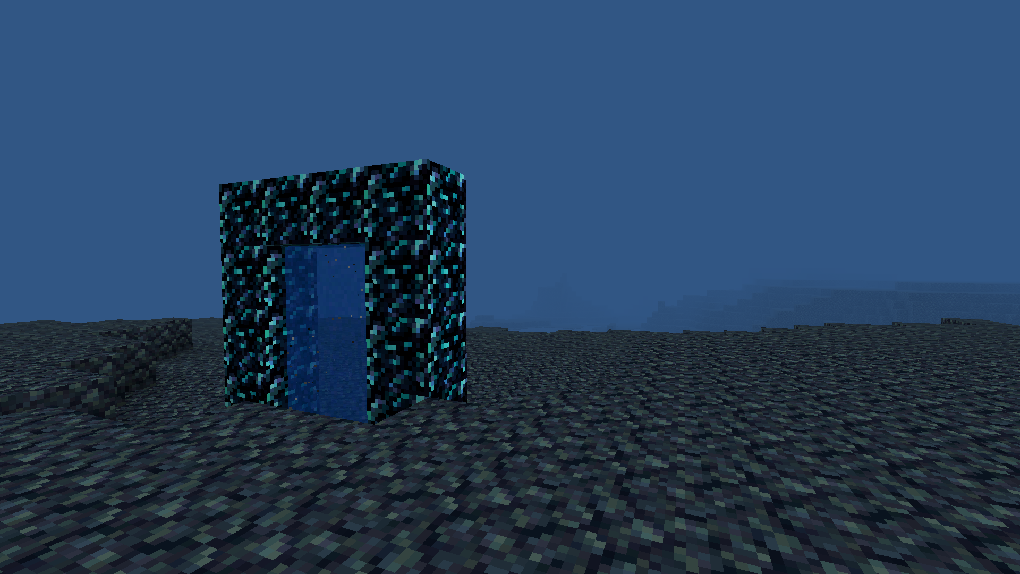
🌌 The all-new “Abyss” dimension – a mysterious, dangerous, and beautiful new world waiting for you to uncover its secrets.
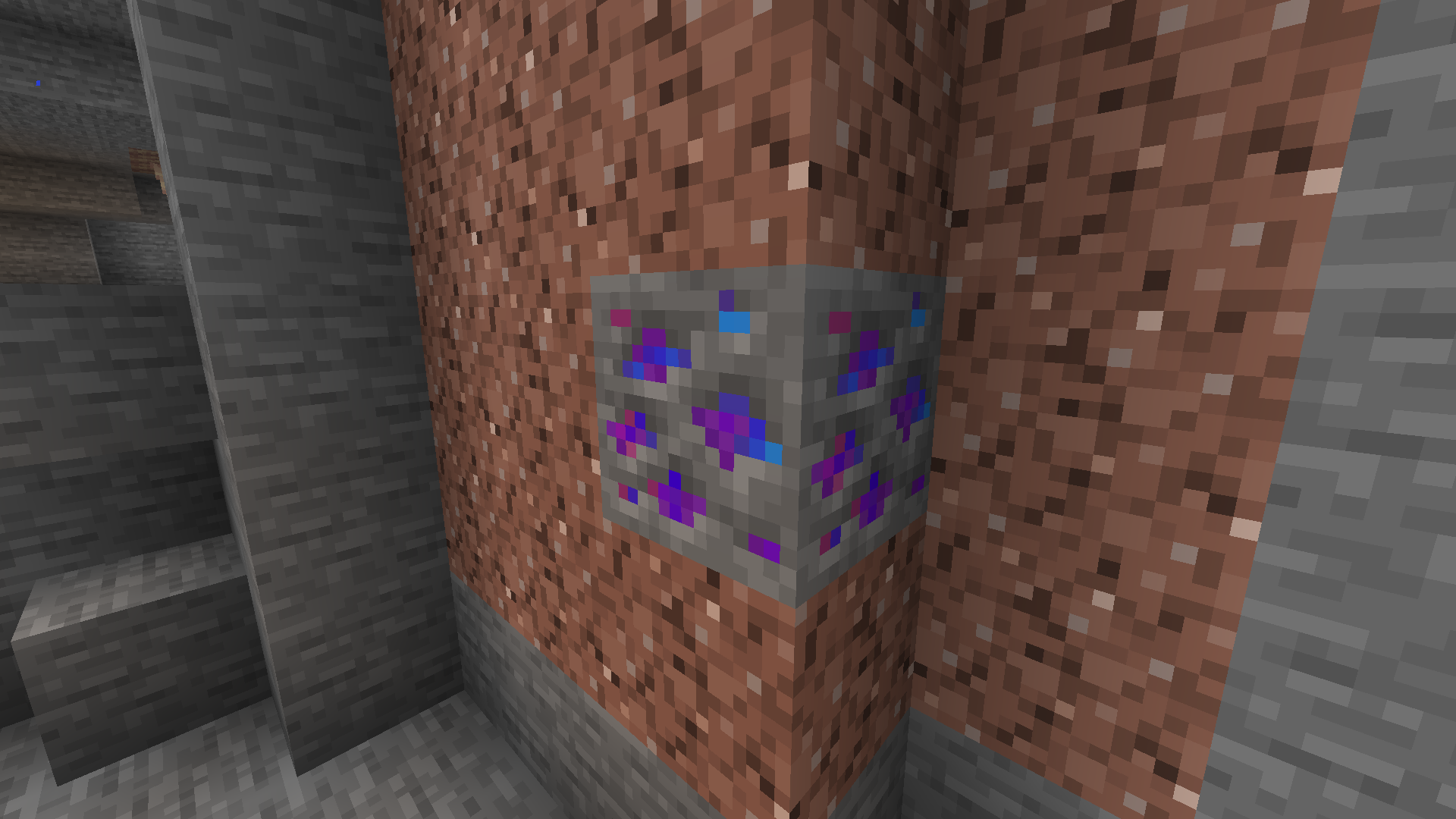
💎 New Ore: “Dream Blue” – Can be used to craft stronger tools and weapons.
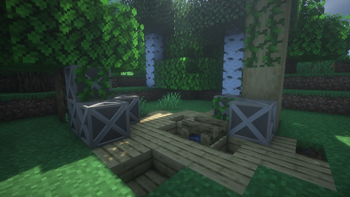
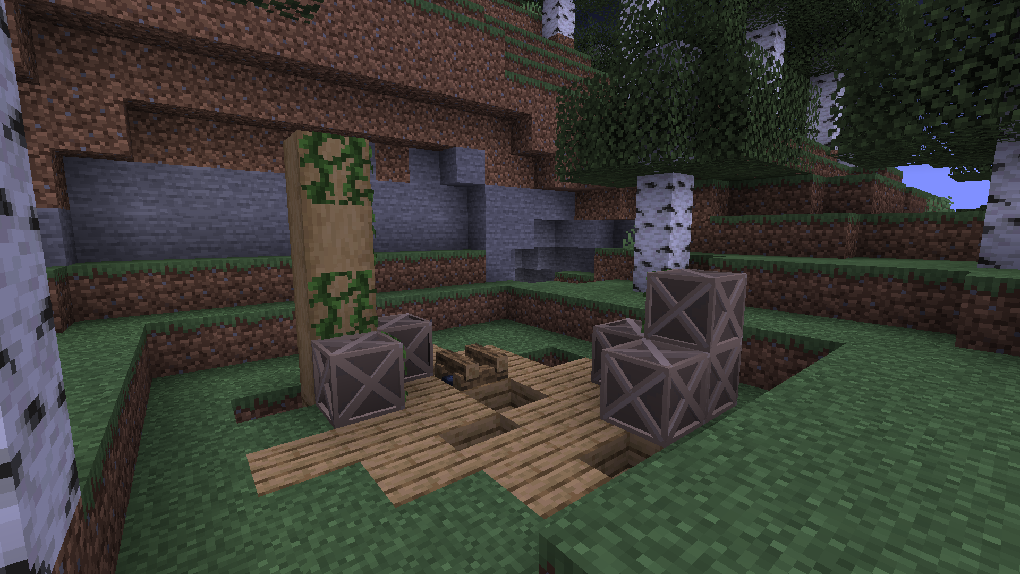
🧰 Loot Containers That Can Be Opened with a Crowbar – Stacks of abandoned wooden chests appear in the wild, while safes can be found deep underground. You’ll need a “crowbar” to open them and retrieve items.
👥 New Villager Professions – Puppet Merchant and Treasure Merchant, offering you more trading options.
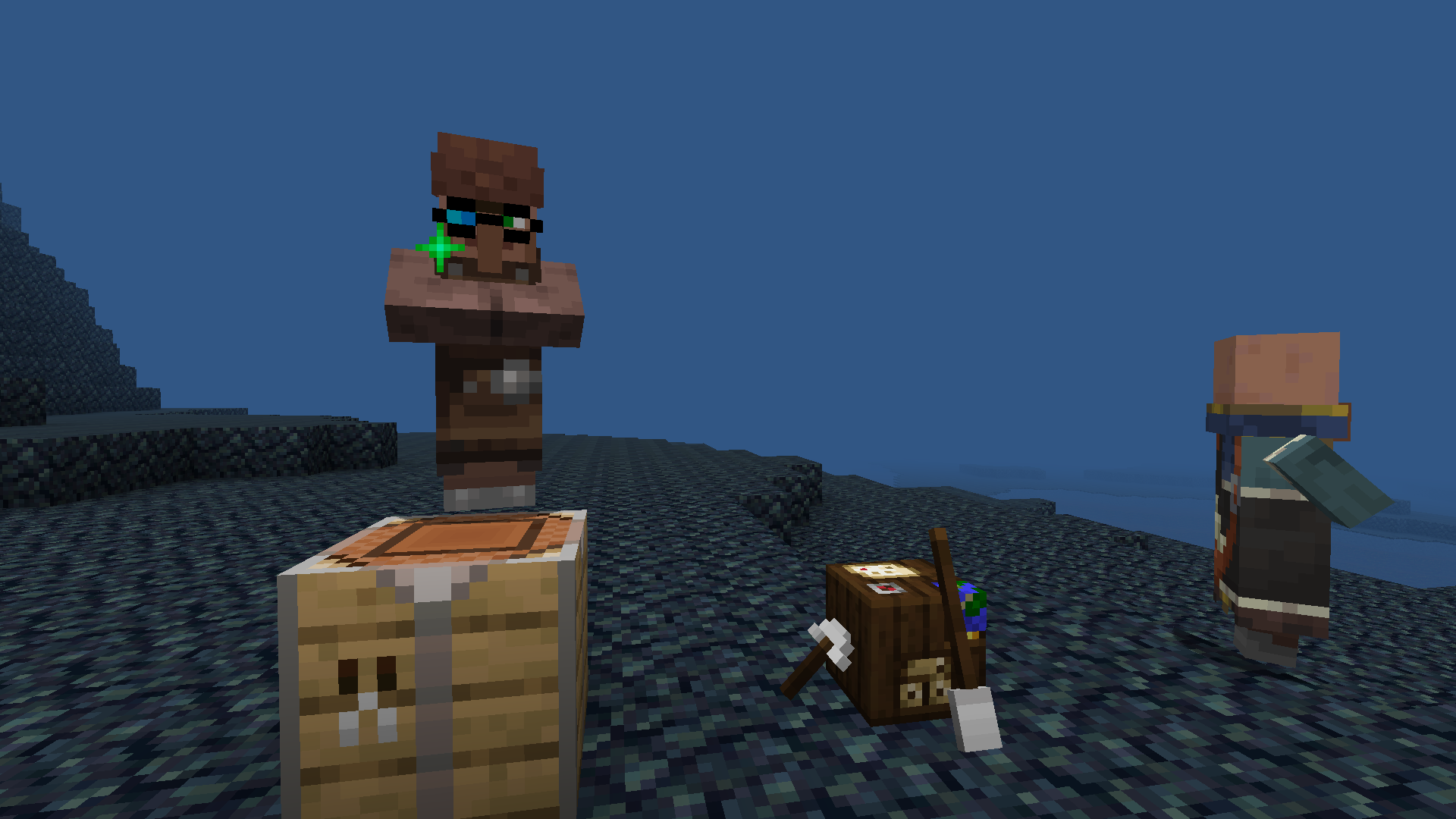
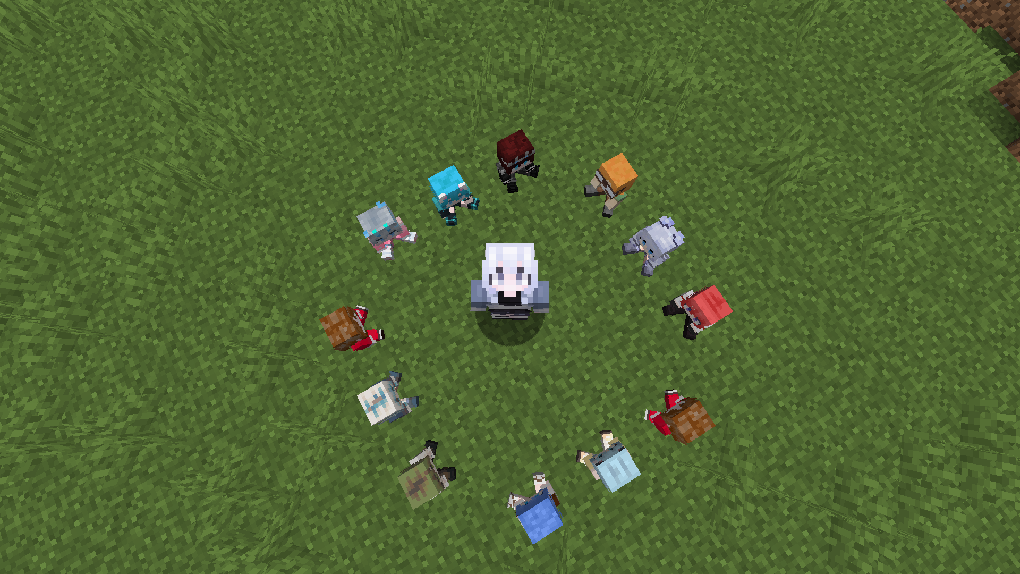
🎎 Collectible Doll Series – Includes custom dolls of several friends, each with a unique description.
🔮 More Secrets to Uncover – Future updates will add world‑building story clues and new challenges.
Why have they appeared? What drives their rampage?
You’ll have to discover the answers for yourself.
Can you uncover the truth behind these events?
Can you tell whether it’s the Abyss whispering, or just your own echo?
I don’t know.
But we can dig deeper together. qwq
—— bluezjx
Available Versions
How to Install Azure Abyss on Your Server
Order Server
Order a Minecraft Java server with at least 3 GB RAM (4 GB recommended).
Set neoforge Loader
In the panel under "Egg", select the neoforge loader and matching Minecraft version (1.21.4).
Install Mod
Open the mod browser in the dashboard and search for "Azure Abyss". Click "Install" – done! Alternatively, upload the .jar via SFTP to the /mods folder.
Compatibility
Mod Loaders
Minecraft Versions
1.21.4
Server-side
✓ RequiredRecommended RAM
4 GB(min. 3 GB)Frequently Asked Questions
Azure Abyss server crashes on startup – what to do?
Most common cause: wrong neoforge version or insufficient RAM. Check the server log (latest.log) for "OutOfMemoryError" or "Mixin" errors. With Mado Hosting: ensure at least 3 GB RAM is allocated and the loader matches the mod version (1.21.4). You can switch loaders with one click in the panel.
Is Azure Abyss compatible with neoforge?
Azure Abyss officially supports neoforge for Minecraft 1.21.4. The Mado dashboard automatically detects incompatible loader combinations.
Server lagging with Azure Abyss – how to optimize performance?
Recommended RAM: 4 GB (per 8 players). Use /spark profiler to check if Azure Abyss consumes the most tick time. Common fixes: reduce server view-distance to 8-10, install "performant" or "starlight" as supplementary mods on Forge. With Mado Hosting, your server runs on NVMe SSDs with dedicated CPU cores for minimal latency.
Similar Mods




Rent Modded Server
Install Azure Abyss with just one click on your server.