
BackInv
Creates backup copies of players' inventories before death, which can be loaded using a command.
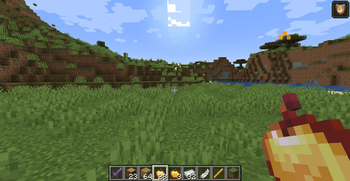
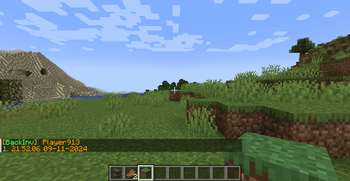
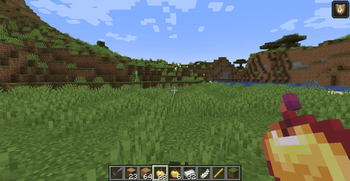
Screenshots
About this Mod
BackInv 1.1



A simple player backup mod for your server.
Work in single player.
I am a technical administrator of the server and encountered the problem that on Fabric 1.21, there is only Death Backup, which is not very server-friendly.
Commands:
/backinv <target>- Opens a graphical interface listing the player's backups (Recommended)./backinv reload- Reloads the configuration file (config/backinv/config.json) without restarting the server./backinv list <target>- Displays a text-based list of the player's backups (No GUI)./backinv load <target> <index>- Loads a specific backup into the player's inventory./backinv inv <target> <index>- Opens a GUI preview of a specific backup for the player.
Configuration
The configuration is located in <game or server directory>/config/backinv/config.json.
| Name | Description | Type |
|---|---|---|
| enabled | Enables (true) or disables (false) the BackInv mod. | boolean |
| prefix | The prefix text displayed in messages. | String |
| suffix | The suffix text displayed in messages. | String |
| re_join_message | The message displayed when a player reconnects. | String |
| load_player_message | The message displayed when a player’s inventory is loaded from a file. Supports placeholders: {player}, {file}. |
String |
| error_load_player_message | The message displayed when loading a player’s inventory fails. Supports placeholders: {player}, {file}, {e}. |
String |
| item_prefix | Prefix applied to items displayed in backups. | String |
| item_suffix | Suffix applied to items displayed in backups. | String |
| no_saves_found | The message displayed when no backups are found for a player. Supports placeholder: {player}. |
String |
| invalid_index | The message displayed when an invalid backup index is provided. Supports placeholder: {index}. |
String |
| save_not_found | The message displayed when a specified backup cannot be found. Supports placeholder: {save}. |
String |
| error_occurred | The generic error message displayed when an action fails. Supports placeholder: {action}. |
String |
{
  "enabled":true,
  "prefix":"§6[§aBackInv§6] ",
  "suffix":"§7",
  "re_join_message":"Sorry come back again",
  "load_player_message":"Player {player} inventory is loaded from file {file}.",
  "error_load_player_message":"Failed to save inventory for player {player} file {file} - Error- {e}",
  "item_prefix":"§7",
  "item_suffix":"§6",
  "no_saves_found":"§cNo saved inventories found for player {player}",
  "invalid_index":"§cInvalid save index- {index}",
  "save_not_found":"§cSave not found- {save}",
  "error_occurred":"§cAn error occurred while {action}"
}
This is my first mod, and I was learning as I went along, so I made many mistakes and not everything is tested (but I will fix all the bugs!).
Available Versions
How to Install BackInv on Your Server
Order Server
Order a Minecraft Java server with at least 3 GB RAM (4 GB recommended).
Set fabric Loader
In the panel under "Egg", select the fabric loader and matching Minecraft version (1.21.3).
Install Mod
Open the mod browser in the dashboard and search for "BackInv". Click "Install" – done! Alternatively, upload the .jar via SFTP to the /mods folder.
Compatibility
Mod Loaders
Minecraft Versions
1.21.3, 1.21.2, 1.21.1 (+8 more)
Server-side
✓ RequiredRecommended RAM
4 GB(min. 3 GB)Frequently Asked Questions
BackInv server crashes on startup – what to do?
Most common cause: wrong fabric version or insufficient RAM. Check the server log (latest.log) for "OutOfMemoryError" or "Mixin" errors. With Mado Hosting: ensure at least 3 GB RAM is allocated and the loader matches the mod version (1.21.3). You can switch loaders with one click in the panel.
Is BackInv compatible with fabric?
BackInv officially supports fabric for Minecraft 1.21.3, 1.21.2, 1.21.1. The Mado dashboard automatically detects incompatible loader combinations.
Server lagging with BackInv – how to optimize performance?
Recommended RAM: 4 GB (per 8 players). Use /spark profiler to check if BackInv consumes the most tick time. Common fixes: reduce server view-distance to 8-10, install "performant" or "starlight" as supplementary mods on Forge. With Mado Hosting, your server runs on NVMe SSDs with dedicated CPU cores for minimal latency.
Similar Mods






Rent Modded Server
Install BackInv with just one click on your server.