
BackSlot by Flike
Highly customizable weapon back slots
Screenshots


About this Mod
Highly customizable weapon back slots
Item render support custom transformations. Uses a Trinket back slot

Type /backslot for config. It's can be useful for items from other mods.
Example how to configure item render on the back
Pyre's Embrace from Too many bows:
Default bow position: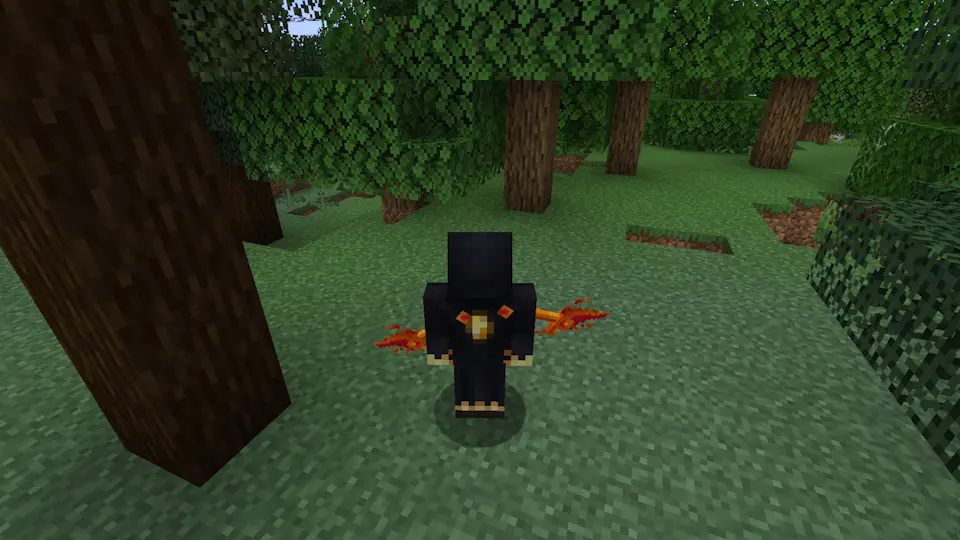
/backslot transform render RIGHT_HAND

/backslot transform rotation x 90
/backslot transform rotation x 250
/backslot transform rotation x 90

/backslot transform rotation y 240
/backslot transform position x 0.2

/backslot transform to view the settings for an item. You can click on the yellow button to copy the settings to the clipboard in JSON format. Then you can use /backslot transform json to apply the copied settings to another item

Torchebearer from Too many bows: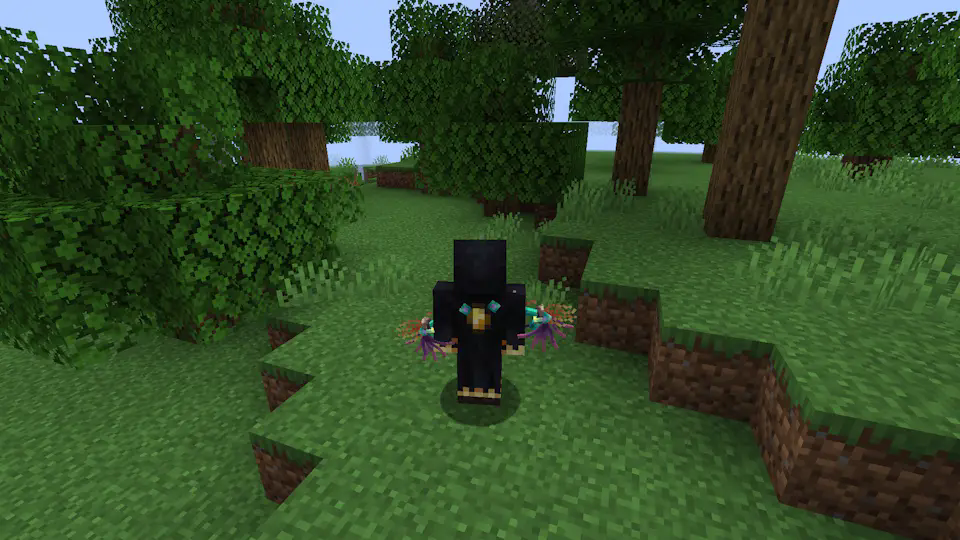
/backslot transform json {"item":"too_many_bows:flame_bow","rotation":{"x":90.0,"y":240.0,"z":90.0},"translation":{"x":0.2,"y":0.35,"z":0.17},"scale":{"x":1.0,"y":1.0,"z":1.0},"mode":"third_person_right_hand","enabled":true}

Use /backslot save for save configuaration in config/flike/backslot.json
Use /backslot load for load configuaration from config/flike/backslot.json (It happens automatically on world loading)
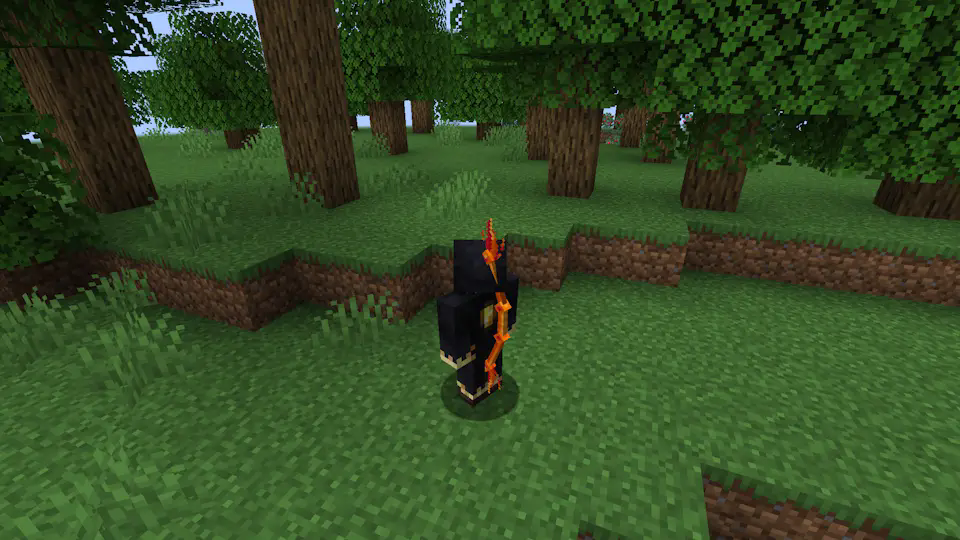
Comparison with another BackSlot mod
My mod:
Another backslot mod (u can't fix it):
Compatibility
The only problem I'm aware of is double rendering of item from another mod. It happens when another mod is using its own render for this item.Use /backslot transform render FALSE to turn off my render for this item.
Example: backpack's from INMIS

/backslot transform render FALSE
/backslot save

Please report any other issues here: https://github.com/FlikeID/flikebackslot/issues
Changelog and plans:
1.0: Initial version
- Active trinecat slot
- Button bind to replace an item with an active slot
- Correct item render behind the back
- Commands for adjusting the position
1.1: Translation update <-- u are here
- Text translation (into Russian and English)
- Set Y position to 0.2, so items don't clip into armor
Comming soon:
2.0: GUI update
- Change transformation via buttons (still wanna use chat, mod must be lightweight)
3.0: NBT update
- 4 config layers: Client<-World(Server)<-Player(NBT)<-Item(NBT), for additional customization.
4.0: Belt update
- I will add belt support with the ability to install a lantern.
FAQ (no one actually ask)
A: Item renders twice?Q: It looks like some mod is using its own render for this item. Use /backslot transform render FALSE to turn off my render for this item.
A: Belt?
Q: I gonna make it later. With lantern support
A: Use in modpack?
Q: Yes, no problem or anything. Actually, I made this mod specifically for my modpack.
A: Fork?
Q: Use github for forking and no problem (as long as it is following LGPL-3.0)
A: Forge?
Q: Maybe...?
A: 1.21 and etc.?
Q: Maybe later..? I wanna make mod, that can be used in any version after 1.20.1
A: Donation?
Q: No thanks. U can say thx (if you find a way how)
Available Versions
How to Install BackSlot by Flike on Your Server
Order Server
Order a Minecraft Java server with at least 3 GB RAM (4 GB recommended).
Set fabric Loader
In the panel under "Egg", select the fabric loader and matching Minecraft version (1.20.1).
Install Mod
Open the mod browser in the dashboard and search for "BackSlot by Flike". Click "Install" – done! Alternatively, upload the .jar via SFTP to the /mods folder.
Compatibility
Mod Loaders
Minecraft Versions
1.20.1
Server-side
✓ RequiredRecommended RAM
4 GB(min. 3 GB)Frequently Asked Questions
BackSlot by Flike server crashes on startup – what to do?
Most common cause: wrong fabric version or insufficient RAM. Check the server log (latest.log) for "OutOfMemoryError" or "Mixin" errors. With Mado Hosting: ensure at least 3 GB RAM is allocated and the loader matches the mod version (1.20.1). You can switch loaders with one click in the panel.
Is BackSlot by Flike compatible with fabric?
BackSlot by Flike officially supports fabric for Minecraft 1.20.1. The Mado dashboard automatically detects incompatible loader combinations.
Server lagging with BackSlot by Flike – how to optimize performance?
Recommended RAM: 4 GB (per 8 players). Use /spark profiler to check if BackSlot by Flike consumes the most tick time. Common fixes: reduce server view-distance to 8-10, install "performant" or "starlight" as supplementary mods on Forge. With Mado Hosting, your server runs on NVMe SSDs with dedicated CPU cores for minimal latency.
Rent Modded Server
Install BackSlot by Flike with just one click on your server.