
Bad Apple World Preset
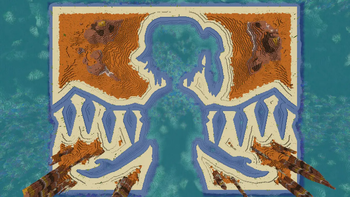
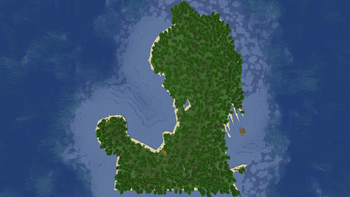
Mod that adds a "Bad Apple!!" World Preset, that generates all the frames of the "Bad Apple!!" music video as islands.
Screenshots
About this Mod
Bad Apple World Preset
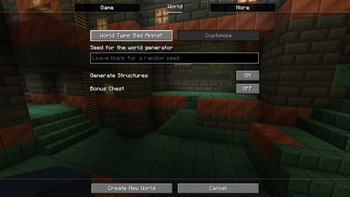
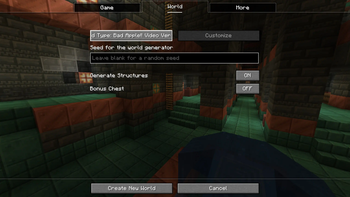
This mod adds in two new world presets, both of which generate a random world with the frames of the Bad Apple!! video in the world. All the biomes are random, but the areas where terrain meet water are set. To use, simply install the mod, create a new world, and wait for the screen to load, and then toggle the World Presets until you find the Bad Apple!! ones.
Seed used in the video: -477221191760843497
Dependencies:
- Required: More Density Functions 2.2.1+
- Optional (for accurate terrain/water): No Caves
Important Disclaimer: Performance!
If you have a lower-end PC, loading the world creation screen may freeze or take a while to load. If it wasn't obvious, loading that much data is taxing. The world generation performance shouldn't be that bad though, but be advised. This project is mainly for fun, but I have decided to release it due to popular demand.
How to find Frames
If you have cheats enabled, you can do /function bad_apple_world:frame_tp/N, to teleport to Frame Number N.
World Generation Changes:
To make it work properly for the video, and for performance, some changes had to be made.
Both Presets
- No Noise Caves generate
- Depth biome parameter handled differently
- No aquifers generate
Regular Version
- 42 blank frames at the beginning don't generate
Video Version Only
- Rivers, "Peak" Biomes, and Mushroom Islands do not generate
- Biomes at 100x scale
- All Frames Generate
Want to know how I did this:
Available Versions
How to Install Bad Apple World Preset on Your Server
Order Server
Order a Minecraft Java server with at least 4 GB RAM (6 GB recommended).
Set datapack Loader
In the panel under "Egg", select the datapack loader and matching Minecraft version (1.21.8).
Install Mod
Open the mod browser in the dashboard and search for "Bad Apple World Preset". Click "Install" – done! Alternatively, upload the .jar via SFTP to the /mods folder.
Compatibility
Mod Loaders
Minecraft Versions
1.21.8, 1.21.7, 1.21.6 (+13 more)
Server-side
✓ RequiredRecommended RAM
6 GB(min. 4 GB)Frequently Asked Questions
Bad Apple World Preset server crashes on startup – what to do?
Most common cause: wrong datapack version or insufficient RAM. Check the server log (latest.log) for "OutOfMemoryError" or "Mixin" errors. With Mado Hosting: ensure at least 4 GB RAM is allocated and the loader matches the mod version (1.21.8). You can switch loaders with one click in the panel.
Is Bad Apple World Preset compatible with datapack and fabric and forge and neoforge and quilt?
Bad Apple World Preset officially supports datapack, fabric, forge, neoforge, quilt for Minecraft 1.21.8, 1.21.7, 1.21.6. Note: Forge and Fabric mods are NOT cross-compatible – pick one loader and stick with it. The Mado dashboard automatically detects incompatible loader combinations.
Server lagging with Bad Apple World Preset – how to optimize performance?
Recommended RAM: 6 GB (per 5 players). Use /spark profiler to check if Bad Apple World Preset consumes the most tick time. Common fixes: reduce server view-distance to 8-10, install "performant" or "starlight" as supplementary mods on Forge. With Mado Hosting, your server runs on NVMe SSDs with dedicated CPU cores for minimal latency.
Similar Mods




Rent Modded Server
Install Bad Apple World Preset with just one click on your server.