
Badge Bonanza
Badges that give you neat perks!
Screenshots

About this Mod
Badge Bonanza


This mod needs Trinkets Updated to work!
Badges are a fun way to spice up your play style!
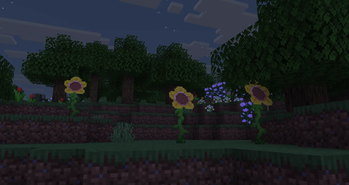
With this mod, you can find some Badges with the new Badge Flower that appears in the Flower Forest biome, or find Badges that spawn inside of certain chests or other stuff!
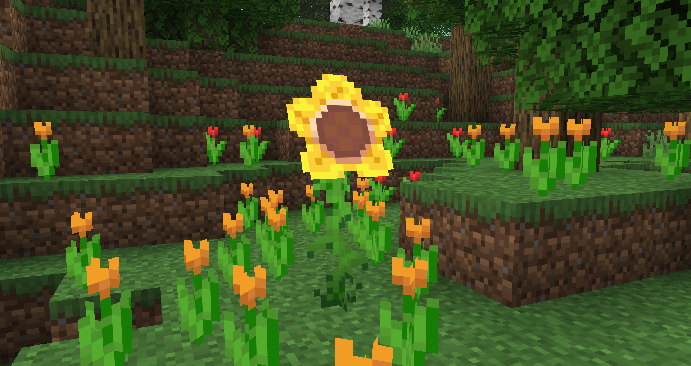
The Badge Flower can also drop Badge Flower Seedlings to plant new ones!
Badge Flowers are also Directional blocks, so you can place them any way you like! They also face the way you placed the seedling aswell.
List of Badges
| Badge | Function | Location |
|---|---|---|
| Cushioning | Reduces fall damage taken. | Badge Flower Drops |
| Dash | Increases movement speed on the ground. Gives an additional boost after sprinting for a while. | Badge Flower Drops |
| Dolphin Swim | Increases swimming speed. Holding and releasing the use key while swimming charges a boost that dashes you forward. | Shipwreck Chests |
| Flutter | Increases jump height. Hold Jump mid-air to float briefly. | Badge Flower Drops |
| Munch Charm | Lets you eat food faster. | Badge Flower Drops |
| Spider | Lets you climb on walls like a spider does. | Minecart Chests |
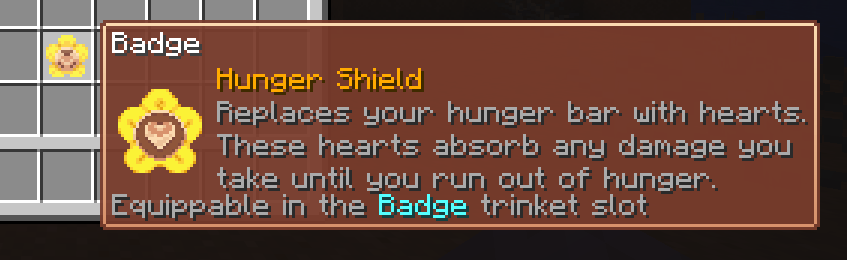
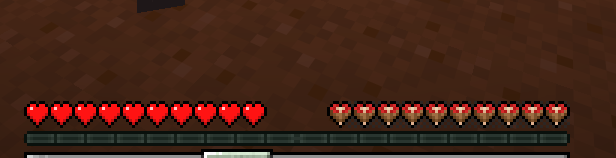
| Hunger Shield | Replaces your hunger bar with hearts. These hearts absorb any damage you take until you run out of hunger. | Trial Chamber Ominous Vaults |
| Obscurity | Hides your name tag and location on the Locator Bar. | Ocean Ruins Archaeology |
Available Versions
How to Install Badge Bonanza on Your Server
Order Server
Order a Minecraft Java server with at least 3 GB RAM (4 GB recommended).
Set fabric Loader
In the panel under "Egg", select the fabric loader and matching Minecraft version (26.2).
Install Mod
Open the mod browser in the dashboard and search for "Badge Bonanza". Click "Install" – done! Alternatively, upload the .jar via SFTP to the /mods folder.
Compatibility
Mod Loaders
Minecraft Versions
26.2
Server-side
✓ RequiredRecommended RAM
4 GB(min. 3 GB)Frequently Asked Questions
Badge Bonanza server crashes on startup – what to do?
Most common cause: wrong fabric version or insufficient RAM. Check the server log (latest.log) for "OutOfMemoryError" or "Mixin" errors. With Mado Hosting: ensure at least 3 GB RAM is allocated and the loader matches the mod version (26.2). You can switch loaders with one click in the panel.
Is Badge Bonanza compatible with fabric?
Badge Bonanza officially supports fabric for Minecraft 26.2. The Mado dashboard automatically detects incompatible loader combinations.
Server lagging with Badge Bonanza – how to optimize performance?
Recommended RAM: 4 GB (per 8 players). Use /spark profiler to check if Badge Bonanza consumes the most tick time. Common fixes: reduce server view-distance to 8-10, install "performant" or "starlight" as supplementary mods on Forge. With Mado Hosting, your server runs on NVMe SSDs with dedicated CPU cores for minimal latency.
Similar Mods



![[TaCZ] Timeless and Classics Zero](https://cdn.modrinth.com/data/SzzJttH8/fd27766d2bb8390d284696b1dbd358f87e081439_96.webp)


Rent Modded Server
Install Badge Bonanza with just one click on your server.