Baston's Coordinates
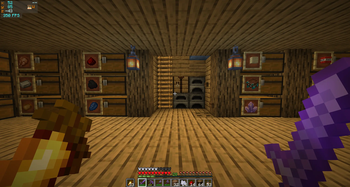
A modern, minimalist coordinates HUD for Fabric — inspired by Batty's Coordinates PLUS, the beloved 1.12.2 mod that never got updated.
Screenshots
About this Mod
Baston's Coordinates
A modern, minimalist coordinates HUD for Fabric — inspired by Batty's
Coordinates PLUS, the beloved 1.12.2 mod that never got updated.
Rebuilt from scratch for Minecraft 26.1.2 and entirely configurable
through Mod Menu — no keybinds to memorize, no clutter, just the
information you actually want on screen.
✨ Features
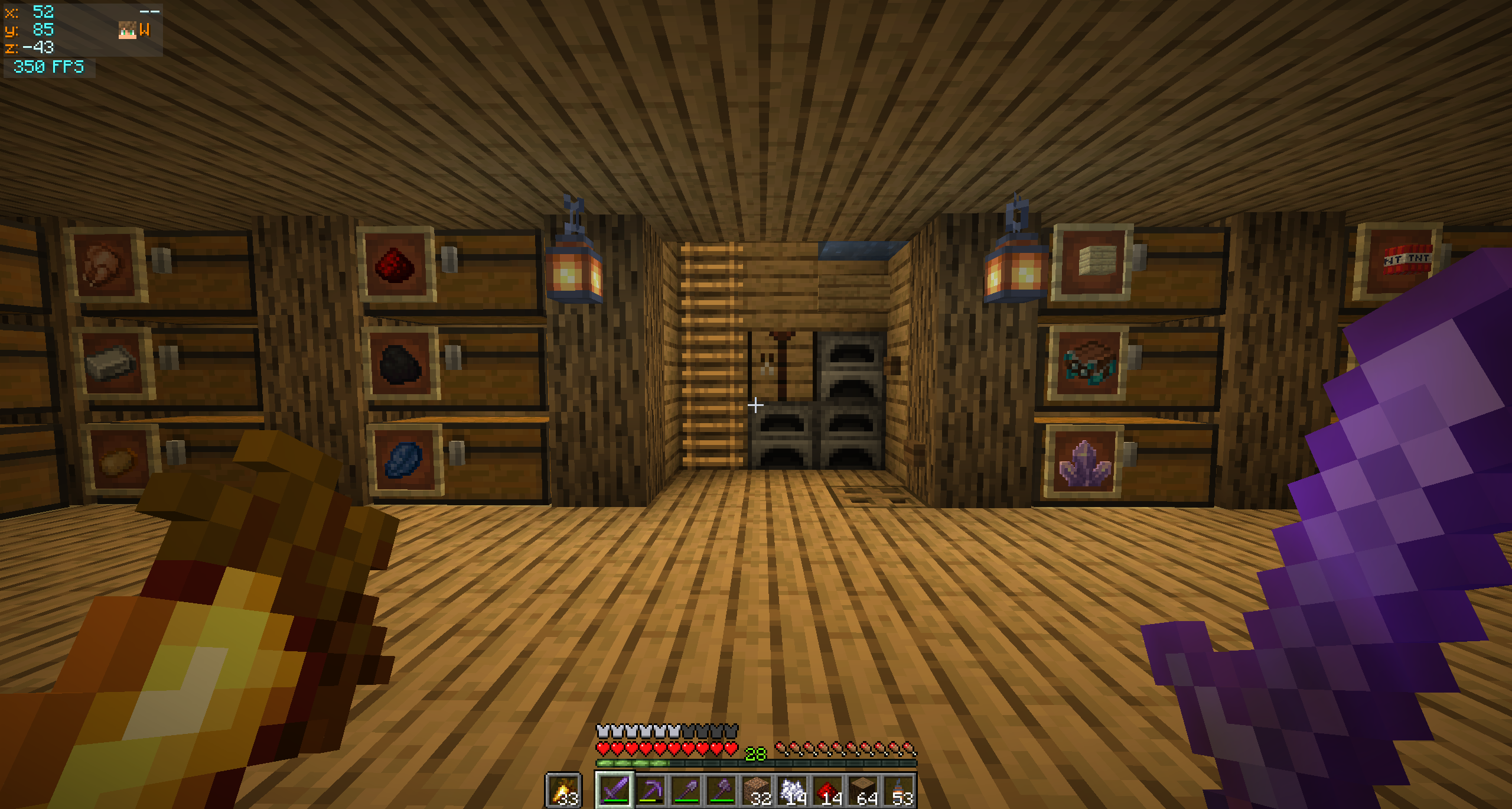
- XYZ coordinates with separate colours for positive and negative
values - Compass cardinal — N / NE / E / SE / S / SW / W / NW
- Movement arrows — chevrons (
+/-) on the X and Z lines indicate
which way the coords are changing as you walk - Player head rendered next to the compass — face and hat overlay,
using the same helper Minecraft uses for the multiplayer tab list - Local time — real-world clock on its own row,
HH:mmorHH:mm:ss - Independent FPS panel that auto-stacks below the coords when both
share a corner - Auto-hides when the F3 debug overlay is open — no double-up of info
- Dynamic panel width that only grows as wide as the active features
need (with a configurable floor)
🎨 Customization
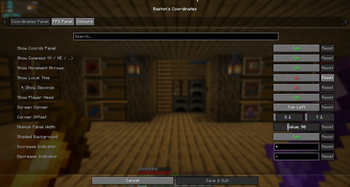
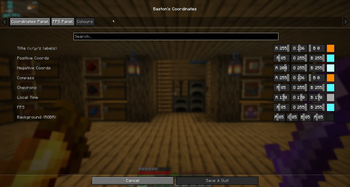
Open Mod Menu → click the gear next to Baston's Coordinates.
Coordinates Panel
- Toggle every individual feature (compass, arrows, time, player head…)
- Choose a screen corner (Top Left / Top Right / Bottom Right)
- Fine-tune position with X / Y offset sliders
- Set a minimum panel width floor
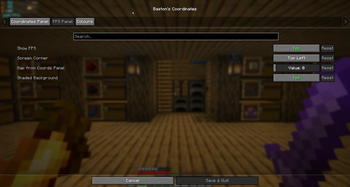
FPS Panel
- Independent on/off and screen corner
- When in the same corner as the coords panel, the FPS auto-stacks below
(or above for bottom corners) with a configurable gap
Colours
- R / G / B sliders with a live preview swatch for every text element
- RGBA for the background — full transparency control
The HUD renders on top of the config screen so you can preview your
changes immediately after clicking Save & Quit.
📦 Requirements
| Requirement | Version |
|---|---|
| Minecraft | 26.1.2 |
| Fabric Loader | 0.19.3+ |
| Fabric API | any matching build |
| Java | 25+ |
Optional but strongly recommended
- Mod Menu — entry point for the
config screen - Cloth Config — provides the
config UI widgets
Without these the mod still works, just with defaults. You can edit the
file at config/bastons_coordinates.properties manually.
Available Versions
How to Install Baston's Coordinates on Your Server
Order Server
Order a Minecraft Java server with at least 3 GB RAM (4 GB recommended).
Set fabric Loader
In the panel under "Egg", select the fabric loader and matching Minecraft version (26.1.2).
Install Mod
Open the mod browser in the dashboard and search for "Baston's Coordinates". Click "Install" – done! Alternatively, upload the .jar via SFTP to the /mods folder.
Compatibility
Mod Loaders
Minecraft Versions
26.1.2
Server-side
✗ UnsupportedRecommended RAM
4 GB(min. 3 GB)Frequently Asked Questions
Baston's Coordinates server crashes on startup – what to do?
Most common cause: wrong fabric version or insufficient RAM. Check the server log (latest.log) for "OutOfMemoryError" or "Mixin" errors. With Mado Hosting: ensure at least 3 GB RAM is allocated and the loader matches the mod version (26.1.2). You can switch loaders with one click in the panel.
Is Baston's Coordinates compatible with fabric?
Baston's Coordinates officially supports fabric for Minecraft 26.1.2. The Mado dashboard automatically detects incompatible loader combinations.
Server lagging with Baston's Coordinates – how to optimize performance?
Recommended RAM: 4 GB (per 8 players). Use /spark profiler to check if Baston's Coordinates consumes the most tick time. Common fixes: reduce server view-distance to 8-10, install "performant" or "starlight" as supplementary mods on Forge. With Mado Hosting, your server runs on NVMe SSDs with dedicated CPU cores for minimal latency.
Rent Modded Server
Install Baston's Coordinates with just one click on your server.