
BattleRoyale Controller
Deathmatch & BattleRoyale controller for modpack Call of Block 2
Screenshots
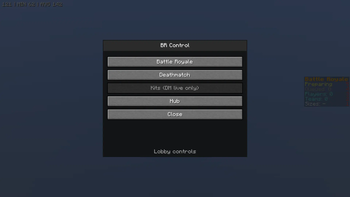
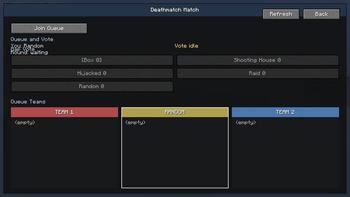
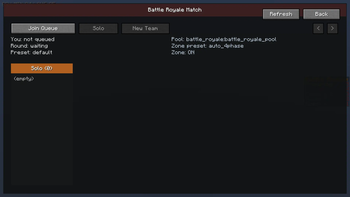
![Menu [admin]](https://cdn.modrinth.com/data/gzHQHgG9/images/cdc87d925a9d7b61058d33233053f81bb8d3bfc0_350.webp)
![battle royale queue [admin]](https://cdn.modrinth.com/data/gzHQHgG9/images/2f58fde79e4689b7d58eac3f2b06a23c0478b7fd_350.webp)
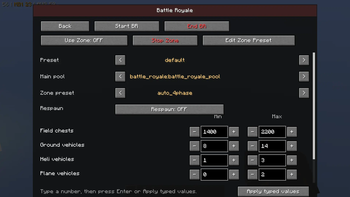
About this Mod
FEATURES
this mod gives you a menu and commands to configure and run a battle royale and deathmatch system
MATCHES QUEUE (non Admin)
in battle royale:
- go solo
- create a team
- join a team
in deathmatch:
- change team or stay random
- vote for a map (1 vote, can be changed)
ADMIN MATCHES QUEUE:
- start and end games
selecting a player you can:
- lock = player can't change team
- kick = kicks the player from the queue
- move them on different teams by clicking on the team.
- extra battle royale feature "new team" = moves the player to a new team (creates a new team)
in battle royale:
- toggle FFA = free for all, moves all players to solo, and locks them
in team deathmatch admin view:
- you can select a map and force start the match in that map
- freeze the vote countdown and unfreeze it, in case you need to wait extra time.
ADMIN MATCH SETTINGS:
battle royale:
- change loot table preset for the game
- change zone presets (and edit or create presets), and toggle if the match will use the Zone
- toggle respawn (NOT WORKING!)
- change range of boxes to spawn
- change each vehicle spawn range(not radius but from 1 to 3, example)
deathmatch:
- change total run time of the match (900 seconds default)
- change kill limit (100 kills to win default)
- change celebration duration after match (10 seconds default)
- change vote time (60 seconds default) - NOTE: if all players voted, countdown drops to 5 seconds. if someone joins the queue under 30 seconds it will take it to 30 seconds.
this mod is made for the modpack Call of Block, a project i'm working on.
the mod can be used by it self, but it will not have all the features, it needs the datapack from my server, and the datapack is not pulic currently.
Available Versions
How to Install BattleRoyale Controller on Your Server
Order Server
Order a Minecraft Java server with at least 3 GB RAM (4 GB recommended).
Set forge Loader
In the panel under "Egg", select the forge loader and matching Minecraft version (1.20.1).
Install Mod
Open the mod browser in the dashboard and search for "BattleRoyale Controller". Click "Install" – done! Alternatively, upload the .jar via SFTP to the /mods folder.
Compatibility
Mod Loaders
Minecraft Versions
1.20.1
Server-side
✓ RequiredRecommended RAM
4 GB(min. 3 GB)Frequently Asked Questions
BattleRoyale Controller server crashes on startup – what to do?
Most common cause: wrong forge version or insufficient RAM. Check the server log (latest.log) for "OutOfMemoryError" or "Mixin" errors. With Mado Hosting: ensure at least 3 GB RAM is allocated and the loader matches the mod version (1.20.1). You can switch loaders with one click in the panel.
Is BattleRoyale Controller compatible with forge?
BattleRoyale Controller officially supports forge for Minecraft 1.20.1. The Mado dashboard automatically detects incompatible loader combinations.
Server lagging with BattleRoyale Controller – how to optimize performance?
Recommended RAM: 4 GB (per 8 players). Use /spark profiler to check if BattleRoyale Controller consumes the most tick time. Common fixes: reduce server view-distance to 8-10, install "performant" or "starlight" as supplementary mods on Forge. With Mado Hosting, your server runs on NVMe SSDs with dedicated CPU cores for minimal latency.
Similar Mods






Rent Modded Server
Install BattleRoyale Controller with just one click on your server.