
BBS Structure Addon
BBS StructureForm Addon, as its name suggests, allows the use of structures in the official BBS. This form can also be found in BBS CML EDITION, from which this addon is based.
About this Mod
🌳 BBS StructureForm Addon
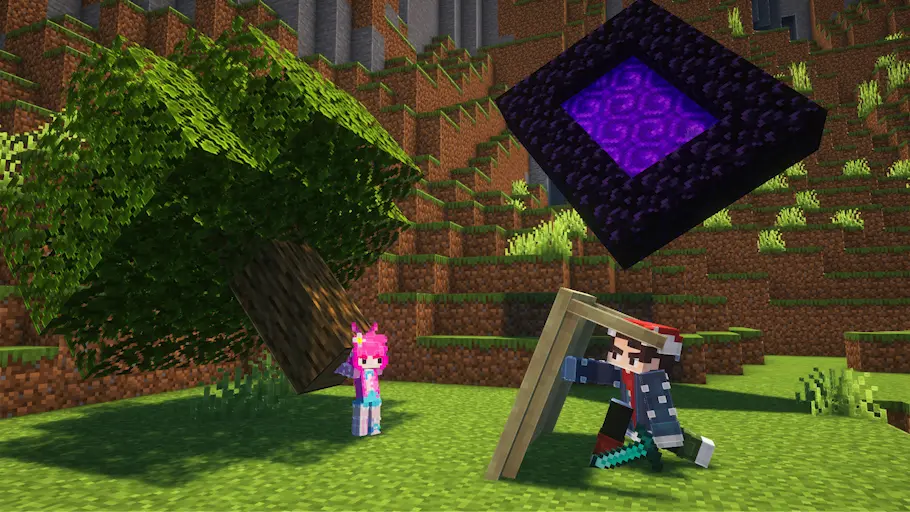
Bring back a fan-favorite feature! Highly requested by the community—especially by those who remember Blockbuster (1.12)—the beloved Structure Form from the BBS CML EDITION fork is now available as a standalone addon.
You can now enjoy this powerful tool on the Official BBS and other forks!
✨ What It Does
With this addon, you can use any saved Minecraft structure as a replay element for your animations. Whenever your scene requires an entire structure to be animated or manipulated, this addon has you covered.
🛠️ How to Use
Getting started is quick and easy:
- Create and save your desired structure using a standard Minecraft Structure Block.
- Open the Forms Selection Menu and look for the Tree icon.
- Select the tree, which will take you to the Forms Editor.
- Use the new option to select the structure you saved, and you are ready to animate!
⚠️ Support & Limitations
Please note that due to underlying technical limitations, it is unlikely this addon will receive new features or major performance improvements in the future.
💡 Looking for the ultimate experience?
If you want a fully optimized environment with the most complete set of tools, we highly recommend using the full BBS: CML EDITION fork instead!
Available Versions
How to Install BBS Structure Addon on Your Server
Order Server
Order a Minecraft Java server with at least 3 GB RAM (4 GB recommended).
Set fabric Loader
In the panel under "Egg", select the fabric loader and matching Minecraft version (1.20.4).
Install Mod
Open the mod browser in the dashboard and search for "BBS Structure Addon". Click "Install" – done! Alternatively, upload the .jar via SFTP to the /mods folder.
Compatibility
Mod Loaders
Minecraft Versions
1.20.4, 1.20.1
Server-side
✓ RequiredRecommended RAM
4 GB(min. 3 GB)Frequently Asked Questions
BBS Structure Addon server crashes on startup – what to do?
Most common cause: wrong fabric version or insufficient RAM. Check the server log (latest.log) for "OutOfMemoryError" or "Mixin" errors. With Mado Hosting: ensure at least 3 GB RAM is allocated and the loader matches the mod version (1.20.4). You can switch loaders with one click in the panel.
Is BBS Structure Addon compatible with fabric?
BBS Structure Addon officially supports fabric for Minecraft 1.20.4, 1.20.1. The Mado dashboard automatically detects incompatible loader combinations.
Server lagging with BBS Structure Addon – how to optimize performance?
Recommended RAM: 4 GB (per 8 players). Use /spark profiler to check if BBS Structure Addon consumes the most tick time. Common fixes: reduce server view-distance to 8-10, install "performant" or "starlight" as supplementary mods on Forge. With Mado Hosting, your server runs on NVMe SSDs with dedicated CPU cores for minimal latency.
Rent Modded Server
Install BBS Structure Addon with just one click on your server.