
BeatCraft
A faithful recreation of Beat Saber in Minecraft
Screenshots
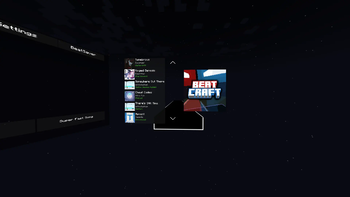

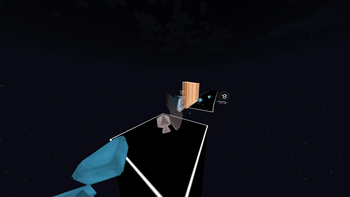
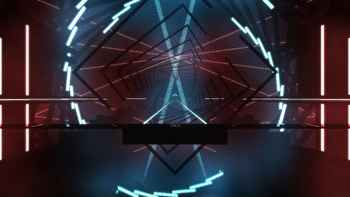
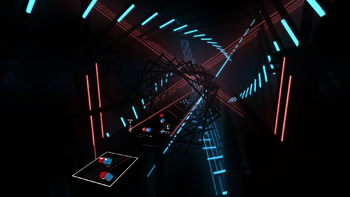
About this Mod
BeatCraft
A fan-made, faithful recreation of Beat Saber in Minecraft.
This mod was inspired by deep knowledge of how Beat Saber functions, created from members of the community who have been studying it for years.
Not only does this mod function like Beat Saber, it's also playable inside virtual reality using Vivecraft! This allows for a truly accurate experience, as you'll really be swinging your sabers physically in 3D space!
Experience a unique take on virtual reality's most popular rhythm game, all within the confines of the blocky sandbox we all know and love!
This mod is still in active development, please be patient about features that haven't been added yet, and report bugs to the github (check that it hasn't already been reported first please)
Features
- Play beatmaps that you can download in-game from BeatSaver.
- Built-in Chroma and Noodle Extensions ("Modchart") support.
- Simple decorative blockset to build your own environments with.
- 3D-space menus for easy song selection and playing.
- Semi-accurate scoring.
- Multiplayer which allows players to sync their games and take turns.
- This feature may be buggy so please report issues to the GitHub.
Usage
You can craft sabers and a headset in game using iron, redstone, amethyst, leather, and red/blue dyes.
To interact with the menus, you must be holding a saber in your right hand.
If you want to interact with the menu outside of VR, the /fpfc [true|false] command will toggle positioning the sabers to the player head as in Beat Saber's FPFC mode.
Menu buttons are pressed by punching while holding a saber pointed at the button.
Recommended Settings
Minecraft
- BeatCraft worldgen preset
- Cheats enabled / Creative mode
- peaceful difficulty
- gamerule DoDaylightCycle set to false
- time set to midnight
- press F1 to hide hotbar and block outlines while playing
Vivecraft
- Hide player arms
Dependencies
Available Versions
How to Install BeatCraft on Your Server
Order Server
Order a Minecraft Java server with at least 3 GB RAM (4 GB recommended).
Set fabric Loader
In the panel under "Egg", select the fabric loader and matching Minecraft version (1.21.1).
Install Mod
Open the mod browser in the dashboard and search for "BeatCraft". Click "Install" – done! Alternatively, upload the .jar via SFTP to the /mods folder.
Compatibility
Mod Loaders
Minecraft Versions
1.21.1
Server-side
✓ RequiredRecommended RAM
4 GB(min. 3 GB)Frequently Asked Questions
BeatCraft server crashes on startup – what to do?
Most common cause: wrong fabric version or insufficient RAM. Check the server log (latest.log) for "OutOfMemoryError" or "Mixin" errors. With Mado Hosting: ensure at least 3 GB RAM is allocated and the loader matches the mod version (1.21.1). You can switch loaders with one click in the panel.
Is BeatCraft compatible with fabric and neoforge?
BeatCraft officially supports fabric, neoforge for Minecraft 1.21.1. The Mado dashboard automatically detects incompatible loader combinations.
Server lagging with BeatCraft – how to optimize performance?
Recommended RAM: 4 GB (per 8 players). Use /spark profiler to check if BeatCraft consumes the most tick time. Common fixes: reduce server view-distance to 8-10, install "performant" or "starlight" as supplementary mods on Forge. With Mado Hosting, your server runs on NVMe SSDs with dedicated CPU cores for minimal latency.
Rent Modded Server
Install BeatCraft with just one click on your server.