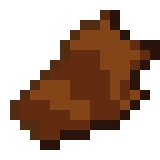
Beef Jerky
Dried zombie meat. Surprisingly safe to eat.
Screenshots
About this Mod
🧟 Overview
Dried zombie meat. Surprisingly safe to eat.
This mod turns useless zombie drops into a functional food & resource system. Cook flesh into Jerky, cook Jerky again into Dried Jerky, and convert 2x Dried Jerky into 1 Leather — perfect for early-game survival.
All recipes use standard Minecraft mechanics. No special tools or mods required.
Cook Zombie Flesh → Jerky
- Place Zombie Flesh in furnace, smoker, or campfire with fuel
- Output: Jerky
Cook Jerky → Dried Jerky
- Place Jerky in furnace, smoker, or campfire with fuel
- Output: Dried Jerky
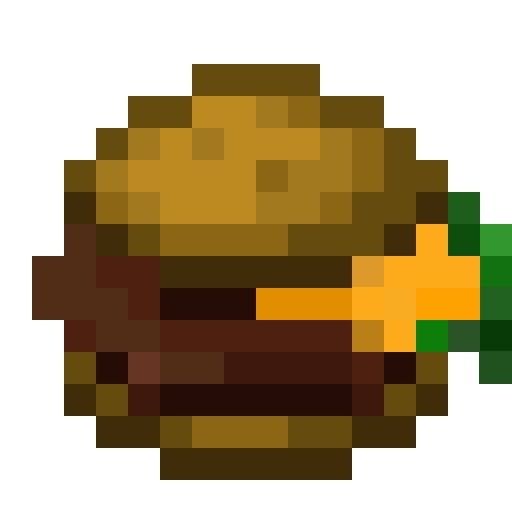
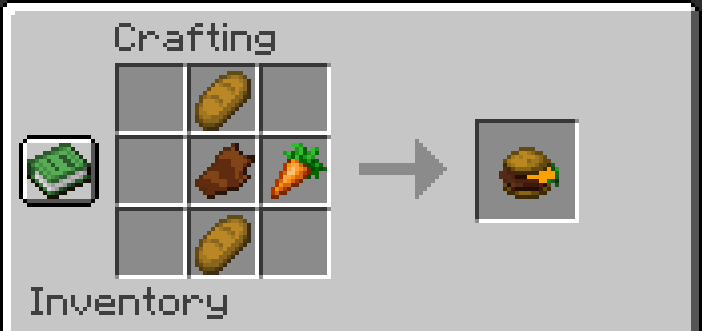
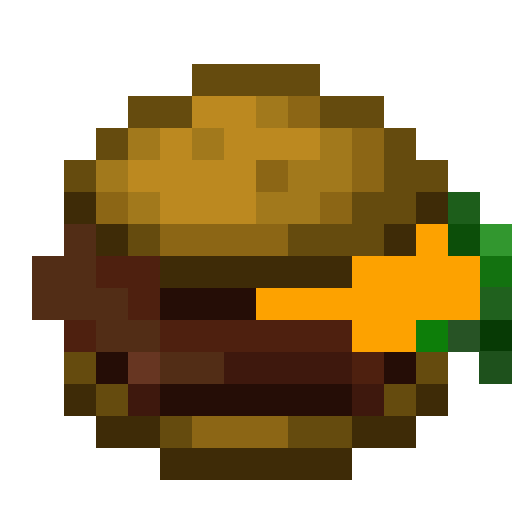
Craft Jerky Burger (Shaped) Also works Unshaped
Use a crafting table with this layout:
B _ _
J C _
B _ _
B= BreadJ= JerkyC= Carrot
Output: Jerky Burger
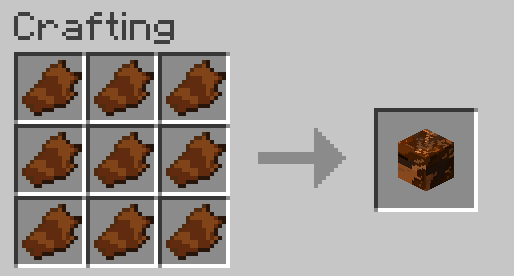
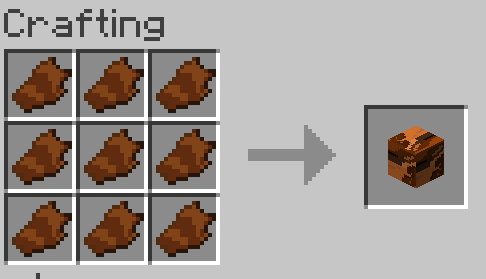
Craft Jerky Block
- Fill all 9 slots of a crafting table with Jerky
- Output: Jerky Block
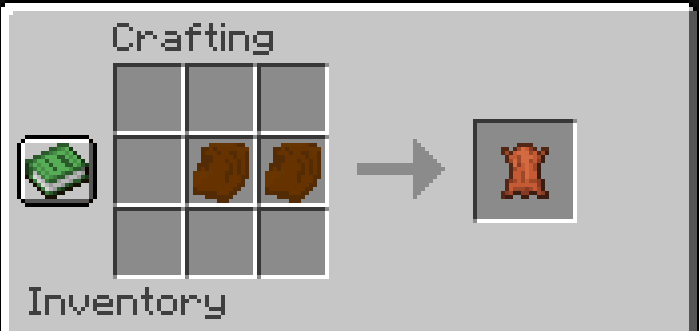
Craft Leather from Dried Jerky
- Place 2 Dried Jerky side-by-side in any row or column
- Output: Leather
🔧 Updates
- Fixed naming: “Jerkey” → Jerky
- Always Edible: Eat Jerky even when full.
- Double-Cooking: Cook Jerky → Dried Jerky.
- Leather Recipe: 2x Dried Jerky = 1 Leather — reliable early-game source.
- Auto-Unlock: Get Zombie Flesh → unlocks Jerky crafting. Craft Jerky → unlocks Dried Jerky & Leather recipe.
- Balanced XP: Small, fair XP for smelting, smoking, campfire cooking — never game-breaking.
- Texture Upgrades: Jerky Block now uses multiple sides (not just one). Jerky Burger’s carrot has actual detail.
- New Creative Tab: All items grouped under “Jerky Mod”.
- NeoForge 1.21.8 supported.
- Fabric version coming soon.
⚙️ Technical
Made with MCreator. No external dependencies. Works out of the box.
Available Versions
How to Install Beef Jerky on Your Server
Order Server
Order a Minecraft Java server with at least 3 GB RAM (4 GB recommended).
Set neoforge Loader
In the panel under "Egg", select the neoforge loader and matching Minecraft version (1.21.8).
Install Mod
Open the mod browser in the dashboard and search for "Beef Jerky". Click "Install" – done! Alternatively, upload the .jar via SFTP to the /mods folder.
Compatibility
Mod Loaders
Minecraft Versions
1.21.8, 1.21.1
Server-side
✓ RequiredRecommended RAM
4 GB(min. 3 GB)Frequently Asked Questions
Beef Jerky server crashes on startup – what to do?
Most common cause: wrong neoforge version or insufficient RAM. Check the server log (latest.log) for "OutOfMemoryError" or "Mixin" errors. With Mado Hosting: ensure at least 3 GB RAM is allocated and the loader matches the mod version (1.21.8). You can switch loaders with one click in the panel.
Is Beef Jerky compatible with neoforge?
Beef Jerky officially supports neoforge for Minecraft 1.21.8, 1.21.1. The Mado dashboard automatically detects incompatible loader combinations.
Server lagging with Beef Jerky – how to optimize performance?
Recommended RAM: 4 GB (per 8 players). Use /spark profiler to check if Beef Jerky consumes the most tick time. Common fixes: reduce server view-distance to 8-10, install "performant" or "starlight" as supplementary mods on Forge. With Mado Hosting, your server runs on NVMe SSDs with dedicated CPU cores for minimal latency.
Similar Mods



Rent Modded Server
Install Beef Jerky with just one click on your server.