Berries and More
Adds new types of berries and foods
About this Mod
Requirements
The following mods are mandatory. Mod loaders other than Forge are not supported.
- Silent Lib
- Forge
Introduction
Berries and More adds a few new berry bushes which spawn in specific biomes. The berries you pick from them (as well as vanilla Sweet Berries) can be used to craft various new food items.
Berries
Acerola Berries

These red berries are found in savanna biomes.
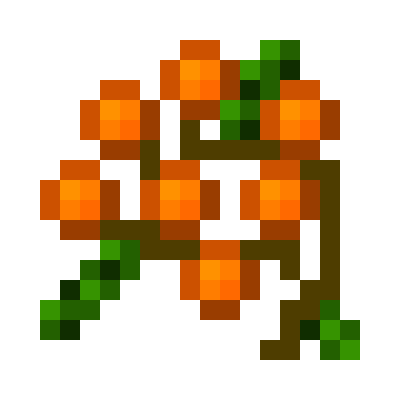
Seaberries

These orange berries are found in mountain and hill biomes.
Snowberries

These white berries are found in plains* biomes.
Scorch Berries

These light blue berries are found in the Nether. They can grow on netherrack in addition to normal soils.
Void Berries

These dark purple berries are found in the End. They can grow on end stone in addition to normal soils.
Foods
Berries
All of the berries can be eaten as they are and some restore more hunger than others.
Juice
Berry juices restore more hunger than plain berries, but have no special effects.
Pie
Berry pies restore more hunger than juices and berries, but have no special effects.
Tea
Berry teas restore some hunger and give an additional beneficial effect 100% of the time. The effect depends on the berry.
Wine
Berry wines restore some hunger and have a variety of potential effects, most of which are negative. Each berry has one unique effect, which may or may not be helpful.
Available Versions
How to Install Berries and More on Your Server
Order Server
Order a Minecraft Java server with at least 3 GB RAM (4 GB recommended).
Set forge Loader
In the panel under "Egg", select the forge loader and matching Minecraft version (26.1).
Install Mod
Open the mod browser in the dashboard and search for "Berries and More". Click "Install" – done! Alternatively, upload the .jar via SFTP to the /mods folder.
Compatibility
Mod Loaders
Minecraft Versions
26.1, 1.21.11, 1.21.3 (+4 more)
Server-side
✓ RequiredRecommended RAM
4 GB(min. 3 GB)Frequently Asked Questions
Berries and More server crashes on startup – what to do?
Most common cause: wrong forge version or insufficient RAM. Check the server log (latest.log) for "OutOfMemoryError" or "Mixin" errors. With Mado Hosting: ensure at least 3 GB RAM is allocated and the loader matches the mod version (26.1). You can switch loaders with one click in the panel.
Is Berries and More compatible with forge and neoforge?
Berries and More officially supports forge, neoforge for Minecraft 26.1, 1.21.11, 1.21.3. The Mado dashboard automatically detects incompatible loader combinations.
Server lagging with Berries and More – how to optimize performance?
Recommended RAM: 4 GB (per 8 players). Use /spark profiler to check if Berries and More consumes the most tick time. Common fixes: reduce server view-distance to 8-10, install "performant" or "starlight" as supplementary mods on Forge. With Mado Hosting, your server runs on NVMe SSDs with dedicated CPU cores for minimal latency.
Similar Mods



Rent Modded Server
Install Berries and More with just one click on your server.