
Beta Nether 2.0
Reverts the Nether back to its original form!
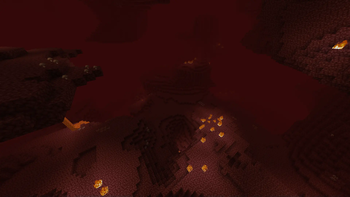
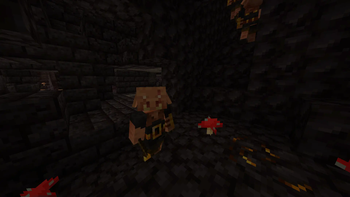
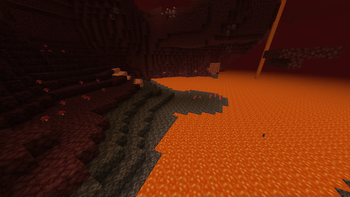
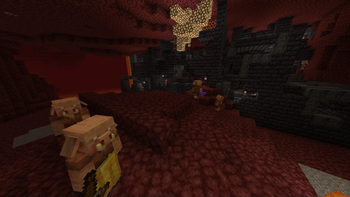
Screenshots
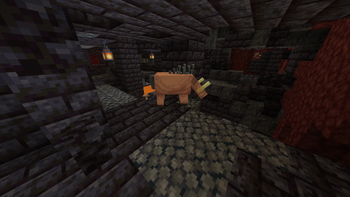
About this Mod
Beta Nether 2.0
Update: This mod will no longer be updated, here is a maintained but slightly different version - https://modrinth.com/datapack/legacy-nether-modrinth
Description
Beta Nether is a mod that aims to recreate the Nether terrain that existed before the 1.16 update. This mod is intended for people who want to revisit the old Nether Dimension of Minecraft again.
Features
You can still find and play with the new features such as the Bastion Remnants and the Crimson and Warped fungus spawning inside Nether Fortress chests.
Nostalgia
For the best nostalgic experience, I recommend using the Nostalgic Tweaks mod by Adrenix which includes many faithful recreations of old minecraft features alonside the Golden Days resource pack by PoeticRainbow. Additionally, using the Modern Beta mod by b3spectacled brings back the old nostalgic terrain generation.
Just Beta Nether
Don't want any of the newer minecraft nether features? Check out my other mod, just beta nether, which disables all of the new mobs, structures, and loot tables: https://modrinth.com/mod/just-beta-nether
Datapack
If you would like to use this mod for specific worlds only, I've made a datapack for that: https://modrinth.com/datapack/beta-nether
Support
If you have questions or any issues with the mod, you can report them in our discord server: https://discord.com/invite/mMMm2t227B!
Available Versions
How to Install Beta Nether 2.0 on Your Server
Order Server
Order a Minecraft Java server with at least 4 GB RAM (6 GB recommended).
Set fabric Loader
In the panel under "Egg", select the fabric loader and matching Minecraft version (1.21.1).
Install Mod
Open the mod browser in the dashboard and search for "Beta Nether 2.0". Click "Install" – done! Alternatively, upload the .jar via SFTP to the /mods folder.
Compatibility
Mod Loaders
Minecraft Versions
1.21.1, 1.21, 1.20.6 (+18 more)
Server-side
✓ RequiredRecommended RAM
6 GB(min. 4 GB)Frequently Asked Questions
Beta Nether 2.0 server crashes on startup – what to do?
Most common cause: wrong fabric version or insufficient RAM. Check the server log (latest.log) for "OutOfMemoryError" or "Mixin" errors. With Mado Hosting: ensure at least 4 GB RAM is allocated and the loader matches the mod version (1.21.1). You can switch loaders with one click in the panel.
Is Beta Nether 2.0 compatible with fabric and forge and neoforge and quilt?
Beta Nether 2.0 officially supports fabric, forge, neoforge, quilt for Minecraft 1.21.1, 1.21, 1.20.6. Note: Forge and Fabric mods are NOT cross-compatible – pick one loader and stick with it. The Mado dashboard automatically detects incompatible loader combinations.
Server lagging with Beta Nether 2.0 – how to optimize performance?
Recommended RAM: 6 GB (per 5 players). Use /spark profiler to check if Beta Nether 2.0 consumes the most tick time. Common fixes: reduce server view-distance to 8-10, install "performant" or "starlight" as supplementary mods on Forge. With Mado Hosting, your server runs on NVMe SSDs with dedicated CPU cores for minimal latency.
Similar Mods




Rent Modded Server
Install Beta Nether 2.0 with just one click on your server.