
Better Compass
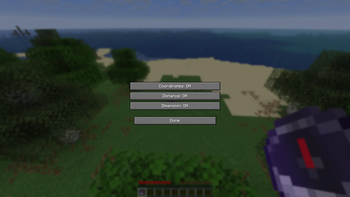
The mod adds tooltip display of the lodestone’s coordinates, distance, and dimension when hovering over a compass, with switchable display modes via a configurable keybind
Screenshots

About this Mod
Better Compass Enhancer Mod
Overview
This mod enhances the Lodestone Compass by displaying additional useful information when hovering over it in the inventory. It provides a cleaner and more informative way to understand where the compass is pointing without needing to place or follow it in-game.
Features
Lodestone Data Detection
The mod automatically detects when an item is a Lodestone Compass by reading its NBT data. If the compass is linked to a lodestone, it extracts the stored coordinates and dimension information.
Coordinates Display
When hovering over the compass, the tooltip shows the exact stored coordinates of the lodestone:
- X, Y, Z position of the target block
Distance Calculation
The mod calculates the real-time distance between the player and the lodestone using 3D Euclidean distance.
- Displays the distance in blocks
- Updates dynamically based on the player’s position
Dimension Information
The tooltip also shows which dimension the lodestone is located in:
- Overworld
- Nether
- End
If the player is in a different dimension than the lodestone, the mod highlights this as a warning in the tooltip.
Tooltip Display Modes
The mod includes multiple display modes that control how much information is shown:
- Coordinates only
- Coordinates + Distance
- Full info (Coordinates + Distance + Dimension)
The player can switch between these modes using a keybind.
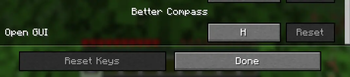
Configurable Keybind
- The keybind can be changed in the in-game controls settings menu
- Default key: H
- Pressing the key cycles through the available display modes
Behavior
- Works only on the client side
- Does not require any server-side changes
- Does not interfere with vanilla gameplay mechanics
- Only modifies the tooltip of Lodestone Compasses with valid NBT data
- Handles missing or invalid data safely without errors
User Experience
The mod keeps the vanilla feel while adding subtle but powerful information. It is designed to be lightweight, non-intrusive, and intuitive, helping players track lodestones more efficiently and understand their compass targets at a glance.
Available Versions
How to Install Better Compass on Your Server
Order Server
Order a Minecraft Java server with at least 3 GB RAM (4 GB recommended).
Set fabric Loader
In the panel under "Egg", select the fabric loader and matching Minecraft version (1.21.11).
Install Mod
Open the mod browser in the dashboard and search for "Better Compass". Click "Install" – done! Alternatively, upload the .jar via SFTP to the /mods folder.
Compatibility
Mod Loaders
Minecraft Versions
1.21.11
Server-side
✗ UnsupportedRecommended RAM
4 GB(min. 3 GB)Frequently Asked Questions
Better Compass server crashes on startup – what to do?
Most common cause: wrong fabric version or insufficient RAM. Check the server log (latest.log) for "OutOfMemoryError" or "Mixin" errors. With Mado Hosting: ensure at least 3 GB RAM is allocated and the loader matches the mod version (1.21.11). You can switch loaders with one click in the panel.
Is Better Compass compatible with fabric?
Better Compass officially supports fabric for Minecraft 1.21.11. The Mado dashboard automatically detects incompatible loader combinations.
Server lagging with Better Compass – how to optimize performance?
Recommended RAM: 4 GB (per 8 players). Use /spark profiler to check if Better Compass consumes the most tick time. Common fixes: reduce server view-distance to 8-10, install "performant" or "starlight" as supplementary mods on Forge. With Mado Hosting, your server runs on NVMe SSDs with dedicated CPU cores for minimal latency.
Rent Modded Server
Install Better Compass with just one click on your server.