
Better Beaches
Enhance the beach biomes with new plants, blocks, creatures and more!
Screenshots
About this Mod
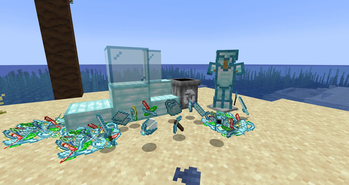
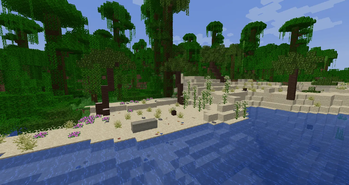
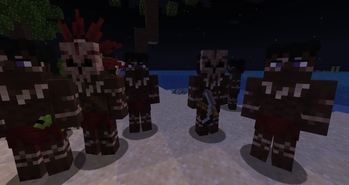
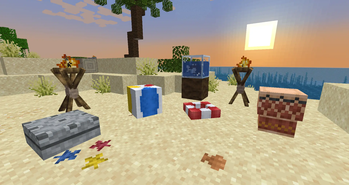
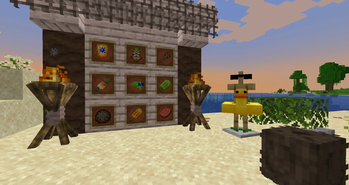
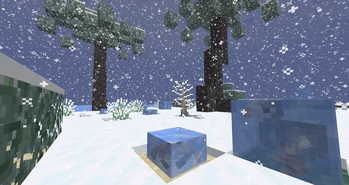
Better Beaches completely expands all beach biomes with new vegetation, creatures, mechanics, and survival features. Beaches become far more alive and immersive with palm trees, rock formations, shells, plants, decorative blocks, plastic trash, and creatures. The mod also introduces new weather effects, heat mechanics, ocean-related items, and dangerous nighttime threats. From relaxing tropical atmospheres to surviving hostile cannibal tribes, this mod transforms beaches into dynamic environments filled with exploration, decoration, survival, and horror elements.
Updates continue on Curseforge
- A mod made by Zcoper
- Mod created with MCreator!
- Requires Geckolib
● Visit my Discord Server!
https://discord.gg/akP56NtmVQ
● Important FaQ
Spoiler
► How do I disable heat?
You can disable the heat by setting the gamerule "enableHeat" to false
► How do I disable the water pulling me down during thunderstorms?
You can disable the stormy water by setting the gamerule "enableStormyWaters" to false
► How do I disable cannibals to spawn?
You can disable the spawning of cannibals by setting the gamerule "enableCannibals" to false
► How do I disable Ocean trash to spawn?
You can disable Ocean trash from spawning by setting the gamerule "enableOceanTrash" to false
► How do I reset Karma?
You can reset the karma by using a Karma Totem, which will take 50 karma points.
Otherwise you can also use the command "/reset_karma" to reset the karma to 0.
► How does the heat work?
Heat affects only beach, deserts and badlands biomes. If a player stands under direct sunlight during the noon time, heat will be applied to the player which will increases if the player stays longer under direct sunlight. You will start to sweat, getting nausea for a short time and damage. Wearing armor will only increase the heat.
You can avoid heat by doing multiple things:
● Stay under solid blocks
● Be in water
● During Rain or Thunder
● Eating Popsicles
● Taking Sunscreen
● Getting hit by a water gun projectile
● During the night
● Leave the beach, desert or badlands biome
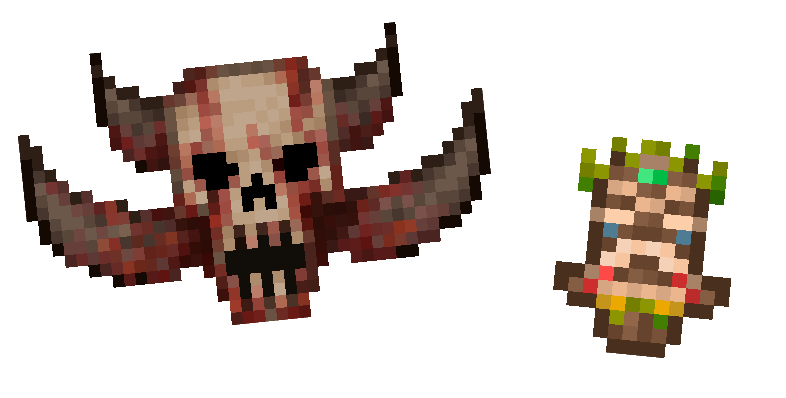
Karma is a hidden survival mechanic represented by a skull icon in the inventory. Your actions influence the Karma level over time, and the higher it becomes, the more dangerous the beaches turn at night. Violent or desperate actions such as killing animals, murdering villagers or players, starving, dying, cutting yourself, or simply surviving during storms and nighttime will slowly increase Karma. There are 6 total levels of Karma and a maximum of 100 Karma Points. As the level rises, players receive unsettling warnings, the symbol of the skull changes and stronger cannibal variants begin appearing. Karma can be reduced using Karma Totems, removing 50 Karma Points and allowing players to temporarily calm the shoreline once again.
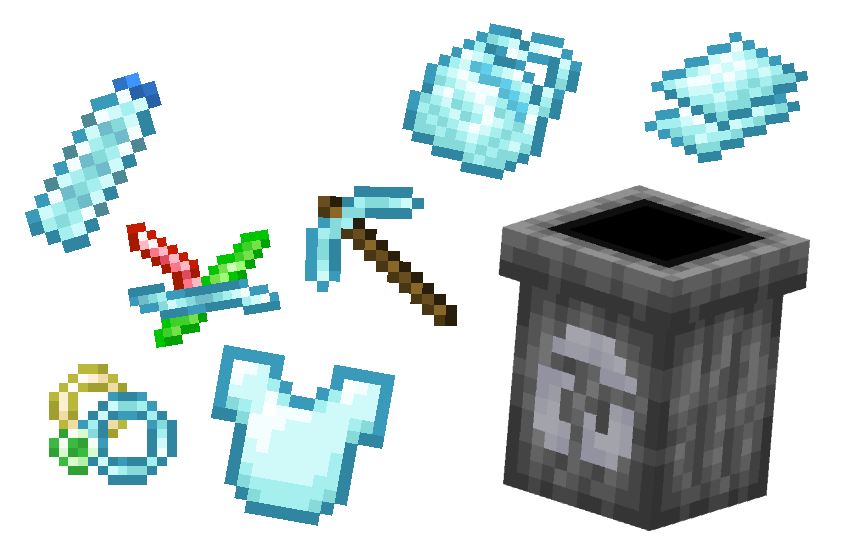
Plastic is a resource found across beaches and oceans in the form of bottles, bags, sticks, and rings. While appearing as trash washed ashore during storms, plastic can be collected and recycled into useful crafting materials. During storms, more plastic can be found in the ocean. Using recycling bins, players can process plastic into smaller components used for creating a wide variety of items, including tools, armor, shields, fishing equipment, decorative blocks, beach items, and survival gear. These new plastic items can also get recycled in the recycling bin.
- Config File not inculed.
- You are all allowed to use this mod in your modpacks!
- Do not port my mods without permission!
Available Versions
How to Install Better Beaches on Your Server
Order Server
Order a Minecraft Java server with at least 4 GB RAM (6 GB recommended).
Set forge Loader
In the panel under "Egg", select the forge loader and matching Minecraft version (1.20.1).
Install Mod
Open the mod browser in the dashboard and search for "Better Beaches". Click "Install" – done! Alternatively, upload the .jar via SFTP to the /mods folder.
Compatibility
Mod Loaders
Minecraft Versions
1.20.1, 1.19.4, 1.19.2
Server-side
✓ RequiredRecommended RAM
6 GB(min. 4 GB)Frequently Asked Questions
Better Beaches server crashes on startup – what to do?
Most common cause: wrong forge version or insufficient RAM. Check the server log (latest.log) for "OutOfMemoryError" or "Mixin" errors. With Mado Hosting: ensure at least 4 GB RAM is allocated and the loader matches the mod version (1.20.1). You can switch loaders with one click in the panel.
Is Better Beaches compatible with forge?
Better Beaches officially supports forge for Minecraft 1.20.1, 1.19.4, 1.19.2. The Mado dashboard automatically detects incompatible loader combinations.
Server lagging with Better Beaches – how to optimize performance?
Recommended RAM: 6 GB (per 5 players). Use /spark profiler to check if Better Beaches consumes the most tick time. Common fixes: reduce server view-distance to 8-10, install "performant" or "starlight" as supplementary mods on Forge. With Mado Hosting, your server runs on NVMe SSDs with dedicated CPU cores for minimal latency.
Similar Mods



Rent Modded Server
Install Better Beaches with just one click on your server.