
Better Horses
Making Vanilla horses better! You can allow chests on horses, dual riding and modify the speed!
Screenshots

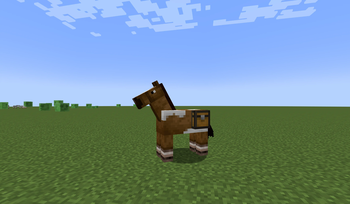
About this Mod
Better Horses - Making Vanilla Horses Better!
Tired of the limitations of vanilla horses? Better Horses enhances your riding experience by adding chest supports so you can store items in your horses, dual riding, and adjustable speed controls! This mod aims to make horses more useful, customizable, and fun to ride—without straying too far from the vanilla feel.
🏇 Features
- Chests on Horses: Just like donkeys and mules, horses can now carry chests! Simply tame your horse and right-click it with a chest to expand your storage.
- Dual Riding: Bring a friend along for the ride! Two players can mount the same horse, making adventures even more fun.
- Sprint Mode: Need to speed up? Press CTRL to toggle sprinting on or off while on a horse.
- Slow Mode: Take in the scenery at a leisurely pace. Press R to slow your horse down, perfect for exploring without rushing past everything, and press again to toggle off slow mode.
⚙️ Configuration Options
Better Horses comes with a common config file that lets you customize how the mod behaves. The following settings can be adjusted:
[general]
  # Allow horses to have chests (default: true)
  doHorsesHaveChests = true

  # Allow sprinting with horses (default: true)
  canSprintWithHorses = true

  # Allow slowing down with horses (default: true)
  canSlowWithHorses = true

  # Allow two players to ride one horse (default: true)
  canDuoRideHorses = true
These settings can be found in the mod’s config file, allowing you to tweak your gameplay experience to fit your preferences.
🎠 How to Use
- Adding Chests: Once a horse is tamed, right-click it with a chest to attach storage—just like with donkeys!
- Sprinting: Press CTRL to toggle sprint mode on or off while riding.
- Slow Ride Mode: Press R to toggle slow movement mode, making for a relaxing ride.
- Dual Riding: Simply have another player right-click your horse to hop on!
📦 Dependencies
With Better Horses, your equestrian adventures will never be the same! 🏇✨
Available Versions
How to Install Better Horses on Your Server
Order Server
Order a Minecraft Java server with at least 3 GB RAM (4 GB recommended).
Set fabric Loader
In the panel under "Egg", select the fabric loader and matching Minecraft version (1.21.1).
Install Mod
Open the mod browser in the dashboard and search for "Better Horses". Click "Install" – done! Alternatively, upload the .jar via SFTP to the /mods folder.
Compatibility
Mod Loaders
Minecraft Versions
1.21.1
Server-side
✓ RequiredRecommended RAM
4 GB(min. 3 GB)Frequently Asked Questions
Better Horses server crashes on startup – what to do?
Most common cause: wrong fabric version or insufficient RAM. Check the server log (latest.log) for "OutOfMemoryError" or "Mixin" errors. With Mado Hosting: ensure at least 3 GB RAM is allocated and the loader matches the mod version (1.21.1). You can switch loaders with one click in the panel.
Is Better Horses compatible with fabric and forge and neoforge?
Better Horses officially supports fabric, forge, neoforge for Minecraft 1.21.1. Note: Forge and Fabric mods are NOT cross-compatible – pick one loader and stick with it. The Mado dashboard automatically detects incompatible loader combinations.
Server lagging with Better Horses – how to optimize performance?
Recommended RAM: 4 GB (per 8 players). Use /spark profiler to check if Better Horses consumes the most tick time. Common fixes: reduce server view-distance to 8-10, install "performant" or "starlight" as supplementary mods on Forge. With Mado Hosting, your server runs on NVMe SSDs with dedicated CPU cores for minimal latency.
Similar Mods


Rent Modded Server
Install Better Horses with just one click on your server.