
Better-PvP
This Mod allows players to create fully customizable teams with features like changing player armor colors and chat names, all client-side.
Screenshots

About this Mod
Better PvP
Better PvP is a Fabric client-side modification that allows you to create and organize players into custom teams. This provides the opportunity to colorize player names in chat and even adds a nice outline of the specific team color to each individual player's armor. Every feature is toggleable and designed to be as flexible as possible. Overall, this mod enhances your in-game experience and significantly improves team-based PvP.
Functions
1. Team-Based Chat Colorization
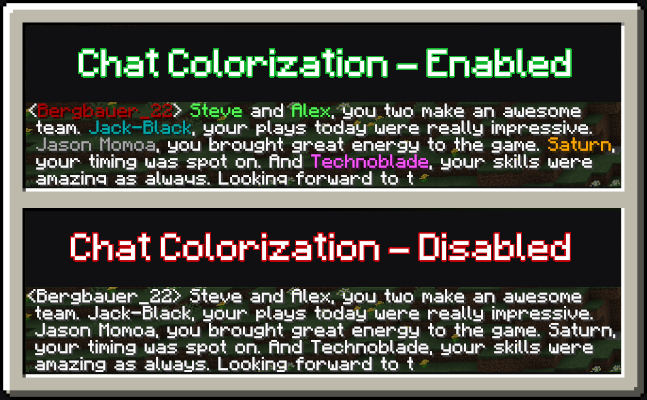
When the setting to colorize players based on their team is enabled, each player's messages in the chat will be displayed in their team's color. This feature is especially useful when playing on multiplayer servers with prominent team dynamics, as it makes it easier to differentiate players by their team affiliation.
2. Team-Based Armor Colorization
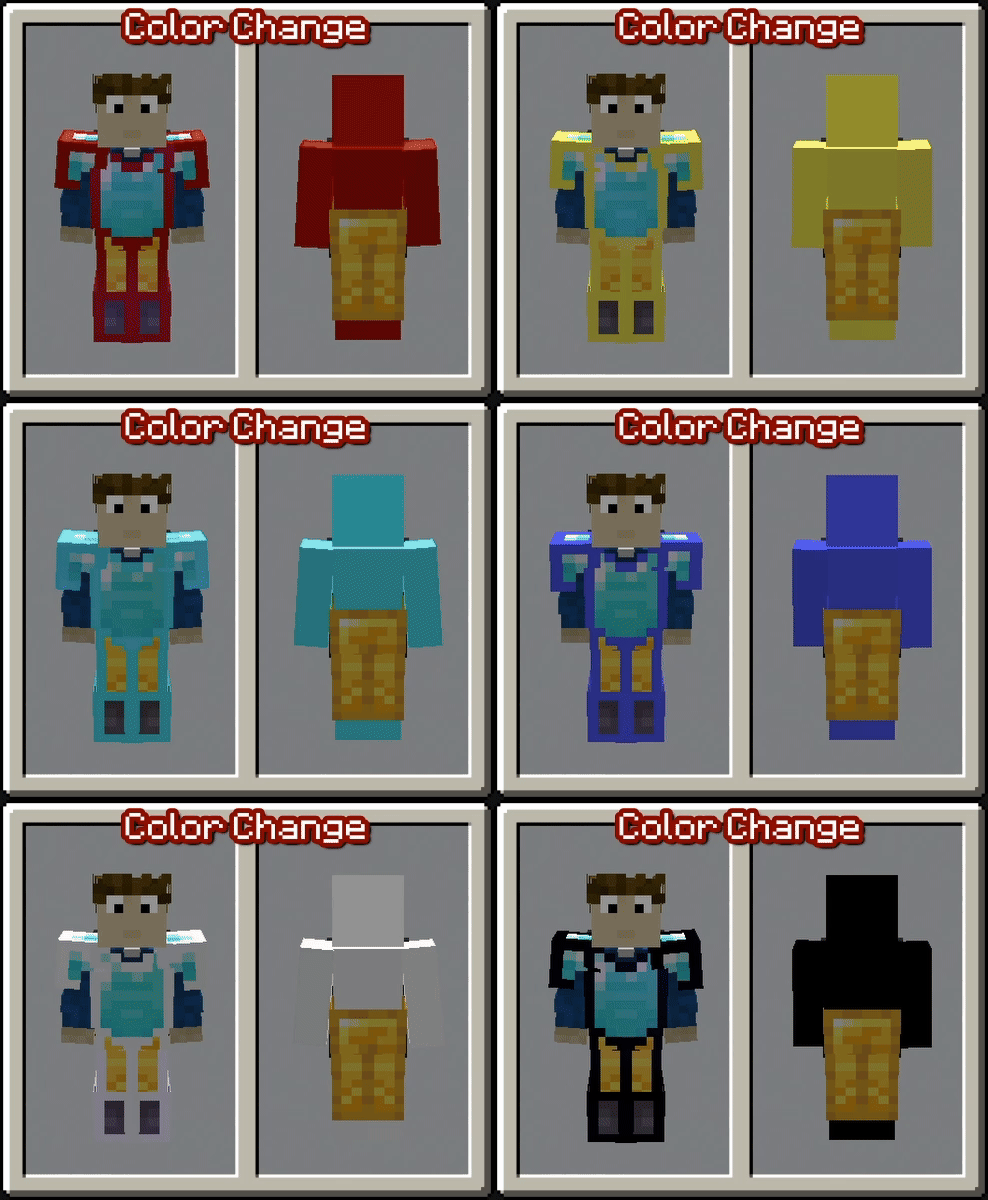
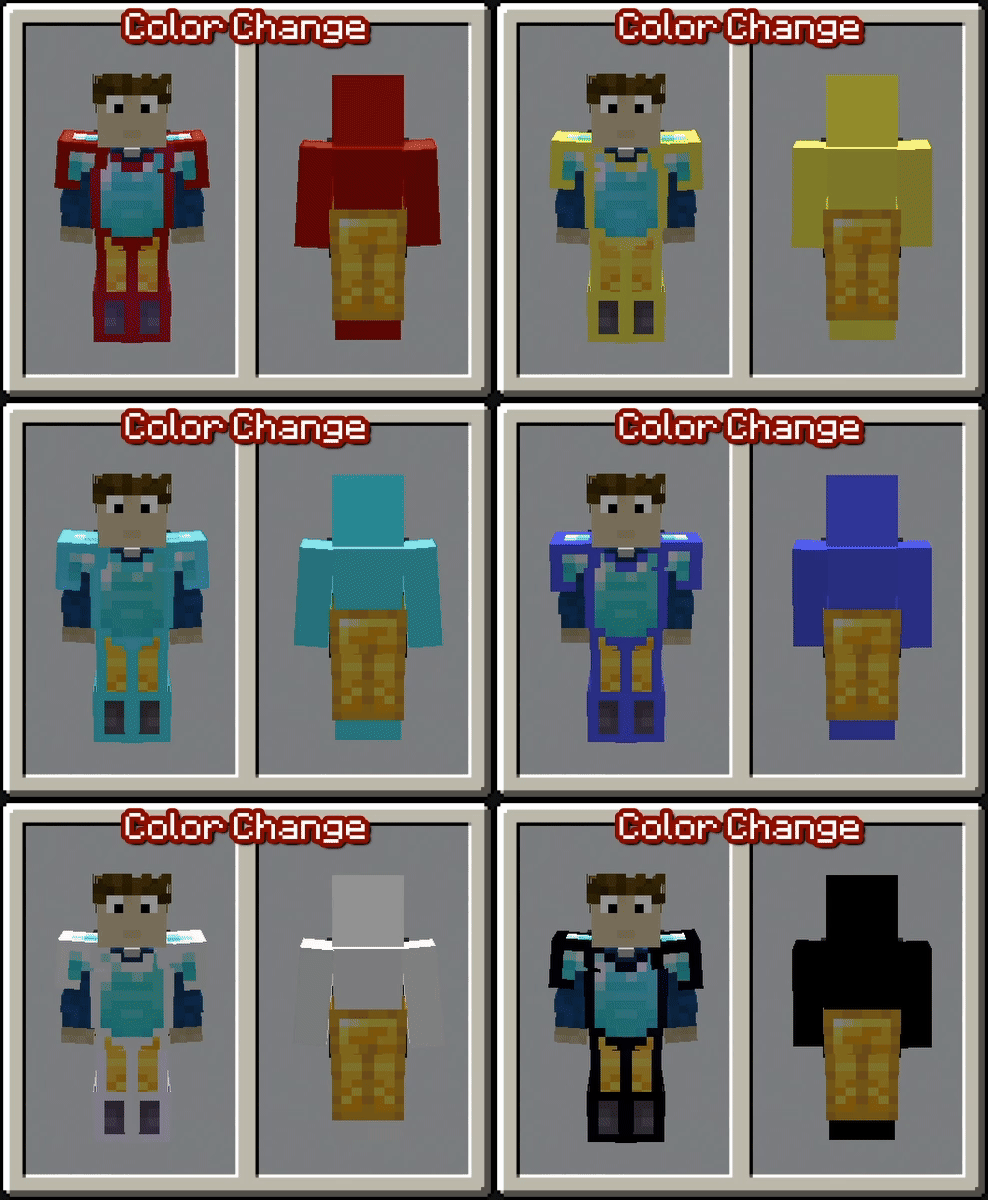
With the setting enabled to colorize player armor based on their team, vanilla armor pieces will display an outline in the team's color. This feature helps distinguish players more easily in-game, even when they are wearing the same type of armor. Please note that this only works with vanilla armor and not with modded armor.
3. Team-Based Skin Colorization
Enabling the setting to colorize player skins based on their team changes the entire skin to match the team’s color. This feature is useful if the team-based armor colorization is insufficient or cannot be applied due to the use of non-vanilla armor. By default, this setting is turned off.
Teams and Settings
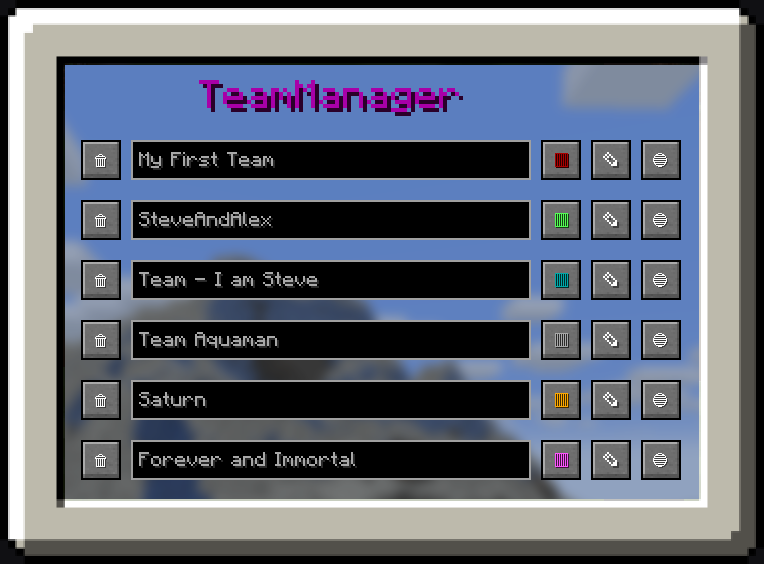
Managing teams in this mod is simple with a custom GUI.
You can access the GUI using a customizable keybind (set to "G" by default). Once inside, you’ll find various options to get started:
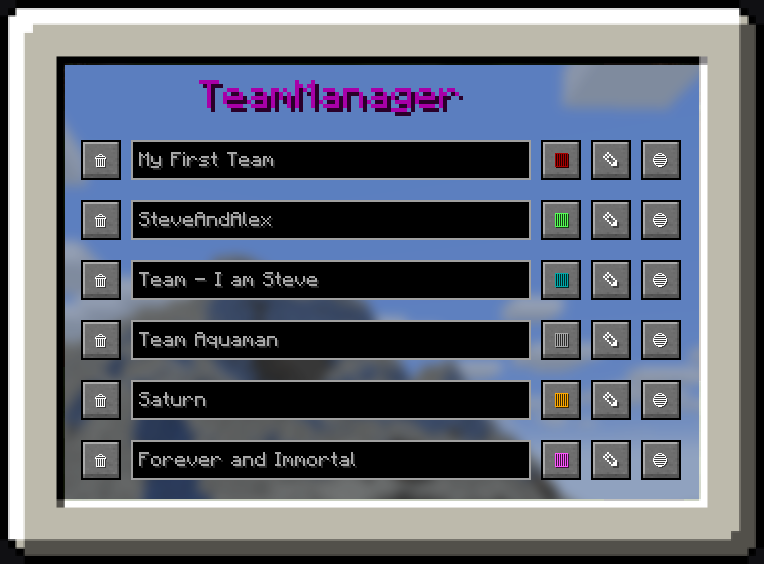
1. Team Manager Panel
- Navigate to the Team Manager Panel to create your first team.
- Use the buttons on the right side to modify the team's name, color, or members.
- Clicking the third button takes you to the individual team page, where you can add specific players to the team.
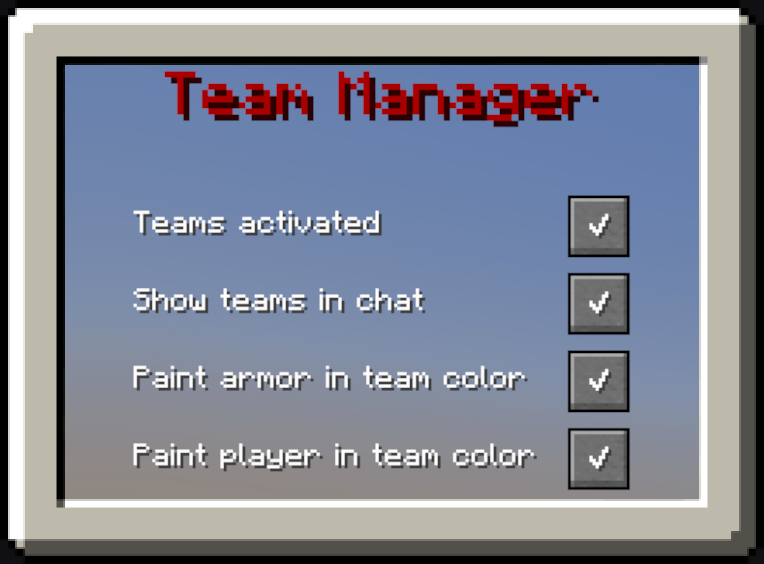
2. Settings Panel
- Open the Settings Panel to configure which features of the mod you want to enable.
- Use the checkboxes to easily activate or deactivate individual features based on your preferences.
Tutorials and Showcase
How to create your first Team
How to change the color of the Team
How to change the Settings
Available Versions
How to Install Better-PvP on Your Server
Order Server
Order a Minecraft Java server with at least 3 GB RAM (4 GB recommended).
Set fabric Loader
In the panel under "Egg", select the fabric loader and matching Minecraft version (1.21.11).
Install Mod
Open the mod browser in the dashboard and search for "Better-PvP". Click "Install" – done! Alternatively, upload the .jar via SFTP to the /mods folder.
Compatibility
Mod Loaders
Minecraft Versions
1.21.11, 1.21.10, 1.21.9 (+8 more)
Server-side
✗ UnsupportedRecommended RAM
4 GB(min. 3 GB)Frequently Asked Questions
Better-PvP server crashes on startup – what to do?
Most common cause: wrong fabric version or insufficient RAM. Check the server log (latest.log) for "OutOfMemoryError" or "Mixin" errors. With Mado Hosting: ensure at least 3 GB RAM is allocated and the loader matches the mod version (1.21.11). You can switch loaders with one click in the panel.
Is Better-PvP compatible with fabric?
Better-PvP officially supports fabric for Minecraft 1.21.11, 1.21.10, 1.21.9. The Mado dashboard automatically detects incompatible loader combinations.
Server lagging with Better-PvP – how to optimize performance?
Recommended RAM: 4 GB (per 8 players). Use /spark profiler to check if Better-PvP consumes the most tick time. Common fixes: reduce server view-distance to 8-10, install "performant" or "starlight" as supplementary mods on Forge. With Mado Hosting, your server runs on NVMe SSDs with dedicated CPU cores for minimal latency.
Similar Mods




![[TaCZ] Timeless and Classics Zero](https://cdn.modrinth.com/data/SzzJttH8/fd27766d2bb8390d284696b1dbd358f87e081439_96.webp)

Rent Modded Server
Install Better-PvP with just one click on your server.