
(Better) Shared Advancements
Share advancements between teams or the whole server, online or offline, with more configurability! Server-side!
Screenshots
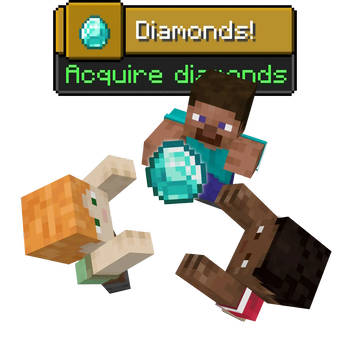
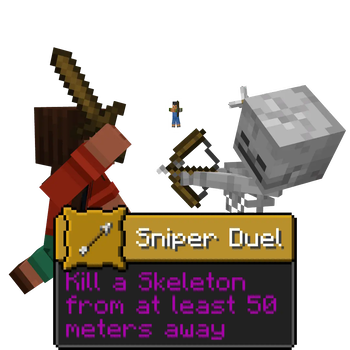
About this Mod
🫂 (Better) Shared Advancements

✅ Features
- Server-side with no incompatibilities to the client
- Offline support, it doesn't matter who is online when; everyone will share
- Team or globally shared, and changeable in the config
- Advancements can opt-out by adding
"shared_advancement:shared": falseto their file - Advancements without a display will not be shared by default, allowing datapack triggers to go unhindered
- Optionally disable advancements for Creative players, as to not interfere with the group
All these features can be toggled in the config!
⚙️ Configuration
Configuration can be found in config\shared_advancements.json.
merge_broadcast_message:true|false- When
true, only for the player gaining the advancement for the group will there be a chat message announcing their achievement. All players will still receive a toast notification. Defaults totrue.
- When
share_displayless:true|false- When
false, advancements without a display (a.k.a. technical advancements that will never show to the player, such as advancements managing recipes) are not shared. Defaults tofalse.
- When
creative_disabled:true|false- When
true, creative or spectator players will not achieve any advancements. Defaults tofalse.
- When
global_group:true|false- When
true, teamless players will share advancements with other teamless players. Defaults totrue.
- When
Available Versions
How to Install (Better) Shared Advancements on Your Server
Order Server
Order a Minecraft Java server with at least 3 GB RAM (4 GB recommended).
Set fabric Loader
In the panel under "Egg", select the fabric loader and matching Minecraft version (1.21.9).
Install Mod
Open the mod browser in the dashboard and search for "(Better) Shared Advancements". Click "Install" – done! Alternatively, upload the .jar via SFTP to the /mods folder.
Compatibility
Mod Loaders
Minecraft Versions
1.21.9, 1.21.8, 1.21.7 (+7 more)
Server-side
✓ RequiredRecommended RAM
4 GB(min. 3 GB)Frequently Asked Questions
(Better) Shared Advancements server crashes on startup – what to do?
Most common cause: wrong fabric version or insufficient RAM. Check the server log (latest.log) for "OutOfMemoryError" or "Mixin" errors. With Mado Hosting: ensure at least 3 GB RAM is allocated and the loader matches the mod version (1.21.9). You can switch loaders with one click in the panel.
Is (Better) Shared Advancements compatible with fabric?
(Better) Shared Advancements officially supports fabric for Minecraft 1.21.9, 1.21.8, 1.21.7. The Mado dashboard automatically detects incompatible loader combinations.
Server lagging with (Better) Shared Advancements – how to optimize performance?
Recommended RAM: 4 GB (per 8 players). Use /spark profiler to check if (Better) Shared Advancements consumes the most tick time. Common fixes: reduce server view-distance to 8-10, install "performant" or "starlight" as supplementary mods on Forge. With Mado Hosting, your server runs on NVMe SSDs with dedicated CPU cores for minimal latency.
Similar Mods




Rent Modded Server
Install (Better) Shared Advancements with just one click on your server.