
Better Slabs
Mix any Slabs, Compatible with Moar Concrete Mod!
Screenshots
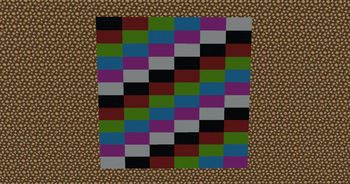
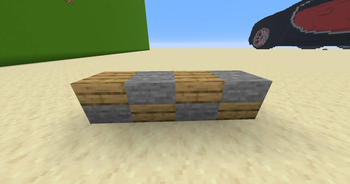
About this Mod
Better Slabs is a Fabric mod for Minecraft 1.21.11 that lets you combine two different slab types into a single full block. The bottom half and the top half can use different materials (for example brick on top and smooth stone on the bottom), so you get a true mixed double slab in one block space instead of being limited to two halves of the same slab.
Purpose
The mod exists to expand building options: any ordered pair of distinct slabs from the mod’s supported list becomes its own block. That gives on the order of 8,700 different combo blocks (each pair is directional: bottom slab A + top slab B is not the same block as A on top and B on the bottom).
How it works
There are no crafting recipes for these combo blocks. You create them in the world:
- Place or find a slab (bottom or top half).
- Hold a different slab item from the supported list and use it on the correct face: the top face of a bottom slab to add the second half on top, or the bottom face of a top slab to add a half from below.
- The mod only combines slabs that appear on its internal list; you cannot pair a slab with itself.
In creative mode, all combo blocks are listed in a dedicated creative tab so you can browse and take them directly.
Breaking blocks
In survival, breaking a combo block removes only the half you are targeting. The other half stays as a normal slab. Drops and whether a tool is required follow the same rules as breaking that slab type in vanilla. Mining speed depends on the half you are breaking. In creative mode, the whole combo breaks at once like a normal block.
What slabs are included
The list mixes vanilla slabs (including pale oak), slabs from the Moar Concrete mod (concrete slabs and concrete brick slabs in all colors), and other vanilla slab blocks defined in the mod’s data. Moar Concrete is required because those slabs are part of the combination set.
Requirements
- Minecraft 1.21.11
- Fabric Loader and Fabric API
- Moar Concrete (the mod must be present; the mod id is
moarconcrete) - Java 21 or newer
For multiplayer, the mod must be installed on the server and on clients that join that world; it is not a client-only or server-only replacement for vanilla behaviour.
Credits and license
Author: Honarek. Distributed under the MIT License.
Available Versions
How to Install Better Slabs on Your Server
Order Server
Order a Minecraft Java server with at least 3 GB RAM (4 GB recommended).
Set fabric Loader
In the panel under "Egg", select the fabric loader and matching Minecraft version (1.21.11).
Install Mod
Open the mod browser in the dashboard and search for "Better Slabs". Click "Install" – done! Alternatively, upload the .jar via SFTP to the /mods folder.
Compatibility
Mod Loaders
Minecraft Versions
1.21.11
Server-side
✓ RequiredRecommended RAM
4 GB(min. 3 GB)Frequently Asked Questions
Better Slabs server crashes on startup – what to do?
Most common cause: wrong fabric version or insufficient RAM. Check the server log (latest.log) for "OutOfMemoryError" or "Mixin" errors. With Mado Hosting: ensure at least 3 GB RAM is allocated and the loader matches the mod version (1.21.11). You can switch loaders with one click in the panel.
Is Better Slabs compatible with fabric?
Better Slabs officially supports fabric for Minecraft 1.21.11. The Mado dashboard automatically detects incompatible loader combinations.
Server lagging with Better Slabs – how to optimize performance?
Recommended RAM: 4 GB (per 8 players). Use /spark profiler to check if Better Slabs consumes the most tick time. Common fixes: reduce server view-distance to 8-10, install "performant" or "starlight" as supplementary mods on Forge. With Mado Hosting, your server runs on NVMe SSDs with dedicated CPU cores for minimal latency.
Rent Modded Server
Install Better Slabs with just one click on your server.