
BetterChatX
A custom chat with advanced filters and customization
Screenshots
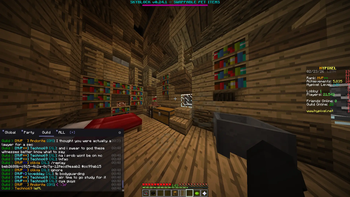
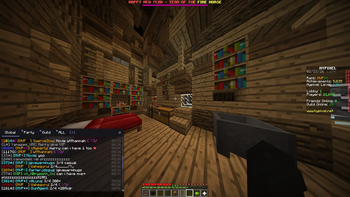
About this Mod
BetterChat
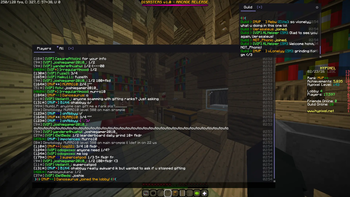
A Minecraft Forge mod for 1.8.9 that completely replaces the default chat with a powerful, customizable, multi-tab chat system.
Features
🗂️ Tabbed Chat Windows
- Create as many chat tabs as you want, each with its own filter settings
- Double-click a tab to rename it
- Right-click a tab to delete it (confirm with a second right-click)
- Drag tabs to reorder them within a window, just like a browser
- Drag tabs out of the window to spawn them as their own independent floating window
- Drag tabs onto another window to merge them back together
- Click [+] to add a new tab at any time
🪟 Multiple Floating Windows
- Each window is independently draggable and resizable
- Windows remember their position and size between sessions
- Tabs can freely move between windows or become their own window
- Lock window position via the settings menu to prevent accidental moves
🔍 Per-Tab Filtering
Every tab has its own independent filter configuration, letting you build a chat layout that only shows what you care about:
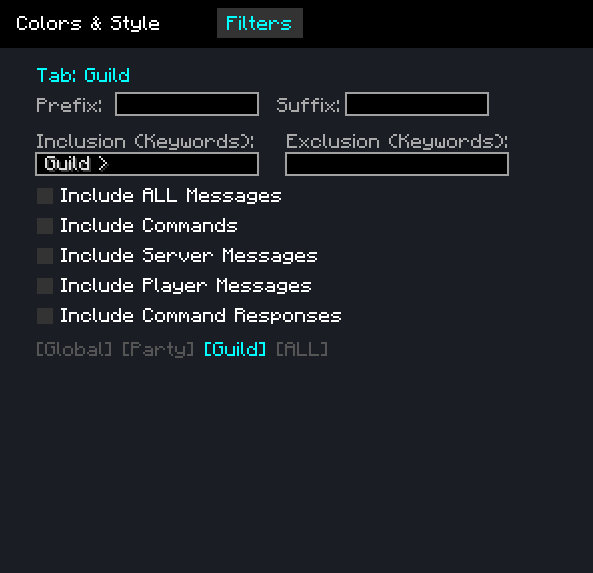
- Inclusion keywords — only show messages that contain at least one of these words (comma-separated). Useful for a specific player's name, a server channel prefix, or a keyword like
trade - Exclusion keywords — always hide messages containing these words, even if they pass the inclusion filter. Great for muting spam or specific players
- Include All Messages — bypass all filters and show everything on this tab, useful for a dedicated "Global" tab
- Include Player Messages — show chat from other players (messages in
<name>format) - Include Server Messages — show system/server messages that aren't from players (join/leave messages, announcements, etc.)
- Include Commands — show commands you type (messages starting with
/) - Include Command Responses — show server responses to commands you ran within the last few seconds
- Prefix / Suffix — text automatically added before/after every message you send from this tab. For example, a prefix of
[Trade]lets you type naturally while always tagging your messages
Exclusions are checked first, then inclusions. Your own messages always appear on every tab regardless of filters.
📜 Persistent Chat History
- All chat messages are saved to disk and persist across sessions — your full history is always there when you log back in
- History is shared across all tabs — each tab just filters the same global log differently, so no messages are ever lost
- Date separator bars are shown inline whenever the date changes, so you can always tell when a conversation happened
- Chat always jumps back to the latest messages when you open it
- History saving can be toggled off in settings if you prefer a clean slate each session
📅 Smart Day-Based Scroll Bar
- The scroll bar represents only the current day's messages — always a comfortable, usable size no matter how much history you have
- ▲ / ▼ arrows appear on the scroll bar to jump between days
- The date (
MM/DD) is shown next to the arrows when browsing older history
🎨 Full Visual Customization
Open the settings panel (⚙ gear icon on any window) to customize:
Colors & Opacity
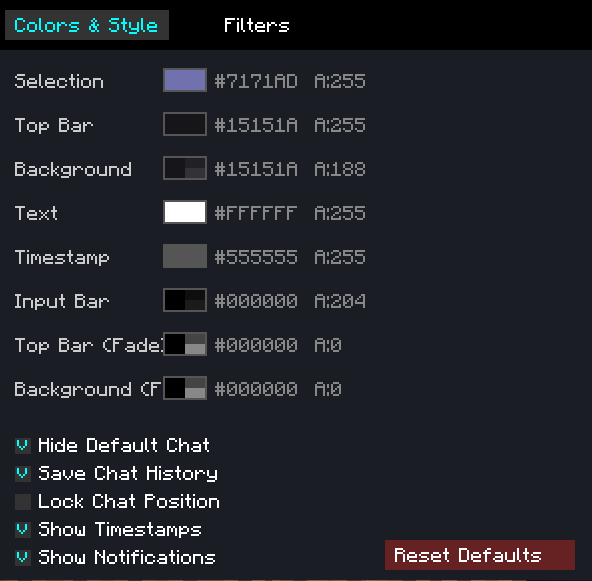
- 8 individually configurable color slots: tab selection bar, top bar, background, text, timestamps, input bar, and both HUD fade overlay colors
- Each slot has its own fully independent color and opacity setting
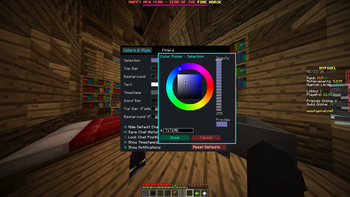
- A full HSB color picker per slot — hue ring, saturation/brightness square, live preview swatch, opacity slider, and direct hex code input
Toggles
- Timestamps — shows
HH:MMnext to each message on the right side - Unread notification dots — a colored dot marks any tab with unseen messages
- Save chat history — disable if you don't want messages persisted to disk
- Lock position — freezes all windows in place so they can't be accidentally moved or resized
- Reset to defaults — restores all colors and toggles to their original values
Per-Tab Settings (accessible from the Filters page)
- Configure inclusion/exclusion keywords, message type toggles, and prefix/suffix per tab, all from one panel
🔔 Unread Notifications
- A colored dot appears on any tab that received a new message while you weren't looking at it
- Disappears as soon as you switch to that tab
Controls
| Action | How |
|---|---|
| Switch tab | Click the tab |
| Rename tab | Double-click the tab |
| Delete tab | Right-click tab (once to mark red, again to confirm) |
| Reorder tab | Drag left/right within the tab bar |
| Detach tab to new window | Drag tab downward out of the bar |
| Merge tab into window | Drag tab onto another window's tab bar |
| Move window | Drag the top bar |
| Resize window | Drag the bottom-right corner handle |
| Scroll by day | Click ▲ / ▼ on the scroll bar |
| Open settings | Click the ⚙ icon (top-right of any window) |
| Add tab | Click [+] in the tab bar |
Installation
- Install Minecraft Forge 1.8.9
- Download the latest
betterchat-1.0.jarfrom Releases - Drop it into your
.minecraft/mods/folder - Launch Minecraft with the Forge profile
Building from Source
Requires JDK 8.
git clone https://github.com/DanielRomanovski/BetterChat.git
cd BetterChat
gradlew build
The compiled jar will be in build/libs/betterchat-1.0.jar.
Compatibility
- Minecraft: 1.8.9
- Forge: 11.15.1.2318
- Side: Client-only — no server installation needed
Config Files
Stored in your Minecraft config/ directory:
| File | Contents |
|---|---|
betterchat.txt |
Window positions, colors, tab names, filter settings |
betterchat_logs.dat |
Full chat history |
Available Versions
How to Install BetterChatX on Your Server
Order Server
Order a Minecraft Java server with at least 3 GB RAM (4 GB recommended).
Set forge Loader
In the panel under "Egg", select the forge loader and matching Minecraft version (1.8.9).
Install Mod
Open the mod browser in the dashboard and search for "BetterChatX". Click "Install" – done! Alternatively, upload the .jar via SFTP to the /mods folder.
Compatibility
Mod Loaders
Minecraft Versions
1.8.9
Server-side
✗ UnsupportedRecommended RAM
4 GB(min. 3 GB)Frequently Asked Questions
BetterChatX server crashes on startup – what to do?
Most common cause: wrong forge version or insufficient RAM. Check the server log (latest.log) for "OutOfMemoryError" or "Mixin" errors. With Mado Hosting: ensure at least 3 GB RAM is allocated and the loader matches the mod version (1.8.9). You can switch loaders with one click in the panel.
Is BetterChatX compatible with forge?
BetterChatX officially supports forge for Minecraft 1.8.9. The Mado dashboard automatically detects incompatible loader combinations.
Server lagging with BetterChatX – how to optimize performance?
Recommended RAM: 4 GB (per 8 players). Use /spark profiler to check if BetterChatX consumes the most tick time. Common fixes: reduce server view-distance to 8-10, install "performant" or "starlight" as supplementary mods on Forge. With Mado Hosting, your server runs on NVMe SSDs with dedicated CPU cores for minimal latency.
Similar Mods






Rent Modded Server
Install BetterChatX with just one click on your server.
Details
- License
- Creative Commons Attribution No Derivatives 4.0 International
- Server-side
- Unsupported