
Better Fletching Tables (BFT)
This datapack/mod gives an actual use to the fletching table other than trading with villagers.
Screenshots

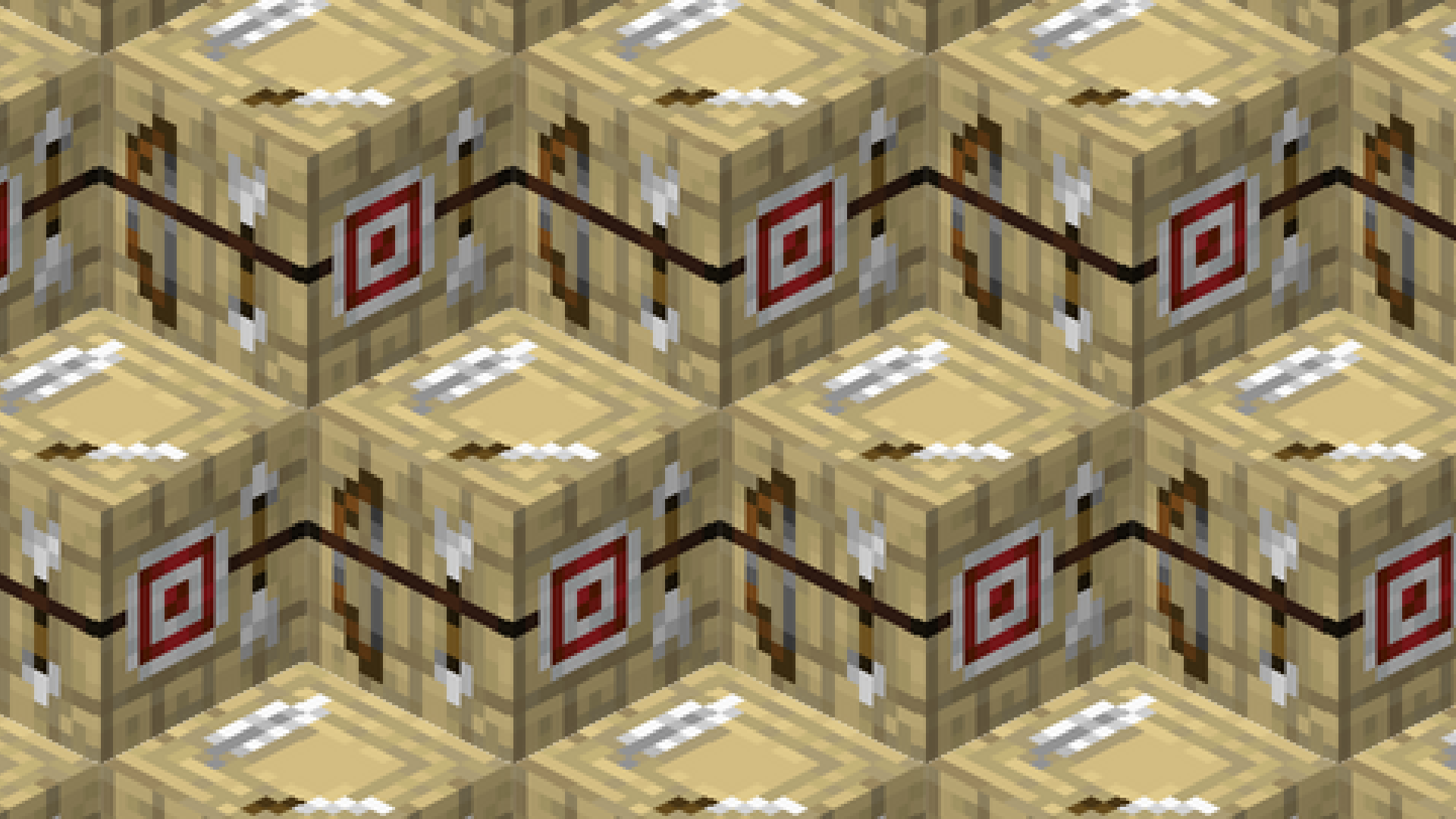
About this Mod
🏹 Better Fletching Tables (BFT)
Better Fletching Tables tries to improve the current fletching table that minecraft has, which does literally nothing.
This datapack adds the ability to craft arrows, tipped arrows and spectral arrows in a better way than the game actually does.
🎥 Video
🔗 Links







📝 Useful Info
✨ Features
- New way to craft arrows.
- New way to craft tipped arrows.
- New way to craft spectral arrows.
- New crafting station.
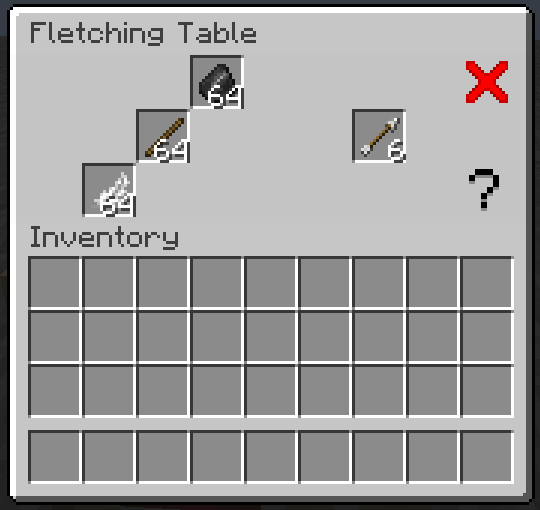
When you craft an arrow, instead of the usual 4 arrows you get, using the table you now get 6. When crafting tipped arrows keep in mind the following:
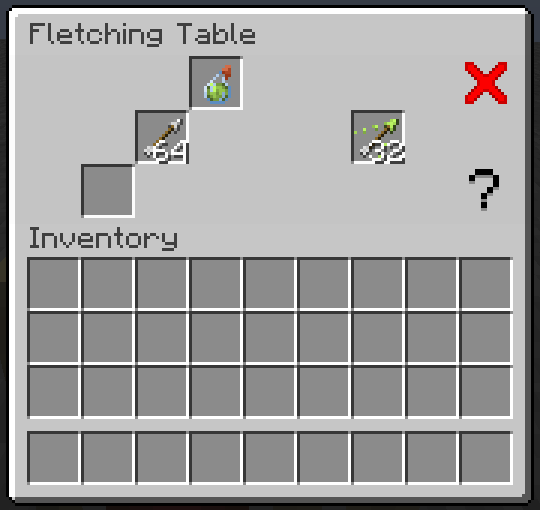
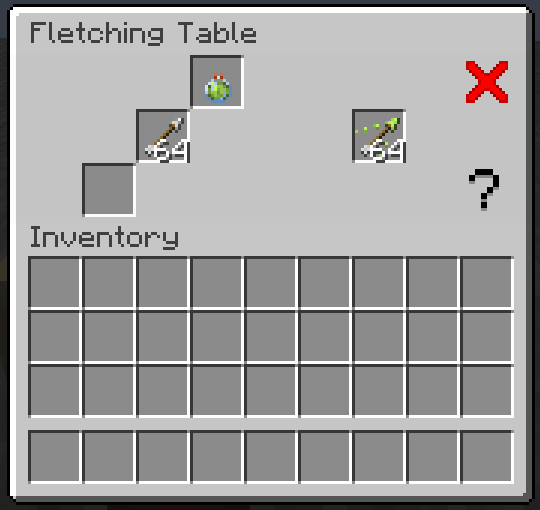
When using a normal potion you can craft up to 16 tipped arrows, using a splash potion instead you can craft up to 32 tipped arrows, and finally using a lingering potion you can craft up to 64 tipped arrows. Also keep in mind that the potion will be consumed entirely whether you did or didn't crafted the max amount that potion could craft.
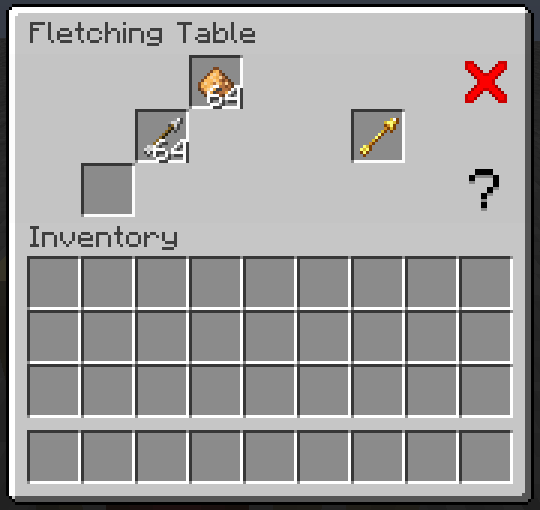
Also, you can craft 2 spectral arrows using a normal arrow and a glowstone dust.
And lastly, when shift clicking to the result it will craft as much as it can with the items you gave it.
❓ FAQ
Q: Does it have multiplayer compatibility?
A: Yes it does.
Q: Can I modify the datapack and redistribute it?
A: Yes you can, but only if you say who the original creator is (Eclipse Studios) and if you link the original Modrinth page somewhere noticeable in the project.
Q: Are you guys going to make more datapacks?
A: Yes we will, personally we do this as a hobby and only when we want and have the motivation to do it, and right now I don't really know what my next project will be, maybe I will return to another project, who knows. For more updates on our future datapacks join our discord server.
Q: Why is the gui not showing? And why do I have a chest minecart in the head when I look to a fletching table?
A: Remember to also download the resourcepack to make it appear that it is not broken, go to "Versions" > Click on the version you are using > Download the resourcepack.
Q: Does this datapack work on older/newer versions?
A: This may be a controversial answer, yes but also no. If you want to use version 3.0.0 and later of this datapack/mod you can only use it in 1.20.5+, this is due to the rewrite from scratch I did in order to compensate the bad permormance previous versions had which uses commands added in 1.20.5+ (and also uses the new item component format), that doesn't mean that all previous versions are bad and that you shouldn't use them, just that they may cause lag and also maybe drop the server's tps. If for whatever reason you want to downgrade it you COULD do so until 1.20.3 (I think), previous versions would be a nightmare to downgrade it. If for whatever reason you want to use it in a newer version and the official update hasn't happened just download the lastest version and change inside the pack.mcmeta of the datapack the "pack_format" value to the desired one (it may not work or at least not as intended).
Q: Is this datapack compatible with other datapacks?
A: Yes it is, this datapack follows the Smithed conventions to ensure datapack and resourcepack compatibility.
⚙️ Settings
This datapack/mod only works with the minecraft vanilla fletching table, that means that any one added via a mod won't work with the system, but since 2.0.0 you can make it compatible with any block, even ones added by mods.
To achieve this you will need to modify the following file inside the datapack: data/bft/tags/blocks/ft.json
The file should look like this:
{
    "values": [
      "minecraft:fletching_table"
    ],
    "replace": false
  }
To add another block just add a comma and add the id of the block (the id of a block is the one you use when you /give the block to you), for example, let's make it compatible with stones:
{
  "values": [
    "minecraft:fletching_table",
    "minecraft:stone"
  ],
    "replace": false
}
Now the datapack'll recognize as fletching tables the fletching table and stone.
❤️ Credits
Since 3.0.0, this datapack makes use of the following libraries/tricks:
🗑️ Uninstall
To uninstall the datapack run /function bft:cmd/unistall before removing the datapack and resourcepack, that will remove all scoreboards and more stuff that the datapack uses (v3.0.0+ only).
| Note: The uninstall function doesn't uninstall the Iris library because other datapacks may be using it too. |
|---|
🐛 Bug Report & 💡 Suggestions
If you have found any bugs or have any suggestion, please reach out to us at our discord server.
Available Versions
How to Install Better Fletching Tables (BFT) on Your Server
Order Server
Order a Minecraft Java server with at least 3 GB RAM (4 GB recommended).
Set datapack Loader
In the panel under "Egg", select the datapack loader and matching Minecraft version (1.21.3).
Install Mod
Open the mod browser in the dashboard and search for "Better Fletching Tables (BFT)". Click "Install" – done! Alternatively, upload the .jar via SFTP to the /mods folder.
Compatibility
Mod Loaders
Minecraft Versions
1.21.3, 1.21.2, 1.21.1 (+13 more)
Server-side
✓ RequiredRecommended RAM
4 GB(min. 3 GB)Frequently Asked Questions
Better Fletching Tables (BFT) server crashes on startup – what to do?
Most common cause: wrong datapack version or insufficient RAM. Check the server log (latest.log) for "OutOfMemoryError" or "Mixin" errors. With Mado Hosting: ensure at least 3 GB RAM is allocated and the loader matches the mod version (1.21.3). You can switch loaders with one click in the panel.
Is Better Fletching Tables (BFT) compatible with datapack and fabric and forge and neoforge and quilt?
Better Fletching Tables (BFT) officially supports datapack, fabric, forge, neoforge, quilt for Minecraft 1.21.3, 1.21.2, 1.21.1. Note: Forge and Fabric mods are NOT cross-compatible – pick one loader and stick with it. The Mado dashboard automatically detects incompatible loader combinations.
Server lagging with Better Fletching Tables (BFT) – how to optimize performance?
Recommended RAM: 4 GB (per 8 players). Use /spark profiler to check if Better Fletching Tables (BFT) consumes the most tick time. Common fixes: reduce server view-distance to 8-10, install "performant" or "starlight" as supplementary mods on Forge. With Mado Hosting, your server runs on NVMe SSDs with dedicated CPU cores for minimal latency.
Similar Mods




![[TaCZ] Timeless and Classics Zero](https://cdn.modrinth.com/data/SzzJttH8/fd27766d2bb8390d284696b1dbd358f87e081439_96.webp)

Rent Modded Server
Install Better Fletching Tables (BFT) with just one click on your server.