
Bingo Net
a Hypixel Skyblock helping Mod to connect to the Bingo Net Eco System. Not useful outside of Hypixel Skyblock
Screenshots

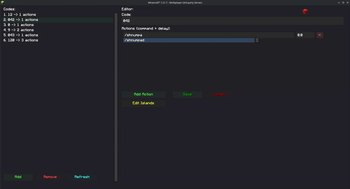
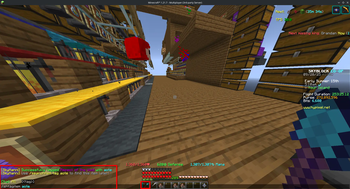
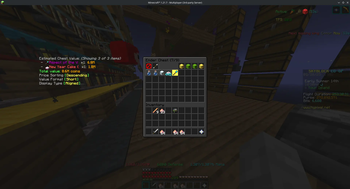
About this Mod
This Mod is still under heavy development with a LOT of bugs / issues.
- Report these Issues back to me so I can fix them.
Due to me havinbg the long term plan to merge the changes into official sh there are some notes. While the mod is open source the Server is closed source. Some Developers feel stronly against SH not controlling (or even not having access to the source) due to which I added Third Party Warnings.
You can find most of the Bingo Net's actual Features in the config:
type sh /sh in chat
Go Into Events
Go Into Bingo
- Most of the local Settings
Go Into Third Party Bingo Networks - Here are most of the Bingo Net Network Features.
Keep in mind that Bingo Net requires a link process since we require a Discord Account to store our Data on the connection between mcuuid and dcuserid. A lot of Features are also Discord Relevant, or users get shown broken Info if the User is not in the Discord.
Available Versions
How to Install Bingo Net on Your Server
Order Server
Order a Minecraft Java server with at least 3 GB RAM (4 GB recommended).
Set fabric Loader
In the panel under "Egg", select the fabric loader and matching Minecraft version (1.21.11).
Install Mod
Open the mod browser in the dashboard and search for "Bingo Net". Click "Install" – done! Alternatively, upload the .jar via SFTP to the /mods folder.
Compatibility
Mod Loaders
Minecraft Versions
1.21.11, 1.21.10, 1.21.8 (+3 more)
Server-side
✗ UnsupportedRecommended RAM
4 GB(min. 3 GB)Frequently Asked Questions
Bingo Net server crashes on startup – what to do?
Most common cause: wrong fabric version or insufficient RAM. Check the server log (latest.log) for "OutOfMemoryError" or "Mixin" errors. With Mado Hosting: ensure at least 3 GB RAM is allocated and the loader matches the mod version (1.21.11). You can switch loaders with one click in the panel.
Is Bingo Net compatible with fabric and forge?
Bingo Net officially supports fabric, forge for Minecraft 1.21.11, 1.21.10, 1.21.8. Note: Forge and Fabric mods are NOT cross-compatible – pick one loader and stick with it. The Mado dashboard automatically detects incompatible loader combinations.
Server lagging with Bingo Net – how to optimize performance?
Recommended RAM: 4 GB (per 8 players). Use /spark profiler to check if Bingo Net consumes the most tick time. Common fixes: reduce server view-distance to 8-10, install "performant" or "starlight" as supplementary mods on Forge. With Mado Hosting, your server runs on NVMe SSDs with dedicated CPU cores for minimal latency.
Rent Modded Server
Install Bingo Net with just one click on your server.