
Biology Dictionary
Discover, highlight, inspect, modify - your vanilla & modded mob encyclopedia
Screenshots

About this Mod

Biology Dictionary
Discover, highlight, inspect, modify - your vanilla & modded mob encyclopedia



Sound familiar?
| Problem | Solution |
|---|---|
| Want to explore all mobs | Check your discovery progress in the dictionary |
| Want spawn biomes, drops, food, speed, hitbox... all at once | View all base properties on a single page |
| Curious about horse, panda, or villager variants | Browse all variants (and change them in Creative) |
| Baby mobs are too adorable to grow up | Lock growth, keep them babies forever |
| Dozens of chickens in a cooker are deafening | One-click mute — offspring inherit it too |
| Can't find the villager's job site in your trading hall | One-click locate, no more blind digging |
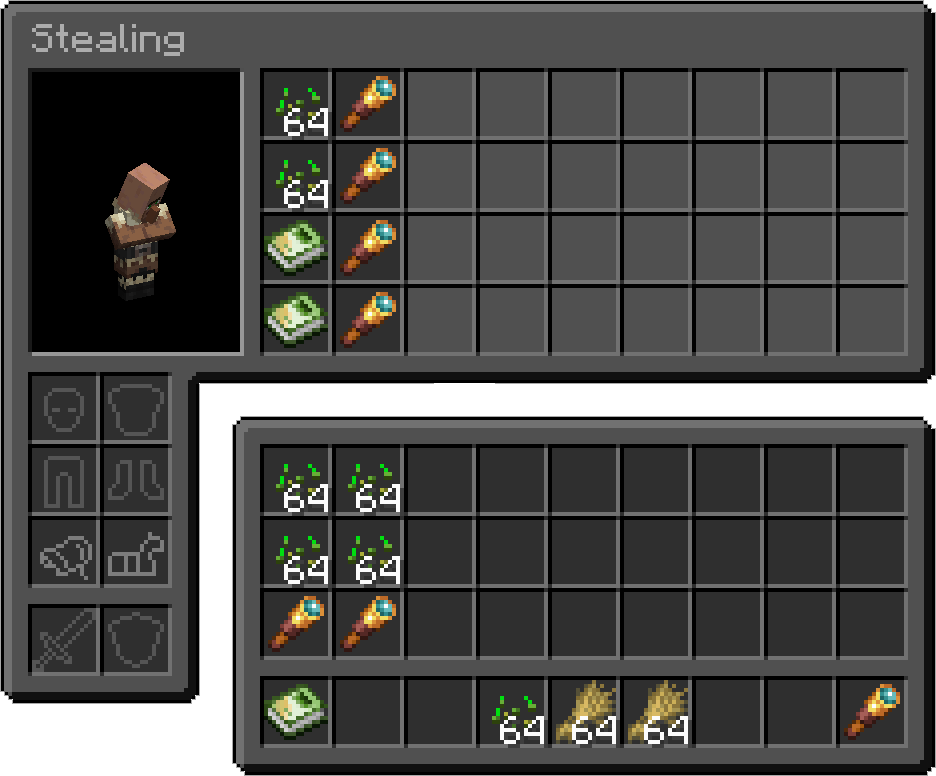
| Villagers keep crafting bread, breaking your auto-farm | Steal their inventory, fill with junk, stop wheat pickup |
| Bees flew off — which hive did they go to? | View hive honey levels and bee counts, track them home |
| Cross-dimension mob transport is a nightmare | Lock or force nether portal teleportation |
| Want static NPCs in your survival builds | Disable AI + set invulnerable, done |
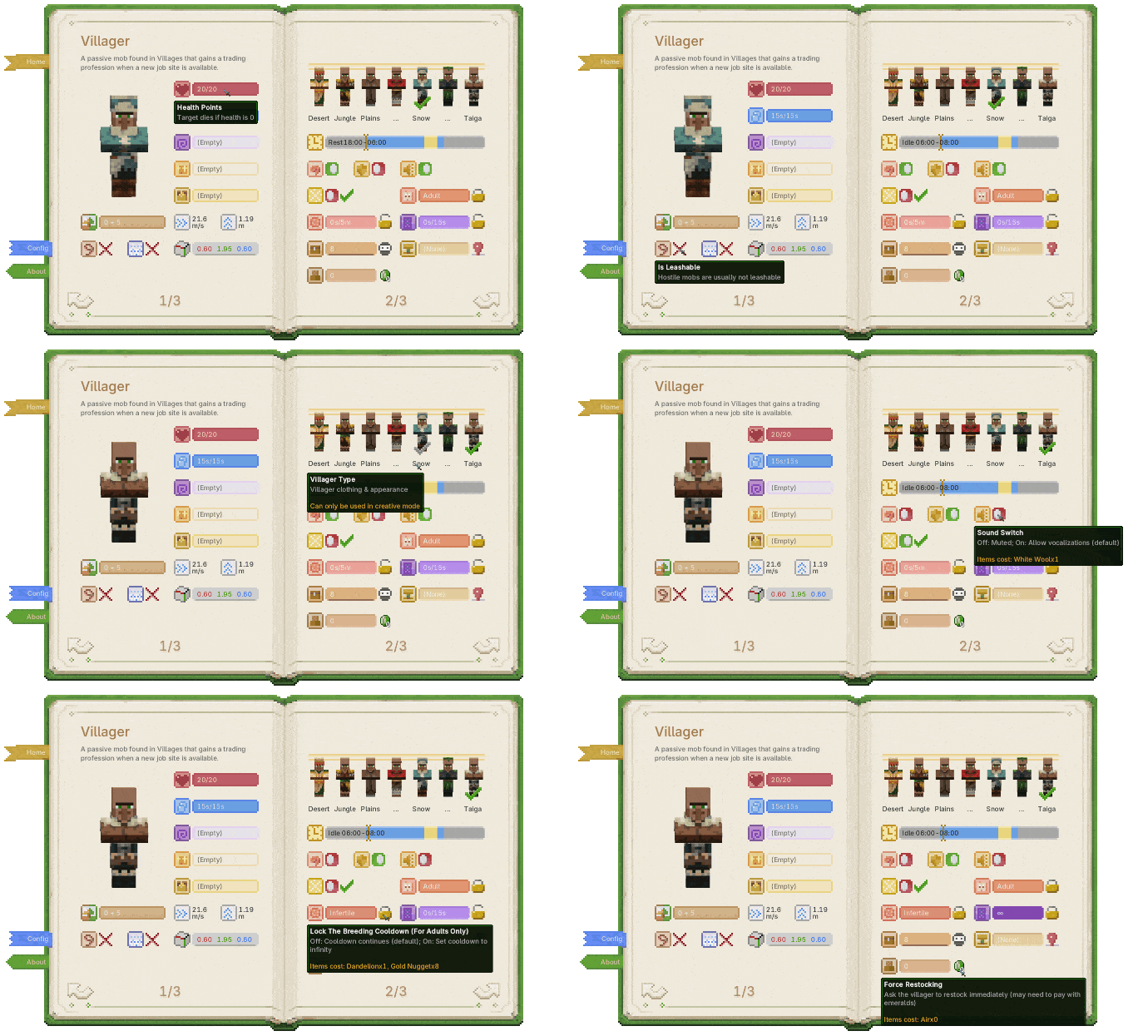
One screen for all of those problems.
Gameplay Preview
- No new blocks or entities. The book is implemented with NBT and stays vanilla-friendly.
- Works with vanilla and modded mobs.
Open the Dictionary
| Biology Dictionary | Discovery Progress |
|---|---|
 |
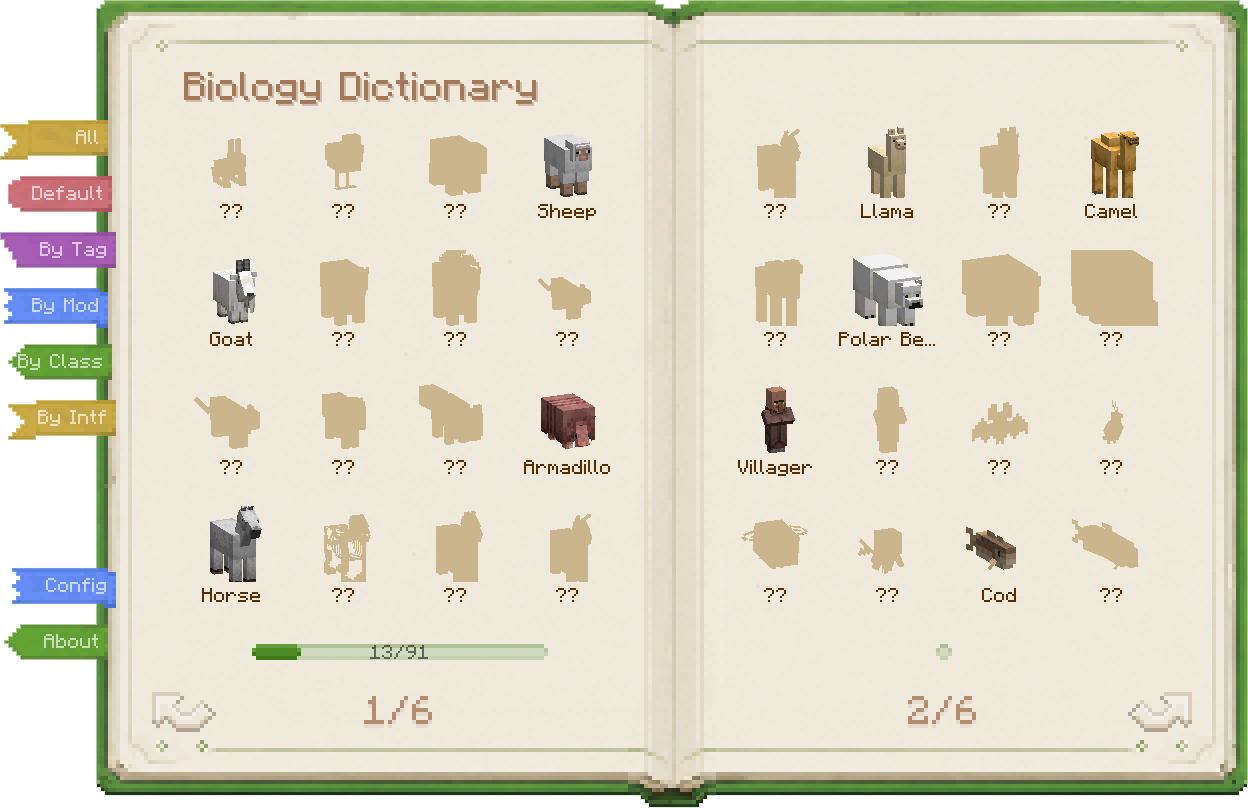 |
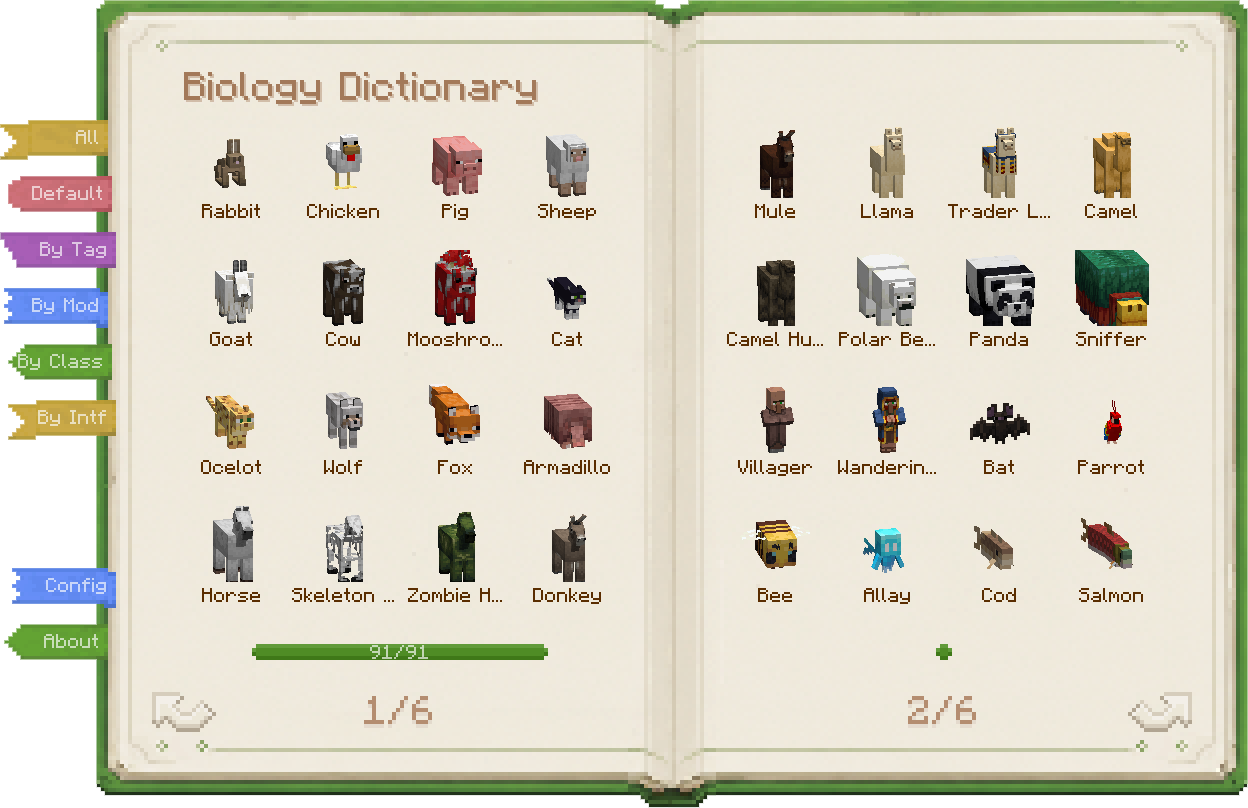
| Vanilla mobs, modded mobs, all in one book. | Build your encyclopedia one discovery at a time. |
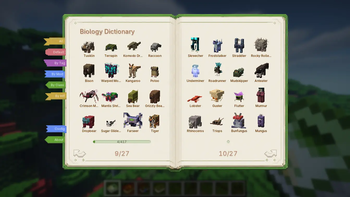
- Full mob catalog — Vanilla and modded mobs are collected automatically, no setup required.
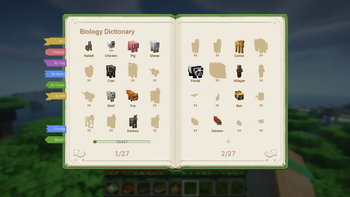
- Discovery progress — Track which mobs you have found and which ones are still waiting.
- Multiple discovery rules — Use a simple "all unlocked" mode, vanilla kill statistics, or Biology Dictionary's own discovery system.
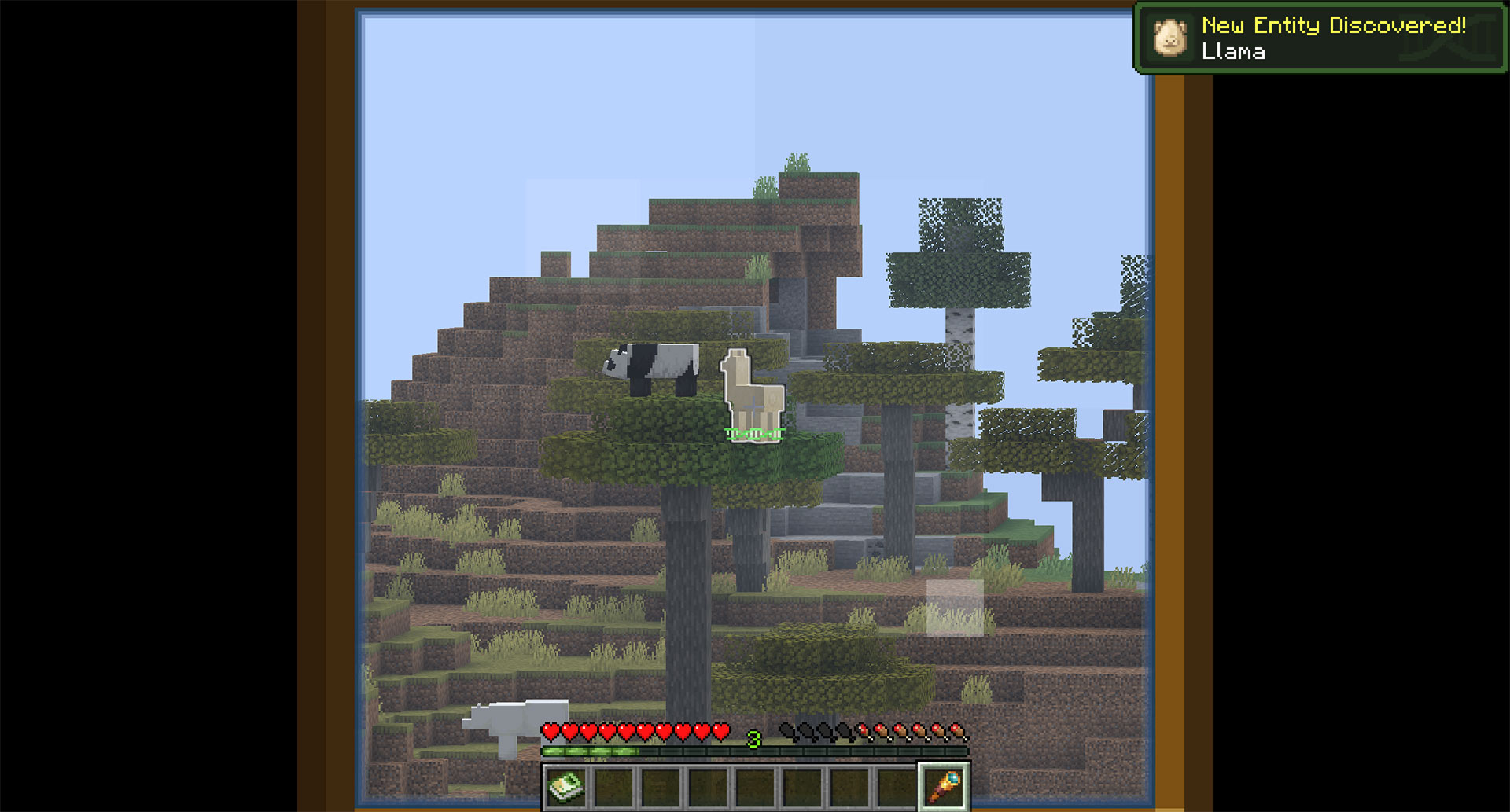
- Configurable discovery actions — Detail screens, telescope observation, interaction, kills, and more can count as discovery.
- Discovery records — Biology Dictionary mode can record how, when, and where you first met a mob.
- Configurable module behavior — By default, undiscovered mobs hide their details; you can also make discovery a pure collection layer.
- Entity highlight — Highlight nearby mobs of the same type, with different ranges and costs.
| Telescope Discovery | Entity Highlight |
|---|---|
 |
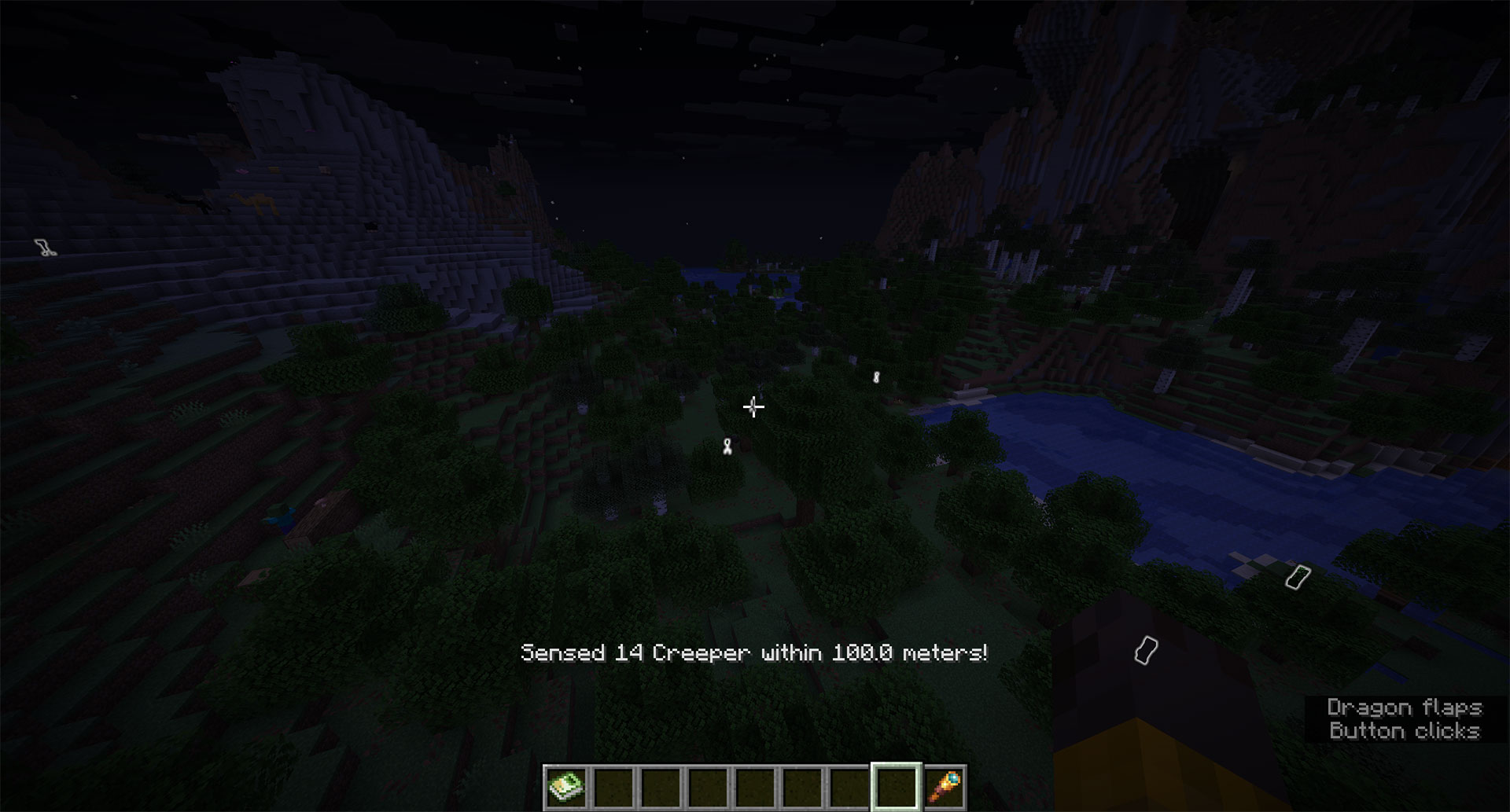 |
| A telescope sighting can count as a real discovery. | Highlight nearby mobs when rare targets are hard to spot. |
Open a Mob Page
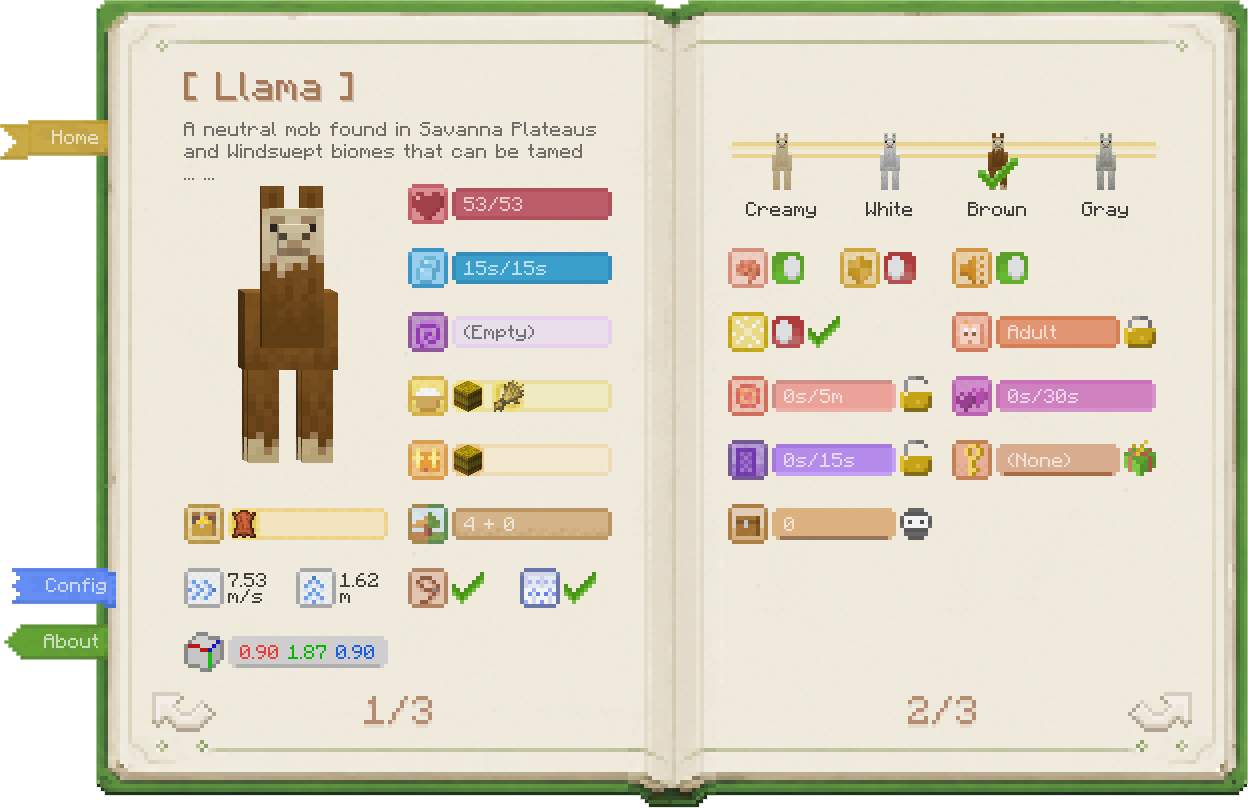
| Entity Details | Entity Tags |
|---|---|
 |
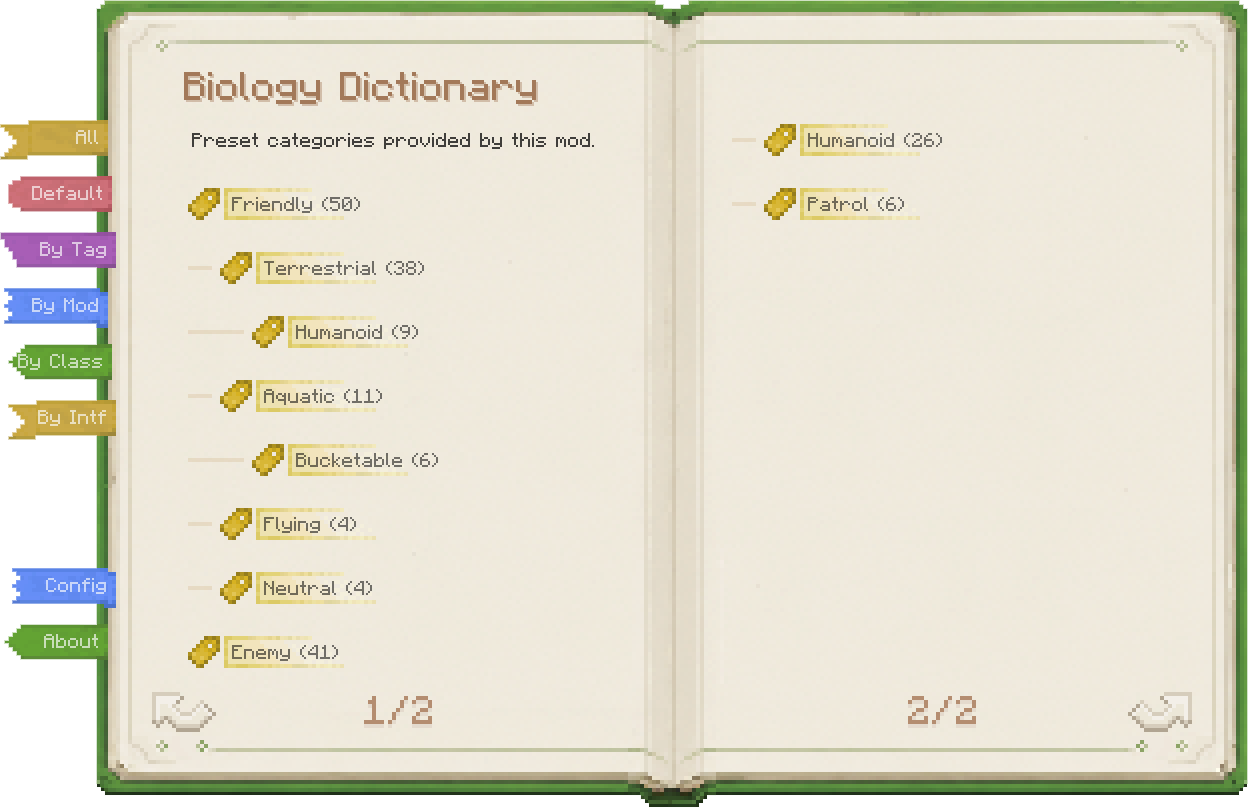 |
| Inspect properties, use skills, and change behavior. | Classify mobs from several angles for faster lookup. |
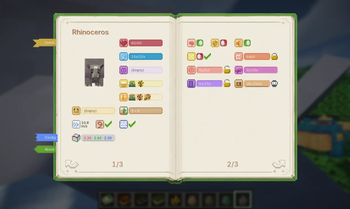
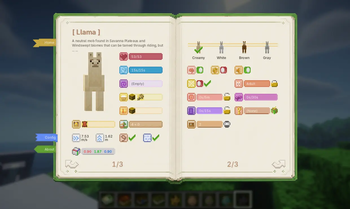
- Overview / detail pages — Overview pages show default or reference data; detail pages show the live state of the entity you are looking at.
- Base stats — Health, air, effects, speed, jump strength, hitbox, and whether the mob counts toward spawn caps.
- Ecology — Habitat, loot table, edible items, tempting items, and leashability.
- Variants — Standard variants, horse markings, panda genes, villager types, and more.
- Behavior state — AI, invulnerability, silence, persistence, portal cooldown, growth, breeding cooldown, and love status.
- Special mob data — Villager schedules, restocks, job sites, bee hives, dolphin moisture, screaming goats, pet owners, wandering trader despawn timers.
- Entity skills — Lock growth, block breeding, control portals, disable AI, force persistence, mute, force restock, retain traders, gift pets, get spawn eggs, and more.
- Skill costs — Skills require XP, items, permissions, or Creative mode by default; costs can be configured.
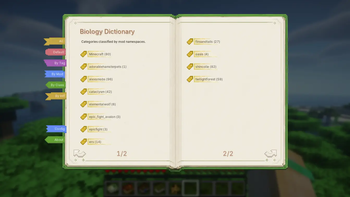
The tag page supports several views: built-in groups, MC tags, mod namespaces, and Java class/interface categories.
Special Screens
- Inventory access — View, take from, or fill supported mob inventories. In Survival, this is stealing, so stay out of the target's sight.
- Beehive info — Open a dedicated beehive or bee nest screen to inspect honey level, bee count, and bees inside.
| Inventory Access | Beehive Info |
|---|---|
 |
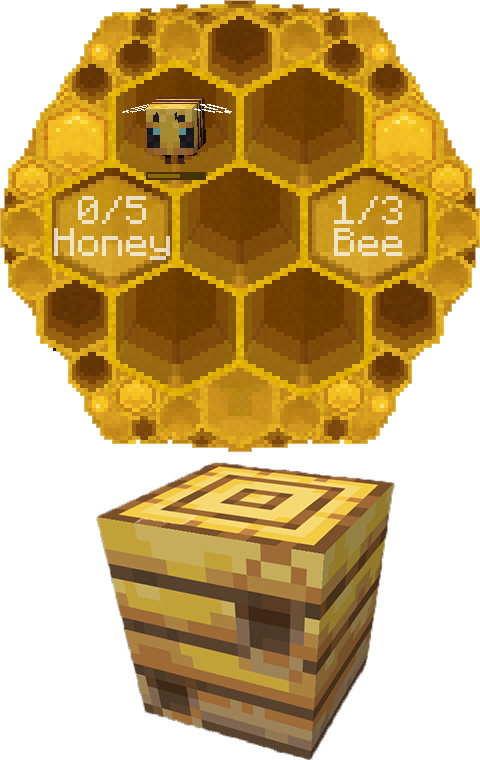 |
| Steal or fill inventories so villagers stop picking up wheat. | Use the dictionary on a hive to check bees and honey. |
Controls
Biology Dictionary is built around screens. Open it by:
- Right-clicking while holding the Biology Dictionary book
- Pressing the hotkey (default
`); Survival needs the book unless configured otherwise, while Creative can always open it
The screen depends on what you are looking at.
| Looking at | Opens |
|---|---|
| Block / Air | Home screen |
| Entity | That entity's detail screen |
| Beehive | Beehive info screen |
| Straight up | Home screen (forced) |
| Straight down | Your own detail screen |
Obtaining
How to get the Biology Dictionary book:
- In Creative mode, or when Survival hotkey access is enabled, the physical book is optional.
- The book is just
minecraft:writable_book+ NBT. No custom item is added.
| Wandering Trader | Creative Inventory |
|---|---|
 |
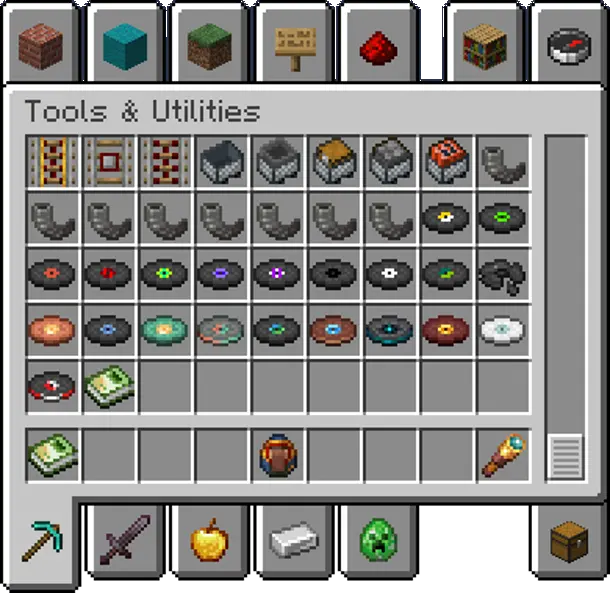 |
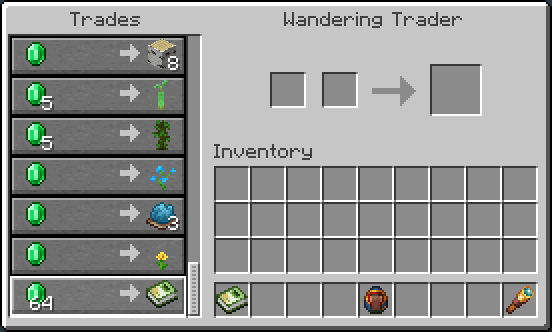
| In Survival, buy the Biology Dictionary from Wandering Traders. | In Creative, find it at the end of Tools & Utilities. |
Survival
Buy from Wandering Traders. Sell chance starts at 100% and gradually drops to 20% over time, without taking up any vanilla trade slots.
Easy to find early when you're broke, impossible to find later when you're rich (cue evil laugh)~
Kidding — it takes about 2 real-time days (144 in-game days) to hit 20%. You'll be fine.
Pack authors can disable trader sales in the config and add their own recipes instead.
Creative
Find the Biology Dictionary book at the end of the Tools & Utilities tab.
Mod & Datapack Support
- Custom Entity Descriptions — Add or override mob descriptions via resource pack (docs)
- Custom Spawn Descriptions — Manually adjust spawn biome and structure descriptions via datapack (docs)
Dependencies
| Loader | Required |
|---|---|
| Fabric | Fabric API, Cloth Config |
| NeoForge / Forge | Architectury API, Cloth Config |
About
- Vanilla-Friendly — No new blocks or entities. The book reverts to a normal writable book on uninstall; reinstall to restore it.
- Mod-Friendly — Compatible with virtually all modded mobs, with extension support for mod developers.
- Balanced — Every modification has a resource cost to respect game balance.
- A complete rewrite of Bole.

Available Versions
How to Install Biology Dictionary on Your Server
Order Server
Order a Minecraft Java server with at least 3 GB RAM (4 GB recommended).
Set fabric Loader
In the panel under "Egg", select the fabric loader and matching Minecraft version (1.21.11).
Install Mod
Open the mod browser in the dashboard and search for "Biology Dictionary". Click "Install" – done! Alternatively, upload the .jar via SFTP to the /mods folder.
Compatibility
Mod Loaders
Minecraft Versions
1.21.11, 1.21.1, 1.20.1
Server-side
✓ RequiredRecommended RAM
4 GB(min. 3 GB)Frequently Asked Questions
Biology Dictionary server crashes on startup – what to do?
Most common cause: wrong fabric version or insufficient RAM. Check the server log (latest.log) for "OutOfMemoryError" or "Mixin" errors. With Mado Hosting: ensure at least 3 GB RAM is allocated and the loader matches the mod version (1.21.11). You can switch loaders with one click in the panel.
Is Biology Dictionary compatible with fabric and forge and neoforge?
Biology Dictionary officially supports fabric, forge, neoforge for Minecraft 1.21.11, 1.21.1, 1.20.1. Note: Forge and Fabric mods are NOT cross-compatible – pick one loader and stick with it. The Mado dashboard automatically detects incompatible loader combinations.
Server lagging with Biology Dictionary – how to optimize performance?
Recommended RAM: 4 GB (per 8 players). Use /spark profiler to check if Biology Dictionary consumes the most tick time. Common fixes: reduce server view-distance to 8-10, install "performant" or "starlight" as supplementary mods on Forge. With Mado Hosting, your server runs on NVMe SSDs with dedicated CPU cores for minimal latency.
Similar Mods




Rent Modded Server
Install Biology Dictionary with just one click on your server.