
Biome Shader Switch
🗸 Switches shaders based on the player's current biome. Supports Iris & Oculus shader packs with per-biome, per-height, and fallback shader rules. Auto-detects all biomes including modded ones — zero manual config needed.
Screenshots
About this Mod
EN:
🏆 Support the Author
- 🎯 Boosty
Biome Shader Switch
Automatically switches your shader pack based on where you are in the world. Works with Iris (Fabric) and Oculus (Forge) shader loaders.
Features
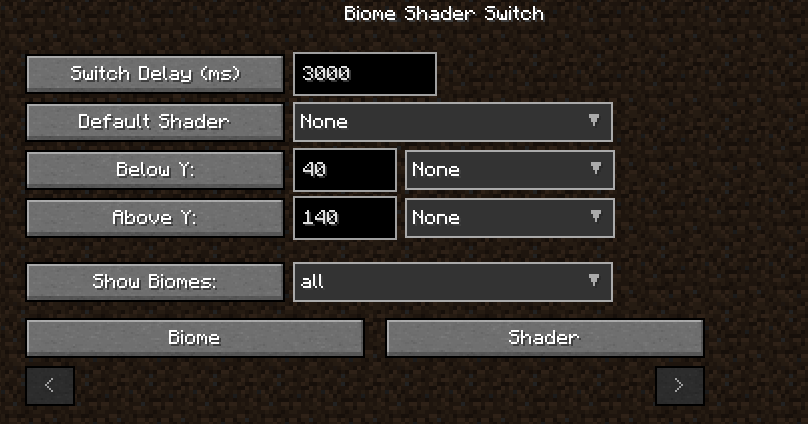
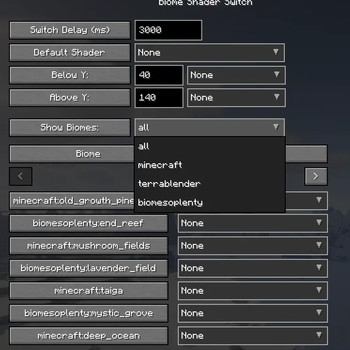
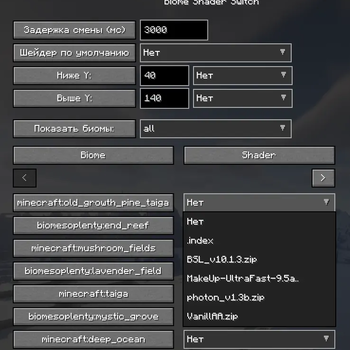
- Per-Biome Shaders — Assign different shader packs to every biome. The mod auto-detects all biomes in your world (including modded ones) after you enter a world. No need to manually type biome IDs — check F3 screen for biome names.
- Height-Based Shaders — Set shaders for specific Y-levels:
- Below Y (e.g., caves at Y≤40)
- Above Y (e.g., sky islands at Y≥140)
- Height rules override biome rules — useful for cave shaders that should work regardless of surface biome
- Fallback Shader — Default shader when no biome or height rule matches
- Switch Delay — Configurable delay (default 3 seconds) prevents rapid flickering when running through biome borders. Only switches after you've stayed in the new biome/height long enough
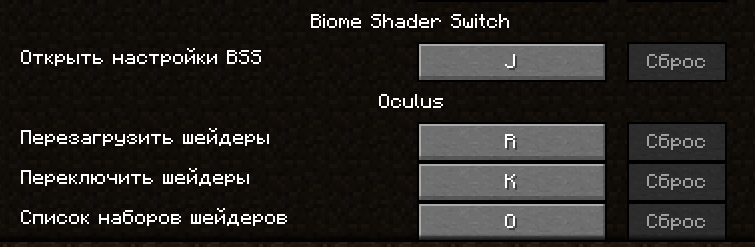
- In-Game Config — Press J to open the config GUI. Edit everything live: delays, height thresholds, shaders per biome, fallback. Changes apply immediately without restart
- JSON Config —
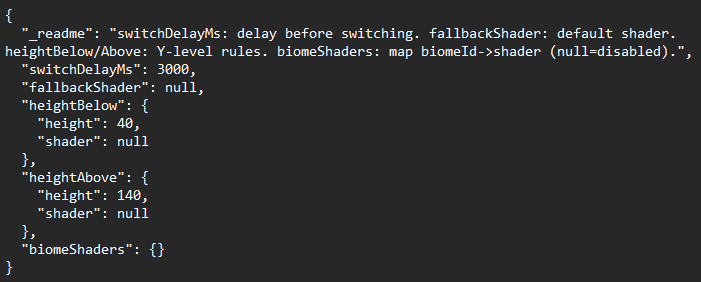
config/biome_shader_switch.jsonis auto-generated and auto-reloaded when edited externally. Set any field tonullor "None" to disable that rule
How It Works
- Enter a world — mod scans all registered biomes and adds them to config with
null(disabled) by default - Open config with J, select shaders from your
shaderpacks/folder for biomes/height levels you want - Mod watches biome and height changes, applies shader after delay if conditions match
🌐Third-party hosting
You are not allowed to host the mod on third-party resources. You can post news about the mod, but you must link to this mod page for downloading (or link to the download address from modrinth).
Requirements
- Fabric: Minecraft 1.20.1, Fabric Loader, Fabric API, Architectury API, Iris + Sodium (optional)
- Forge: Minecraft 1.20.1, Forge, Architectury API, Oculus + Embeddium (optional)
RU:
🏆 Поддержать автора
- 🎯 Boosty
Biome Shader Switch
Автоматически меняет шейдер-пак в зависимости от вашего местоположения в мире. Работает с Iris (Fabric) и Oculus (Forge).
Возможности
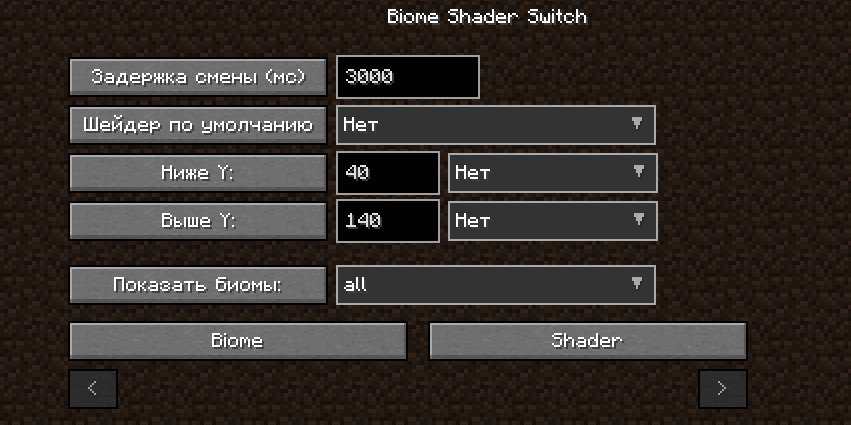
- Шейдеры по биомам — Назначайте разные шейдеры каждому биому. Мод автоматически обнаруживает все биомы в мире (включая модовые) после входа в мир. Не нужно вручную писать ID биомов — названия видны на экране F3.
- Шейдеры по высоте — Установите шейдеры для определённых Y-уровней:
- Ниже Y (например, пещеры при Y≤40)
- Выше Y (например, небесные острова при Y≥140)
- Правила высоты важнее правил биомов — полезно для пещерных шейдеров, которые должны работать вне зависимости от поверхностного биома
- Шейдер по умолчанию — Запасной шейдер, когда нет подходящего правила биома или высоты
- Задержка смены — Настраиваемая задержка (по умолчанию 3 секунды) предотвращает мерцание при беге через границы биомов. Шейдер меняется только если вы достаточно долго находитесь в новом биоме/на новой высоте
- Внутриигровая настройка — Нажмите J для открытия GUI. Редактируйте всё на лету: задержки, пороги высоты, шейдеры по биомам, запасной шейдер. Изменения применяются сразу без перезапуска
- JSON-конфиг —
config/biome_shader_switch.jsonсоздаётся автоматически и перезагружается при внешнем редактировании. Установите любое поле вnullили "Нет" для отключения правила
Как это работает
- Войдите в мир — мод сканирует все зарегистрированные биомы и добавляет их в конфиг со значением
null(отключено) по умолчанию - Откройте конфиг клавишей J, выберите шейдеры из папки
shaderpacks/для нужных биомов/уровней высоты - Мод отслеживает смену биома и высоты, применяет шейдер после задержки если условия совпадают
🌐Сторонние размещения
Вы не имеете права размещать мод на сторонних ресурсах, вы можете разместить новость о моде, но обязательно ссылаться на эту страницу мода для загрузки. (или ссылаться на ссылку адреса скачивания с modrinth)
Требования
- Fabric: Minecraft 1.20.1, Fabric Loader, Fabric API, Architectury API, Iris + Sodium (опционально)
- Forge: Minecraft 1.20.1, Forge, Architectury API, Oculus + Embeddium (опционально)
Available Versions
How to Install Biome Shader Switch on Your Server
Order Server
Order a Minecraft Java server with at least 3 GB RAM (4 GB recommended).
Set fabric Loader
In the panel under "Egg", select the fabric loader and matching Minecraft version (1.21.11).
Install Mod
Open the mod browser in the dashboard and search for "Biome Shader Switch". Click "Install" – done! Alternatively, upload the .jar via SFTP to the /mods folder.
Compatibility
Mod Loaders
Minecraft Versions
1.21.11, 1.21.1, 1.20.1 (+1 more)
Server-side
✗ UnsupportedRecommended RAM
4 GB(min. 3 GB)Frequently Asked Questions
Biome Shader Switch server crashes on startup – what to do?
Most common cause: wrong fabric version or insufficient RAM. Check the server log (latest.log) for "OutOfMemoryError" or "Mixin" errors. With Mado Hosting: ensure at least 3 GB RAM is allocated and the loader matches the mod version (1.21.11). You can switch loaders with one click in the panel.
Is Biome Shader Switch compatible with fabric and forge and neoforge?
Biome Shader Switch officially supports fabric, forge, neoforge for Minecraft 1.21.11, 1.21.1, 1.20.1. Note: Forge and Fabric mods are NOT cross-compatible – pick one loader and stick with it. The Mado dashboard automatically detects incompatible loader combinations.
Server lagging with Biome Shader Switch – how to optimize performance?
Recommended RAM: 4 GB (per 8 players). Use /spark profiler to check if Biome Shader Switch consumes the most tick time. Common fixes: reduce server view-distance to 8-10, install "performant" or "starlight" as supplementary mods on Forge. With Mado Hosting, your server runs on NVMe SSDs with dedicated CPU cores for minimal latency.
Similar Mods




Rent Modded Server
Install Biome Shader Switch with just one click on your server.