
Biome in a Bottle
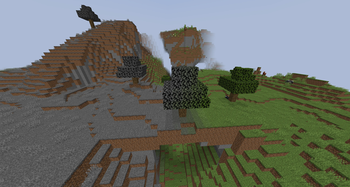
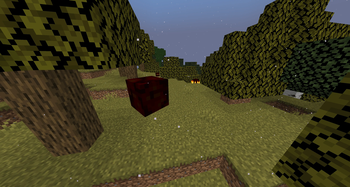
Adds tools that allow you to pick up and move biomes from place to place.
Screenshots
About this Mod
About
The core of Minecraft, a block based sandbox game, is that you can break and place any block anywhere. With enough work you can completely reshape the entire landscape, but without the use of commands, you cannot ever change an area's biome. No matter how much sand you pile up in a forest, it'll never be a desert. It'll always just be a forest, but with lots of sand.
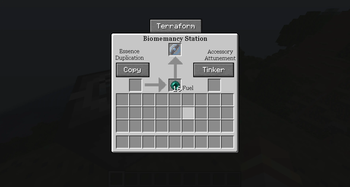
Inspired by Biomes in Jars, Biome in a Bottle adds "Biomemancy" tools that you can use to move biomes in survival mode. This includes everything directly tied to the biome itself; altering the colors of the foliage, air, and water. It affects particles, weather patterns, music and mob spawning rules. You can even bring biomes into the wrong dimension if you want to!
Getting Started
An in-game guidebook is available to explain the basic mechanics, and give you the recipies if you don't have JEI or a similar mod installed. To get the guidebook, the Biomemancer's Notes, simply craft a book with a Blank Bottle Upgrade. Blank Bottle Upgrades can be crafted with quartz and gold, found as loot, or traded for from certain villagers. You can also buy the Biomemancer's Notes from a librarian villager.
Seeing as biomes have a large impact on mob spawns, being able to move them is very powerful - and is generally balanced around being an endgame activity. Crafting biome bottles (necessary for using the Biomemancy station and storing biomes as items) without already having a biome bottle requires an investment of Netherite.
Bottle Upgrades
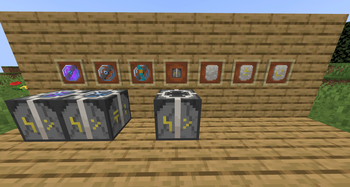
Bottle upgrades of varying types can be found as loot in chests throughout the overworld and nether, and can be implemented into a biome bottle to give it unique traits. While they cannot be crafted from scratch, they can be copied onto blank biome bottles, which can be crafted.
Sealed Biome Bottles
Very rarely, you might happen across a sealed biome bottle, left over from the experiments of Biomemancers before you. They aren't subject to the same upgrade limits as you are, and can be very powerful. They also might be failed experiments, and might possess negative traits that make them far worse than a freshly crafted bottle.
Compatibility and Configuration
This should be compatible with any biome added by a mod, but let me know if there's an issue and I'll do my best to fix it.
This mod is highly configurable so if you find it unbalanced, just have a peek through the config file. Changing values in the config file does not, however, update the aforementioned Biomemancers Note so it's only perfectly accurate when it comes to the default configs.
Most of the "compatible versions" were autodetected. If it doesn't work for your version let me know and I'll remove it manually. I'm not supporting any version other than 1.21.1 right now.
Available Versions
How to Install Biome in a Bottle on Your Server
Order Server
Order a Minecraft Java server with at least 3 GB RAM (4 GB recommended).
Set neoforge Loader
In the panel under "Egg", select the neoforge loader and matching Minecraft version (26.1.2).
Install Mod
Open the mod browser in the dashboard and search for "Biome in a Bottle". Click "Install" – done! Alternatively, upload the .jar via SFTP to the /mods folder.
Compatibility
Mod Loaders
Minecraft Versions
26.1.2, 26.1.1, 26.1 (+11 more)
Server-side
✓ RequiredRecommended RAM
4 GB(min. 3 GB)Frequently Asked Questions
Biome in a Bottle server crashes on startup – what to do?
Most common cause: wrong neoforge version or insufficient RAM. Check the server log (latest.log) for "OutOfMemoryError" or "Mixin" errors. With Mado Hosting: ensure at least 3 GB RAM is allocated and the loader matches the mod version (26.1.2). You can switch loaders with one click in the panel.
Is Biome in a Bottle compatible with neoforge?
Biome in a Bottle officially supports neoforge for Minecraft 26.1.2, 26.1.1, 26.1. The Mado dashboard automatically detects incompatible loader combinations.
Server lagging with Biome in a Bottle – how to optimize performance?
Recommended RAM: 4 GB (per 8 players). Use /spark profiler to check if Biome in a Bottle consumes the most tick time. Common fixes: reduce server view-distance to 8-10, install "performant" or "starlight" as supplementary mods on Forge. With Mado Hosting, your server runs on NVMe SSDs with dedicated CPU cores for minimal latency.
Similar Mods


Rent Modded Server
Install Biome in a Bottle with just one click on your server.