
Biomes of Overworld
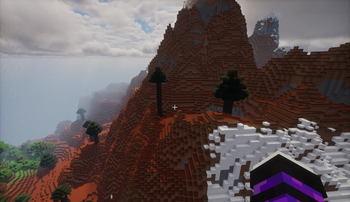
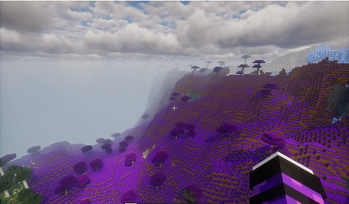
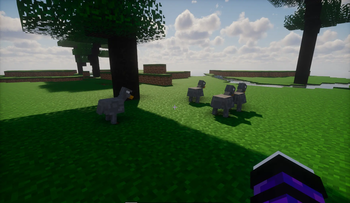
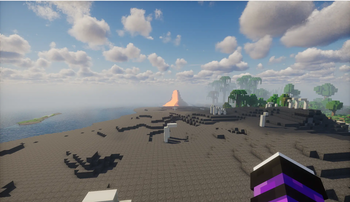
This mod adds new biomes to the overworld adds new ores and items enjoy this mod
Screenshots


About this Mod
⚠️ Are you using Prism, ATLauncher, or CurseForge?
Downloading updates directly through external launchers completely cuts off our developer ad payout. If you love the new biomes and armor sets, please download our updates through the official web browser or the Modrinth Desktop App to support the project!
🌍 Biomes of Overworld
Biomes of Overworld expands Minecraft's world generation with new biomes, mobs, ores, structures, and challenges to discover.
✨ Features:
- 15 Custom Biomes: Explore unique terrain including the Volcano, Maple Forest, Prehistoric Biome, Frozen Shore, and North Pole.
- 8 New Mobs: Discover unique creatures inhabiting the new biomes.
- 4 New Ores & Armor Sets: Mine rare resources and craft powerful new gear.
- 2 Custom Villager Professions: Trade for rare items with specialized villagers featuring unique trades.
- New Decorative Blocks: Expand your building palette with new regional blocks.
- Unique Structures: Uncover hidden dungeons and structures across the world.
- Custom Boss Fight: Test your skills in a dedicated boss biome.
This mod is actively developed for NeoForge and receives frequent updates. Explore new lands, gather rare resources, craft powerful equipment, and take on new challenges across the Overworld.
Available Versions
How to Install Biomes of Overworld on Your Server
Order Server
Order a Minecraft Java server with at least 4 GB RAM (6 GB recommended).
Set neoforge Loader
In the panel under "Egg", select the neoforge loader and matching Minecraft version (26.1.2).
Install Mod
Open the mod browser in the dashboard and search for "Biomes of Overworld". Click "Install" – done! Alternatively, upload the .jar via SFTP to the /mods folder.
Compatibility
Mod Loaders
Minecraft Versions
26.1.2, 1.21.8, 1.21.1
Server-side
✓ RequiredRecommended RAM
6 GB(min. 4 GB)Frequently Asked Questions
Biomes of Overworld server crashes on startup – what to do?
Most common cause: wrong neoforge version or insufficient RAM. Check the server log (latest.log) for "OutOfMemoryError" or "Mixin" errors. With Mado Hosting: ensure at least 4 GB RAM is allocated and the loader matches the mod version (26.1.2). You can switch loaders with one click in the panel.
Is Biomes of Overworld compatible with neoforge?
Biomes of Overworld officially supports neoforge for Minecraft 26.1.2, 1.21.8, 1.21.1. The Mado dashboard automatically detects incompatible loader combinations.
Server lagging with Biomes of Overworld – how to optimize performance?
Recommended RAM: 6 GB (per 5 players). Use /spark profiler to check if Biomes of Overworld consumes the most tick time. Common fixes: reduce server view-distance to 8-10, install "performant" or "starlight" as supplementary mods on Forge. With Mado Hosting, your server runs on NVMe SSDs with dedicated CPU cores for minimal latency.
Similar Mods




Rent Modded Server
Install Biomes of Overworld with just one click on your server.