
Bionisation 4
A Minecraft mod about unusual viruses and bacteria
Screenshots
About this Mod

Bionisation 4 is a continuation of a mod series about imagine viruses and bacteria in Minecraft, creating own samples by modifying DNA, vaccines and antibiotics, herbs, etc.
While exploring the world, player may come across a variety of bacteria and viruses that can be picked up simply by eating raw meat, or through the air or an attack from an infected mob. You will also need to protect your pets and animals from danger. Every mob has blood level and immunity strength: if the blood level drops due to bleeding - player may die, with weak immunity, effects may become even stronger.
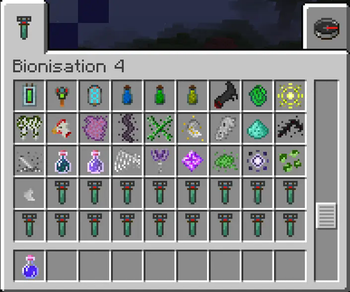
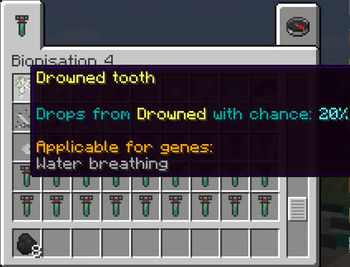
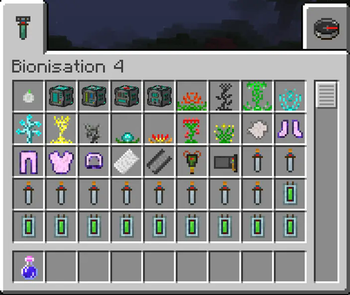
Player can collect different herbs and drops that will help him to survive in future:
Details
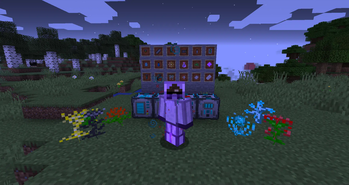
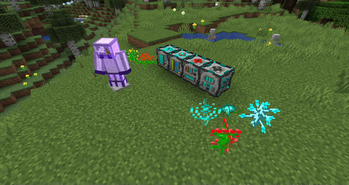
Items and machines with herbs. Bio armor grants you defence against some bacteria types and air-spread viruses:


Bionisation 4 provides a large number of different effects and samples. All effects are divided into three groups: common, viruses, bacteria. There are also Wild viruses than can appear with random genome.
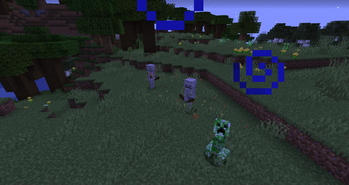
Infected mobs, some with particles:
Details
Some bacteria and viruses has specified particle effects. Be careful:

To recover from the common effects, you just need to do simple things: cold - wear armor, sunstroke - drink water etc. To make cure against viruses and bacteria - things are getting more complicated. If you want to know what have you got - its time to use Bio Analyzer:
Details
Bio analyzer shows effects unless they are hidden. It is required for knowing what genes you need to use to make vaccine or what effect you got:

You can create an antibiotics to cure some groups of bacteria, or make antibiotic vial against specific one in Cure Station:
Details
Cure station is creating an antibiotic vial. Player need to use it and after some time he will get cure effect:

Against viruses you need to make DNA modifier, which can extract genes into DNA pattern from specific items. Genes must be the same as in the target virus you are creating vaccine against. Once it is done, we can fill Vaccine injector in Vaccine creator block:
Details
DNA modifier is creating DNA pattern with specified genes:

Vaccine creator is filling Vaccine injector used to vaccine injection. Vaccines are not instant, they will cure after some time with 50% chance. Also, vaccines grant temporal immunity to specified virus:

And that's not all. By mixing DNA you can create your own sample with positive and negative effects, for example a virus that can spread through air and make all hostile mobs peaceful, or grants the player some useful effects, etc. For that needs here comes Virus replicator:
Details
Virus replicator is filling Virus spreader with specified DNA key:

In general, Bionisation 4 provides next features:
- Many different types of viruses and bacteria, DNA system
- Cures for any mob or animal, just use vial/injector with shift on them
- Herbs, machines, drops, cure effects and vaccine creation
- Custom infinity samples with unique behaviour
- Full JEI support for mechanism recipes
- Flexible configuration where you can enable/disable or modify duration/chance of every effect
Modpack policy:
You can use this mod in modpacks only if you leave reference to this project and it will not be used for commercial purposes.
This mod requires Kotlin for Forge and JEI
Available Versions
How to Install Bionisation 4 on Your Server
Order Server
Order a Minecraft Java server with at least 3 GB RAM (4 GB recommended).
Set forge Loader
In the panel under "Egg", select the forge loader and matching Minecraft version (1.19.2).
Install Mod
Open the mod browser in the dashboard and search for "Bionisation 4". Click "Install" – done! Alternatively, upload the .jar via SFTP to the /mods folder.
Compatibility
Mod Loaders
Minecraft Versions
1.19.2, 1.18.2, 1.16.5
Server-side
✓ RequiredRecommended RAM
4 GB(min. 3 GB)Frequently Asked Questions
Bionisation 4 server crashes on startup – what to do?
Most common cause: wrong forge version or insufficient RAM. Check the server log (latest.log) for "OutOfMemoryError" or "Mixin" errors. With Mado Hosting: ensure at least 3 GB RAM is allocated and the loader matches the mod version (1.19.2). You can switch loaders with one click in the panel.
Is Bionisation 4 compatible with forge?
Bionisation 4 officially supports forge for Minecraft 1.19.2, 1.18.2, 1.16.5. The Mado dashboard automatically detects incompatible loader combinations.
Server lagging with Bionisation 4 – how to optimize performance?
Recommended RAM: 4 GB (per 8 players). Use /spark profiler to check if Bionisation 4 consumes the most tick time. Common fixes: reduce server view-distance to 8-10, install "performant" or "starlight" as supplementary mods on Forge. With Mado Hosting, your server runs on NVMe SSDs with dedicated CPU cores for minimal latency.
Similar Mods




Rent Modded Server
Install Bionisation 4 with just one click on your server.