
Biotania
Biome mod adding biomes themed around Botania and using its blocks
Screenshots
About this Mod
While it is a magic mod centered around flowers and nature, Botania doesn't have much of an impact on Minecraft's natural environment. This mod aims to fix that by adding some biomes that make use of Botania's blocks:
Mystical Forest
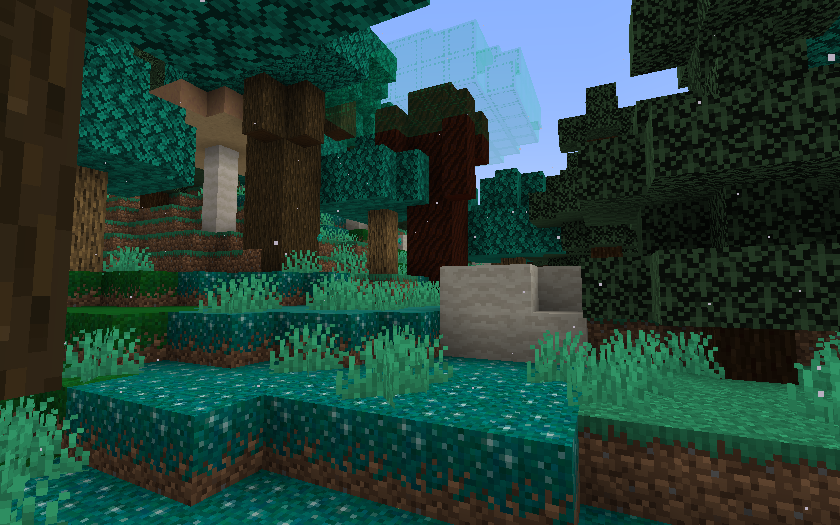
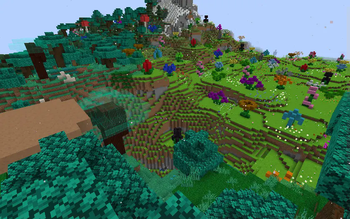
The Mystical Forest is an overworld biome characterized by its blue-ish foliage. It is made up of a mixture of tree species, including oak, dark oak, birch, and spruce, but most notably the large Livingwood Trees with their Bifrost leaves. The ground is scattered with Livingrock clumps and white magical particles float through the air.
Petal Pastures
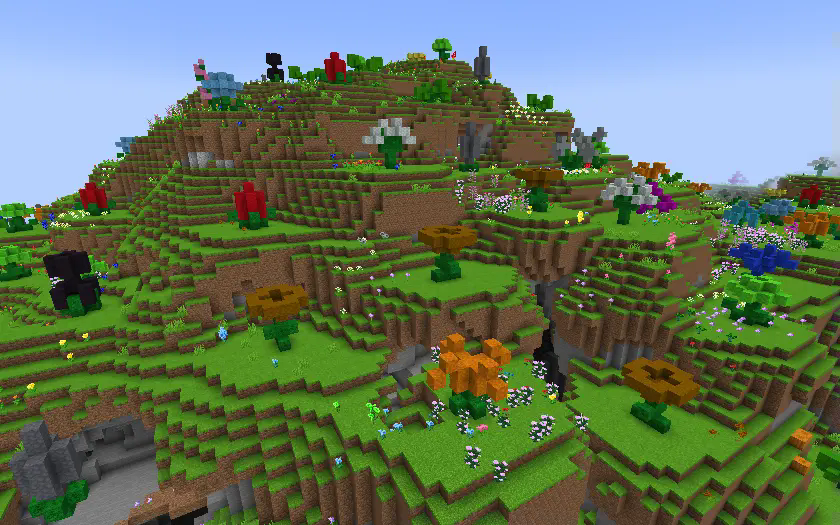
The Petal Pastures is an overworld biome filled with both normal flowers and Giant Mystical Flowers made of petal blocks. Brightly colored grass and an abundant supply of petals makes this an ideal spot for starting a Botania-powered base.
Shattered Wastes
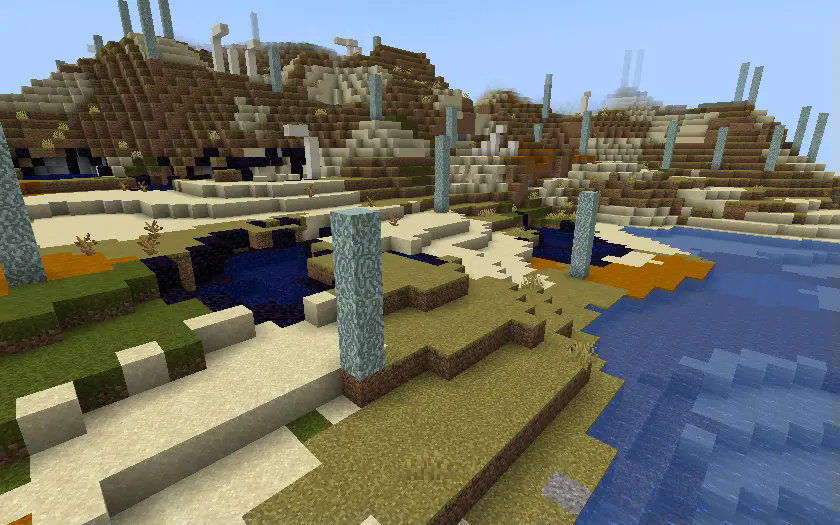
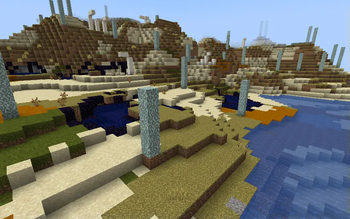
The Shattered Wastes is an overworld biome ruined by the Shattering that seperated the Overworld from Alfheim. This area is now home only to the remains of a few old Dreamwood Trees, some pools of Bifrost, a smattering of Obsidian, and the skeletons of the creatures that once roamed these lands.
Metamorphic Caves
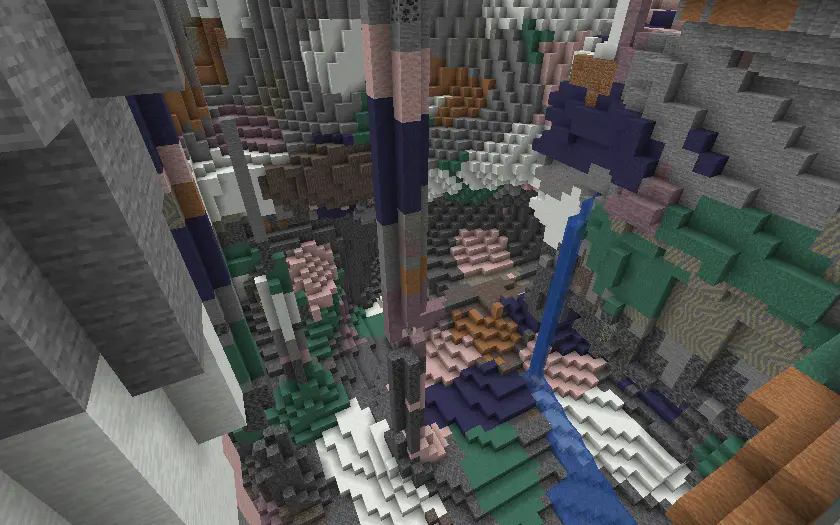
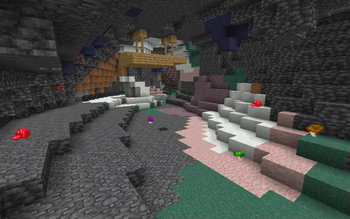
The Metamorphic Caves is a cave biome where an anomaly in the world's mana field has caused much of the stone to transform into the types of metamorphic rocks typically only obtained from the Marimorphosis.
Fel Fields
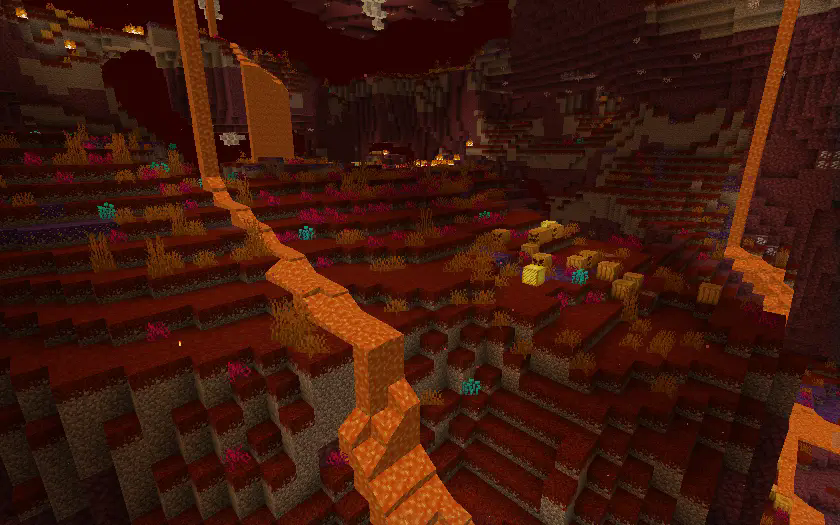
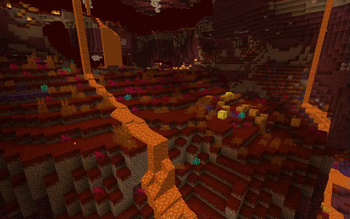
The Fel Fields is a nether biome covered in red Scorched Grass and patches of evil-eyed Fel Pumpkins. The open terrain makes traversal easy, but also making aiming easy for its inhabitant: the Blaze. This biome is also home to the Fel Fountain, a structure serving as a rare source of water in the Nether.
Configuration
This mod has a server side JSON configuration file that allows you to individually enable and disable the generation of each biome. Further details can be customized using data packs.
Available Versions
How to Install Biotania on Your Server
Order Server
Order a Minecraft Java server with at least 4 GB RAM (6 GB recommended).
Set fabric Loader
In the panel under "Egg", select the fabric loader and matching Minecraft version (1.20.1).
Install Mod
Open the mod browser in the dashboard and search for "Biotania". Click "Install" – done! Alternatively, upload the .jar via SFTP to the /mods folder.
Compatibility
Mod Loaders
Minecraft Versions
1.20.1
Server-side
✓ RequiredRecommended RAM
6 GB(min. 4 GB)Frequently Asked Questions
Biotania server crashes on startup – what to do?
Most common cause: wrong fabric version or insufficient RAM. Check the server log (latest.log) for "OutOfMemoryError" or "Mixin" errors. With Mado Hosting: ensure at least 4 GB RAM is allocated and the loader matches the mod version (1.20.1). You can switch loaders with one click in the panel.
Is Biotania compatible with fabric and forge and neoforge?
Biotania officially supports fabric, forge, neoforge for Minecraft 1.20.1. Note: Forge and Fabric mods are NOT cross-compatible – pick one loader and stick with it. The Mado dashboard automatically detects incompatible loader combinations.
Server lagging with Biotania – how to optimize performance?
Recommended RAM: 6 GB (per 5 players). Use /spark profiler to check if Biotania consumes the most tick time. Common fixes: reduce server view-distance to 8-10, install "performant" or "starlight" as supplementary mods on Forge. With Mado Hosting, your server runs on NVMe SSDs with dedicated CPU cores for minimal latency.
Similar Mods




Rent Modded Server
Install Biotania with just one click on your server.