
Blade's Libraries
Adds libraries all throughout the Minecraft overworld.
Screenshots
About this Mod
Welcome to Blade's Libraries!
*formally "Blade's Abandoned Libraries"
This is a relatively simple mod.
it adds the following:
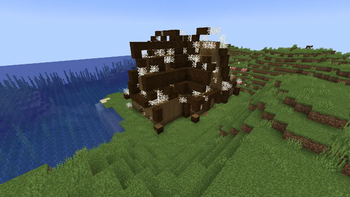
2 Abandoned Library varients, and an additional complete library. Each filled with Books (and webs)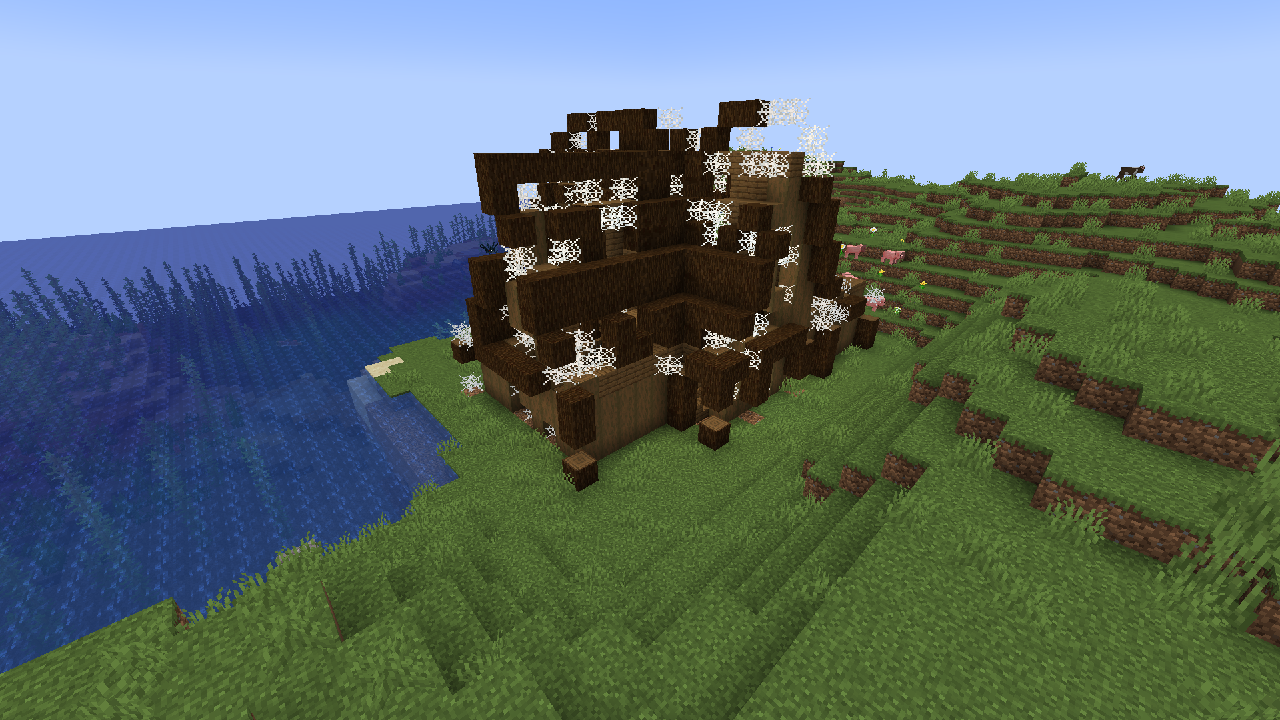
What can be found inside the Libraries?
Each Library contains either 1, or a set of chests.
The Possible Loot
"name": "minecraft:writable_book",
"name": "minecraft:paper",
"name": "minecraft:string",
"name": "minecraft:stick",
"name": "minecraft:cobweb",
"name": "minecraft:leather",
"name": "minecraft:book" (enchanted and rare)
"name": "minecraft:book",
FAQ:
Question: Who created this mod?
Answer: Me, SemiBlade, I created this mod. I'm a passionate player who's been building structures in games since the xbox 360 days.
Question: Can I add this mod to a modpack?
Answer: This mod is licensed under the ARR (All Rights Reserved) License, which requires explicit consent to distribute the mod inside modpacks or other online sources.
Question: Can I review this mod for my YouTube channel (or other video hosting platforms) or article?
Answer: You have permission to review, comment on, and criticize the mod/data pack, as long as proper credit is given and any download links are directed to the original source (for example, here on Modrinth).
Question: Can I support the author?
Answer: For now, downloading the mod is enough, you are also allowed to promote it as long as any credit is accurately given and you link any downloads to the correct source.
Question: What if I have an Idea or issue?
Answer: You can DM me, reply to my posts, or @ me here: https://x.com/SemiBlade
Not officially affiliated with, sponsored by, or otherwise supported by Minecraft/Mojang/Microsoft.
Requirements:
The only required mod is "Fabric API"
https://modrinth.com/mod/fabric-api
Available Versions
How to Install Blade's Libraries on Your Server
Order Server
Order a Minecraft Java server with at least 4 GB RAM (6 GB recommended).
Set fabric Loader
In the panel under "Egg", select the fabric loader and matching Minecraft version (1.21.10).
Install Mod
Open the mod browser in the dashboard and search for "Blade's Libraries". Click "Install" – done! Alternatively, upload the .jar via SFTP to the /mods folder.
Compatibility
Mod Loaders
Minecraft Versions
1.21.10, 1.21.9, 1.21.7 (+3 more)
Server-side
~ OptionalRecommended RAM
6 GB(min. 4 GB)Frequently Asked Questions
Blade's Libraries server crashes on startup – what to do?
Most common cause: wrong fabric version or insufficient RAM. Check the server log (latest.log) for "OutOfMemoryError" or "Mixin" errors. With Mado Hosting: ensure at least 4 GB RAM is allocated and the loader matches the mod version (1.21.10). You can switch loaders with one click in the panel.
Is Blade's Libraries compatible with fabric?
Blade's Libraries officially supports fabric for Minecraft 1.21.10, 1.21.9, 1.21.7. The Mado dashboard automatically detects incompatible loader combinations.
Server lagging with Blade's Libraries – how to optimize performance?
Recommended RAM: 6 GB (per 5 players). Use /spark profiler to check if Blade's Libraries consumes the most tick time. Common fixes: reduce server view-distance to 8-10, install "performant" or "starlight" as supplementary mods on Forge. With Mado Hosting, your server runs on NVMe SSDs with dedicated CPU cores for minimal latency.
Similar Mods




Rent Modded Server
Install Blade's Libraries with just one click on your server.