
Eternal Rage
This mod adds features that attempt to enhance the frustration of the game, perfect for anyone who believes Minecraft is "too fun"
Screenshots
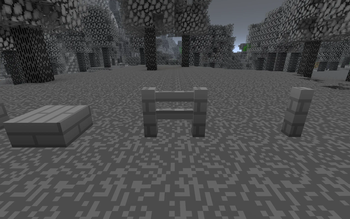
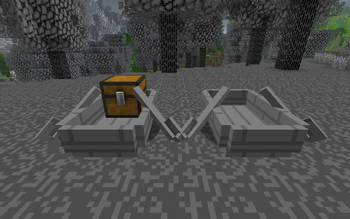
About this Mod
Please note this mod can break worlds, use at your own risk
This mod adds
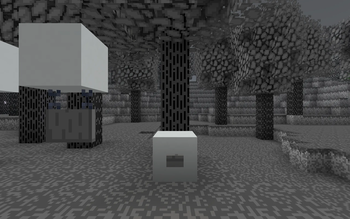
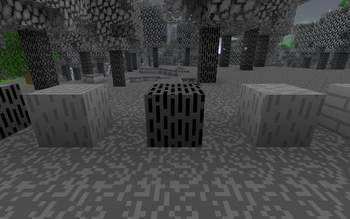
- A highly explosive wood type, with all variants except shelves (working on it), Blegwood
- A poisonous ore, Bleghium, which poisons the player with dizziness and nausea, when touched, all all its tool and armor variants.
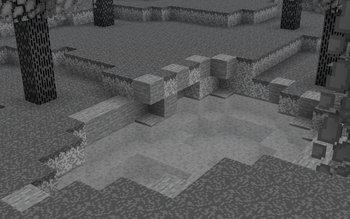
- A dangerous liquid, gasoline, which damages the player when touched.
- A Bleghlands biome
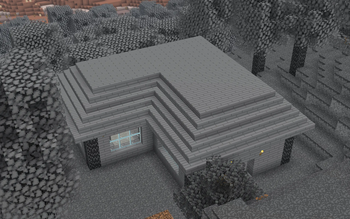
- A Bleghwood Cottage structure, which can be found in the Bleghlands biome
- A Bleghwood tree, which can be grown from a Bleghwood sapling
- A Gray Bear which also spawns in the Bleghlands biome
- A potion effect, Bleghium Sickness, which causes the player to take extra damage when hurt, and slightly affects the player's movement
- A Bleghium apple, which grants the player Absobrtion, Regeneration, and Health Boost when eaten
- A Blegh Grass and Blegh Soil blocks, which act the same as regular grass and dirt, but have a gray tone
Available Versions
How to Install Eternal Rage on Your Server
Order Server
Order a Minecraft Java server with at least 3 GB RAM (4 GB recommended).
Set neoforge Loader
In the panel under "Egg", select the neoforge loader and matching Minecraft version (26.1.2).
Install Mod
Open the mod browser in the dashboard and search for "Eternal Rage". Click "Install" – done! Alternatively, upload the .jar via SFTP to the /mods folder.
Compatibility
Mod Loaders
Minecraft Versions
26.1.2, 26.1.1, 26.1 (+4 more)
Server-side
✓ RequiredRecommended RAM
4 GB(min. 3 GB)Frequently Asked Questions
Eternal Rage server crashes on startup – what to do?
Most common cause: wrong neoforge version or insufficient RAM. Check the server log (latest.log) for "OutOfMemoryError" or "Mixin" errors. With Mado Hosting: ensure at least 3 GB RAM is allocated and the loader matches the mod version (26.1.2). You can switch loaders with one click in the panel.
Is Eternal Rage compatible with neoforge?
Eternal Rage officially supports neoforge for Minecraft 26.1.2, 26.1.1, 26.1. The Mado dashboard automatically detects incompatible loader combinations.
Server lagging with Eternal Rage – how to optimize performance?
Recommended RAM: 4 GB (per 8 players). Use /spark profiler to check if Eternal Rage consumes the most tick time. Common fixes: reduce server view-distance to 8-10, install "performant" or "starlight" as supplementary mods on Forge. With Mado Hosting, your server runs on NVMe SSDs with dedicated CPU cores for minimal latency.
Similar Mods




Rent Modded Server
Install Eternal Rage with just one click on your server.