
BlocksMined
A Fabric mod for Minecraft 1.21 that tracks each player's total blocks mined and allows score color customization.
Screenshots

About this Mod
A Fabric mod that tracks every mined and placed block
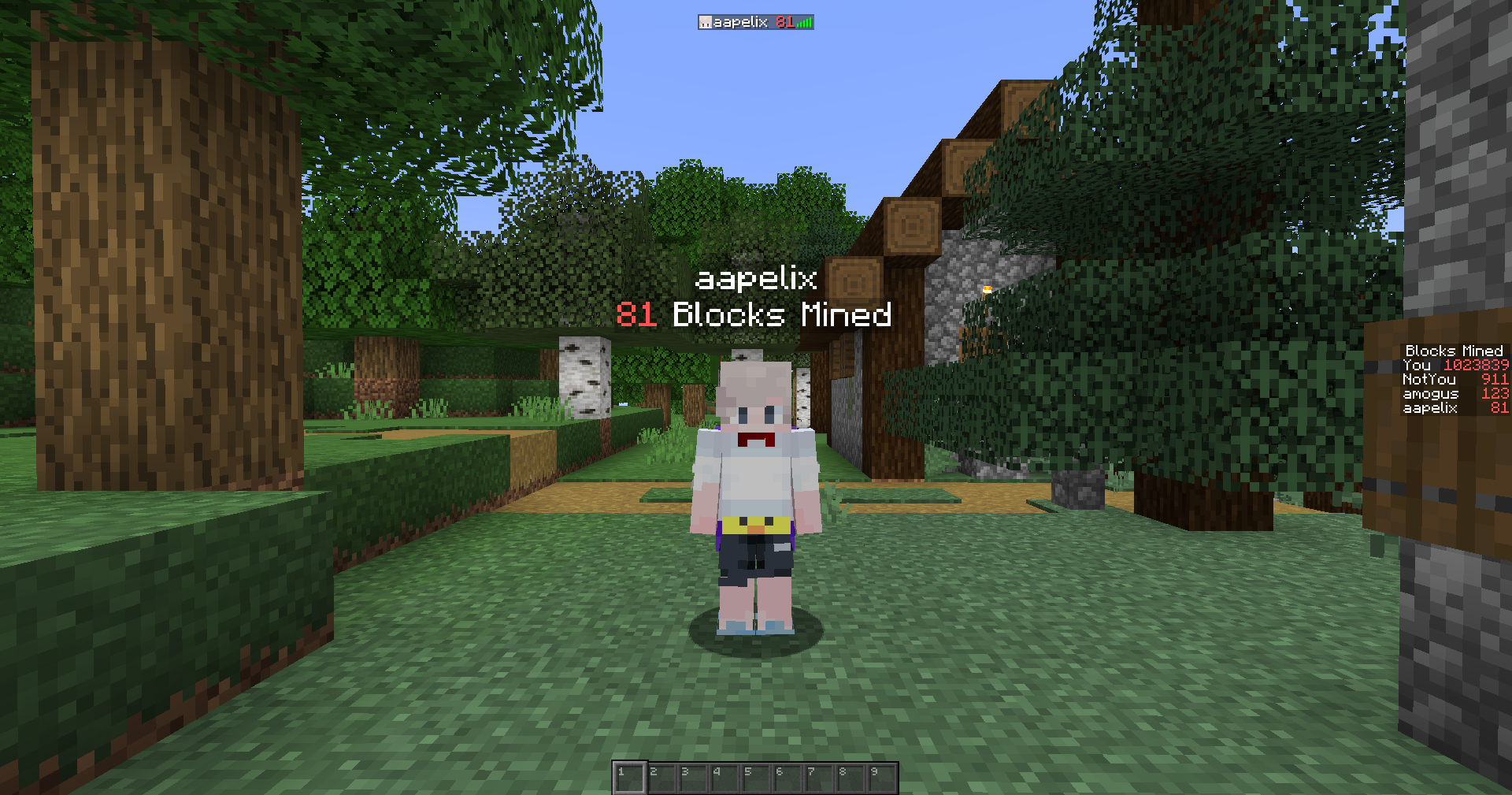
Any feedback/improvement ideas/bugs can be sent to [email protected] or you can create an issue of it on Github
Commands:
To set the display location for the scoreboard:
/blocks <mined | placed> display <display position>
/blocks <mined | placed> display sidebar
/blocks <mined | placed> display list
/blocks <mined | placed> display belowname
Changing the color of the scores in the scoreboard:
/blocks <mined | placed> color <color>
Currently, the only supported colors are red and yellow due to minecraft's limitations
Change the display name of the scoreboard:
/blocks <mined | placed> display "<name>"
/blocks <mined | placed> display "Test name"
/blocks <mined | placed> display "Not Blocks Mined"
The name has to be in quotation marks to work
To modify the scoreboard scores:
/blocks <mined | placed> addscore <[player]> amount
/blocks <mined | placed> removescore <[player]> amount
/blocks <mined | placed> addscore aapelix 100
/blocks <mined | placed> addscore @a 99
/blocks <mined | placed> addscore @p 150
/blocks <mined | placed> removescore aapelix 100
to reset all scores:
/blocks <mined | placed> reset
You can use minecraft's built in commands to do stuff with the scoreboard but these commands are much easier to use
Happy mining!
Why did I make this?
I've been looking for a mod to track these things on the SMP server that my friends and I play on, but everything I found was outdated or not working, so I decided to make one myself.
New features coming soon (hopefully):
- Tracking per block, tool...
Available Versions
How to Install BlocksMined on Your Server
Order Server
Order a Minecraft Java server with at least 3 GB RAM (4 GB recommended).
Set fabric Loader
In the panel under "Egg", select the fabric loader and matching Minecraft version (1.21.8).
Install Mod
Open the mod browser in the dashboard and search for "BlocksMined". Click "Install" – done! Alternatively, upload the .jar via SFTP to the /mods folder.
Compatibility
Mod Loaders
Minecraft Versions
1.21.8, 1.21.7, 1.21.6 (+6 more)
Server-side
~ OptionalRecommended RAM
4 GB(min. 3 GB)Frequently Asked Questions
BlocksMined server crashes on startup – what to do?
Most common cause: wrong fabric version or insufficient RAM. Check the server log (latest.log) for "OutOfMemoryError" or "Mixin" errors. With Mado Hosting: ensure at least 3 GB RAM is allocated and the loader matches the mod version (1.21.8). You can switch loaders with one click in the panel.
Is BlocksMined compatible with fabric?
BlocksMined officially supports fabric for Minecraft 1.21.8, 1.21.7, 1.21.6. The Mado dashboard automatically detects incompatible loader combinations.
Server lagging with BlocksMined – how to optimize performance?
Recommended RAM: 4 GB (per 8 players). Use /spark profiler to check if BlocksMined consumes the most tick time. Common fixes: reduce server view-distance to 8-10, install "performant" or "starlight" as supplementary mods on Forge. With Mado Hosting, your server runs on NVMe SSDs with dedicated CPU cores for minimal latency.
Similar Mods






Rent Modded Server
Install BlocksMined with just one click on your server.