
Blonks
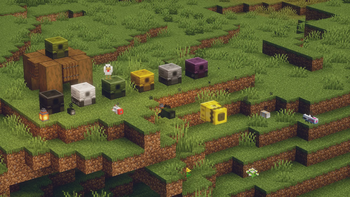
This mod adds tank-like blocks called Blonks
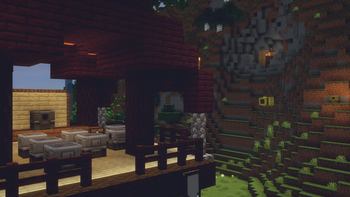
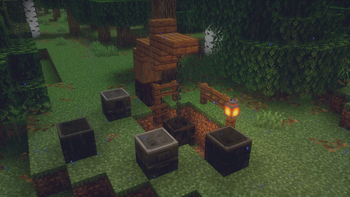
Screenshots
About this Mod
Blonks

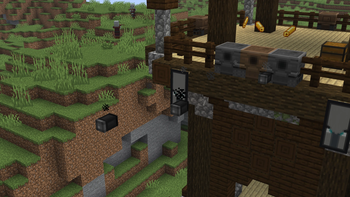
Tank like blocks that shoot exploding shells
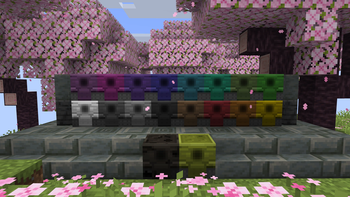
Can be dyed into 16 different colors
Can be loaded by either right-clicking with a shell or using the GUI
Very durable and has a high blast resistance
If a destructive shell explodes nearby, it turns into a Broken Blonk
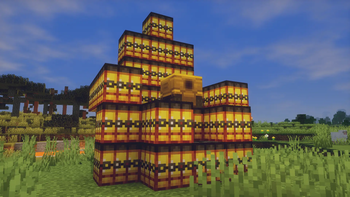
If a destructive shell directly hits a Blonk, it breaks with a HUGE explosion (trust me, it is HUGE)
Broken Blonks

When a shell explodes near a Blonk, it turns into a weaker and non-usable variant called the Broken Blonk
Can be repaired back into a Blonk by right-clicking with a Scrap
Can be smelted to obtain a Scrap
Shells
1. Shell

The good ol' classic kaboom
2. Dragon Shell (Non-Destructive)

Bad breath is already terrible, Imagine Dragons... (no pun intended)
3. HE Shell

A more high energy boom than your regular
4. HEAT Shell

I can feel the HEAT all the way from here
7. Nuclear Shell

Its a nuke... (I mean, what else did you expect?)
6. Smoke Shell (Non-Destructive)

A little puff ain't so bad, innit?
Scrap
This item can only be obtained by trading with an armorer villager on its max level
Can be used to fix Broken Blonks or smelted into a Metal Alloy which is used to craft Blonks
Ammo Items
Explosive mix: Special powder crafted with 2 gunpowder and 2 bone meals, granting you 4 pieces
Casing: A basic item crafted with 2 golden ingots, granting you 4 pieces.
Ammo rack: A compat block crafted with 9 shells. Can be placed and instantly mined with your hand
Available Versions
How to Install Blonks on Your Server
Order Server
Order a Minecraft Java server with at least 3 GB RAM (4 GB recommended).
Set fabric Loader
In the panel under "Egg", select the fabric loader and matching Minecraft version (1.21.11).
Install Mod
Open the mod browser in the dashboard and search for "Blonks". Click "Install" – done! Alternatively, upload the .jar via SFTP to the /mods folder.
Compatibility
Mod Loaders
Minecraft Versions
1.21.11, 1.21.10
Server-side
✓ RequiredRecommended RAM
4 GB(min. 3 GB)Frequently Asked Questions
Blonks server crashes on startup – what to do?
Most common cause: wrong fabric version or insufficient RAM. Check the server log (latest.log) for "OutOfMemoryError" or "Mixin" errors. With Mado Hosting: ensure at least 3 GB RAM is allocated and the loader matches the mod version (1.21.11). You can switch loaders with one click in the panel.
Is Blonks compatible with fabric?
Blonks officially supports fabric for Minecraft 1.21.11, 1.21.10. The Mado dashboard automatically detects incompatible loader combinations.
Server lagging with Blonks – how to optimize performance?
Recommended RAM: 4 GB (per 8 players). Use /spark profiler to check if Blonks consumes the most tick time. Common fixes: reduce server view-distance to 8-10, install "performant" or "starlight" as supplementary mods on Forge. With Mado Hosting, your server runs on NVMe SSDs with dedicated CPU cores for minimal latency.
Similar Mods





Rent Modded Server
Install Blonks with just one click on your server.