Blood and Deepslate
Hello, player! Welcome to Blood and Deepslate, a mod for those seeking more challenge and a more gradual progression in Minecraft!
Screenshots
About this Mod
Hello, player! Welcome to Blood and Deepslate, a mod for those seeking more challenge and a more gradual progression in Minecraft!
Most of Minecraft won't change, however the main challenge lays 64 blocks below the surface. Want to learn more about this challenge and know about how to oversome it? Make sure to check out this list of this bone-grinding mod's features:
! - Important Changes
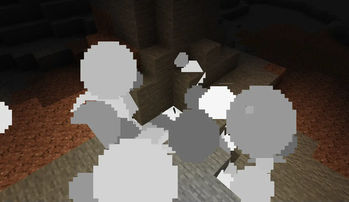
- Mining coal creates a cloud of coal dust (just like irl :D) with a 50% chance. They explode violently if there's a fiery block nearby. Dissapears on it's own very slowly.
- Going lower than y = 4 in the overworld gives mining fatigue and slowness if no gas mask is equipped.
- Going lower than y = -28 in the overworld results in mining fatigue II, slowness II and nausea as well as damage from suffocation. Can although be avoided using a gas mask.
Blocks
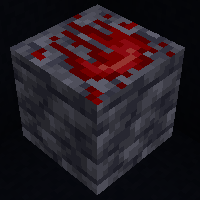
- Molybdenum Ore/Deepslate Molybdenum Ore: A new ore that you can find between y = -63 and y= -12. Drops raw molybdenum which is further useful for gas masks and hardhats.
Items
Raw Molybdenum: Drop from the molybdenum ore. Can be smelted into a molybdenum ingot.
Molybdenum Ingot: Can be used to make a hardhat or smelted further into molybdenum oxide.
Molybdenum Oxide: A mandatory ingredient for the filter for the gas mask.
Filter: A crafting ingredient for the gas mask.
Gas Mask: Negates the debuffs given to the player for entering the deepslate layer.
Hardhat: Destroys the blocks that fall on the player's head when equipped (pointed dripstone and anvils inclusive).
Other Changes
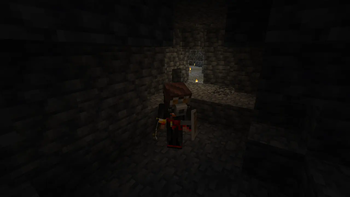
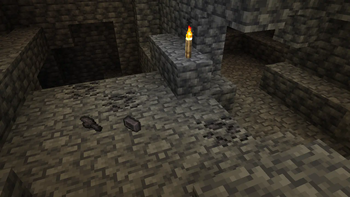
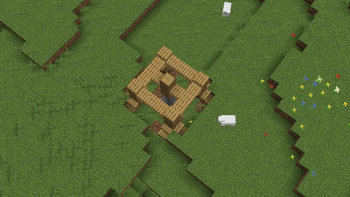
- New structure: the mineshaft elevator. Looks like an opening on the surface that leads to a cross of 2 short mineshaft corridors with some ores and a chest of goodies (or a trap).
Compatibility
Blood and Deepslate is compatible with:
Create from 1.3.2. Molybdenum ore from Blood and Deepslate can be crushed into crushed molybdenum ore with Create's crushing wheels, which in turn can also be washed.
Hardcore Torches from 1.3.1. Hardcore Torches' tag "hardcore_torches:free_torch_light_blocks" is included as blocks that ignite coal dust.
To add your compat with B&D use:
- "blood_and_deepslate:ignites_coal_dust" (blocks) - for blocks that should set neighboring coal dust ablaze.
- "forge:gas_masks" (items) - for any helmets that should protect against effects of coal dust and deep layer when worn.
Come try this little expansion to the vanilla gameplay yourself. Hope you enjoy! :D
MCreator link: https://mcreator.net/modification/100944/blood-and-deepslate
Available Versions
How to Install Blood and Deepslate on Your Server
Order Server
Order a Minecraft Java server with at least 3 GB RAM (4 GB recommended).
Set forge Loader
In the panel under "Egg", select the forge loader and matching Minecraft version (1.21.1).
Install Mod
Open the mod browser in the dashboard and search for "Blood and Deepslate". Click "Install" – done! Alternatively, upload the .jar via SFTP to the /mods folder.
Compatibility
Mod Loaders
Minecraft Versions
1.21.1, 1.20.1
Server-side
✓ RequiredRecommended RAM
4 GB(min. 3 GB)Frequently Asked Questions
Blood and Deepslate server crashes on startup – what to do?
Most common cause: wrong forge version or insufficient RAM. Check the server log (latest.log) for "OutOfMemoryError" or "Mixin" errors. With Mado Hosting: ensure at least 3 GB RAM is allocated and the loader matches the mod version (1.21.1). You can switch loaders with one click in the panel.
Is Blood and Deepslate compatible with forge and neoforge?
Blood and Deepslate officially supports forge, neoforge for Minecraft 1.21.1, 1.20.1. The Mado dashboard automatically detects incompatible loader combinations.
Server lagging with Blood and Deepslate – how to optimize performance?
Recommended RAM: 4 GB (per 8 players). Use /spark profiler to check if Blood and Deepslate consumes the most tick time. Common fixes: reduce server view-distance to 8-10, install "performant" or "starlight" as supplementary mods on Forge. With Mado Hosting, your server runs on NVMe SSDs with dedicated CPU cores for minimal latency.
Similar Mods




Rent Modded Server
Install Blood and Deepslate with just one click on your server.