
Bloom and Doom
Adapting the universe of the pvz franchise to Minecraft.
Screenshots
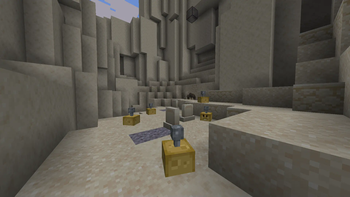
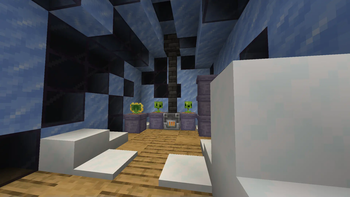
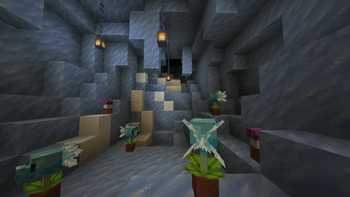
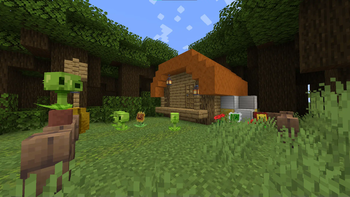
About this Mod
About
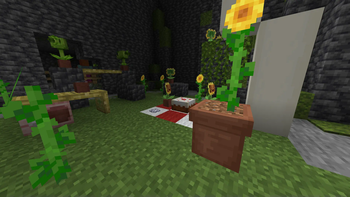
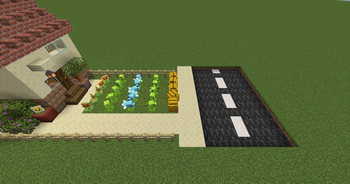
Bloom and Doom is a mod aiming to add elements from the Plants vs. Zombies franchises, taking as inspiration multiple games and other official media to make the closest of an immersive experience, while keeping it fitting both visually and mechanically to Minecraft.
You can get seed packets by exploring structures throughout the world. To plant them on the ground you need sun. They can also be planted on planters and it will not require sun, but in contrast they will start as babies, and they will produce more seed packets once they are adults. (currently it does nothing more to their behavior, but in the future this will be changed).
| Language | Coverage | Translator(s) |
|---|---|---|
| en-us | 100% | 29Naybla |
| pt-br | 99.17% | 29Naybla |
| fr-fr | 56.85% | 29Naybla |
| ru-ru | 97.51% | Gospi, фuxиar |
(last calculated for 0.0.20)
Alpha
The mod is currently in alpha. I thought this would be the best approach, this way I can listen to feedback from the community and improving it while working on the planned features.
It currently features 10 functioning plants: Marigold, Sunflower, Peashooter, Snow Pea, Repeater, Wall-nut, Potato Mine, Sun-shroom, Puff-shroom, and Doom-shroom. Even though only these have fully working seed packets, I also added the seed packet items for all the plants I have in progress even if not ready to be implemented, so players don't feel the need to travel to unloaded chunks or to create another world to obtain them.
Planned
Upcoming/Planned features include:
- Plants for all the unfinished seed packets;
- Use for plants outside combat;
- More plants!
Consider joining the Discord server!
https://discord.gg/k8Av5tsXQy
Available Versions
How to Install Bloom and Doom on Your Server
Order Server
Order a Minecraft Java server with at least 3 GB RAM (4 GB recommended).
Set neoforge Loader
In the panel under "Egg", select the neoforge loader and matching Minecraft version (1.21.1).
Install Mod
Open the mod browser in the dashboard and search for "Bloom and Doom". Click "Install" – done! Alternatively, upload the .jar via SFTP to the /mods folder.
Compatibility
Mod Loaders
Minecraft Versions
1.21.1, 1.21
Server-side
✓ RequiredRecommended RAM
4 GB(min. 3 GB)Frequently Asked Questions
Bloom and Doom server crashes on startup – what to do?
Most common cause: wrong neoforge version or insufficient RAM. Check the server log (latest.log) for "OutOfMemoryError" or "Mixin" errors. With Mado Hosting: ensure at least 3 GB RAM is allocated and the loader matches the mod version (1.21.1). You can switch loaders with one click in the panel.
Is Bloom and Doom compatible with neoforge?
Bloom and Doom officially supports neoforge for Minecraft 1.21.1, 1.21. The Mado dashboard automatically detects incompatible loader combinations.
Server lagging with Bloom and Doom – how to optimize performance?
Recommended RAM: 4 GB (per 8 players). Use /spark profiler to check if Bloom and Doom consumes the most tick time. Common fixes: reduce server view-distance to 8-10, install "performant" or "starlight" as supplementary mods on Forge. With Mado Hosting, your server runs on NVMe SSDs with dedicated CPU cores for minimal latency.
Similar Mods




Rent Modded Server
Install Bloom and Doom with just one click on your server.