
Bodycam
This mod introduces a Bodycam Monitor item that allows you to spectate other players in real-time
Screenshots
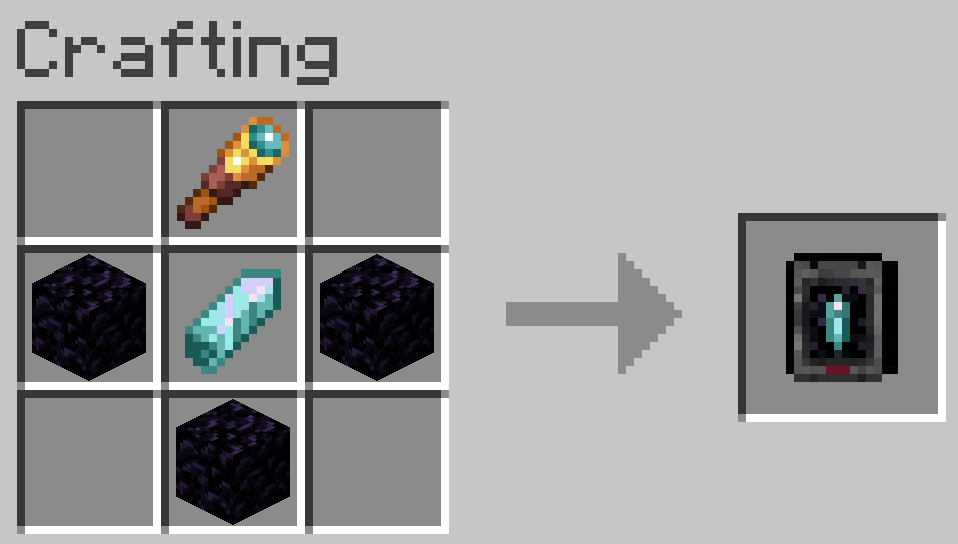
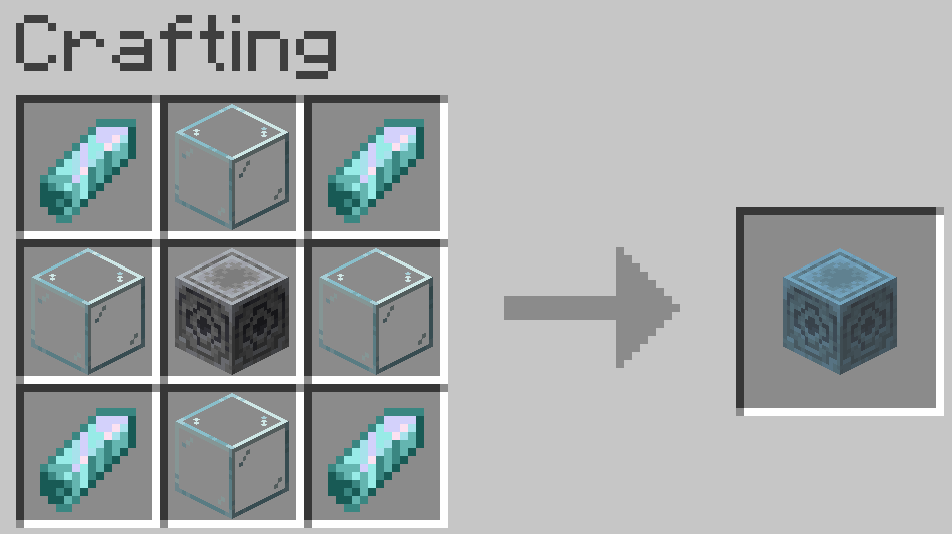
About this Mod
This mod introduces a Bodycam Monitor item that allows you to spectate other players in real-time.
New Items & Blocks
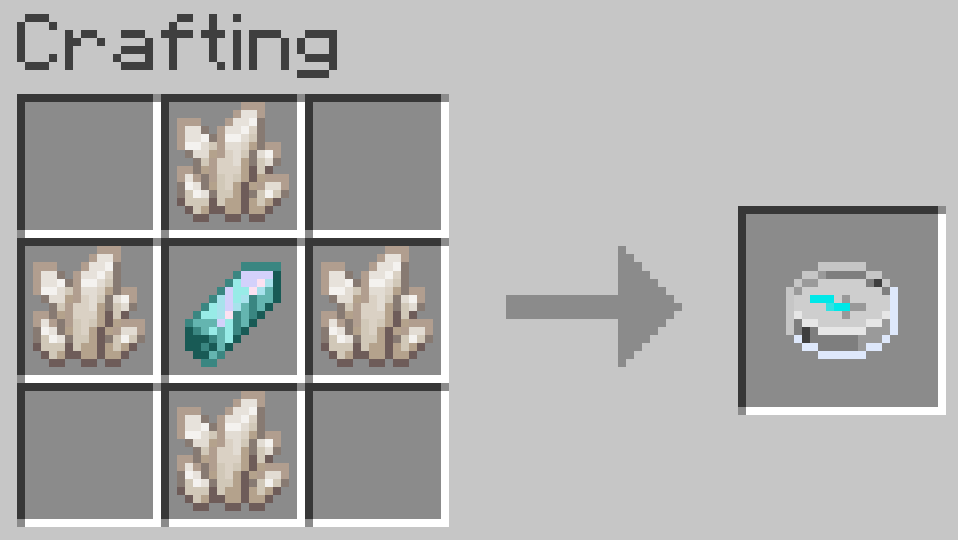
Monitor Compass:

Right-click the monitor to open a list of active players. Simply select a name from the menu to instantly view the world through their perspectiveReach Enchantment:

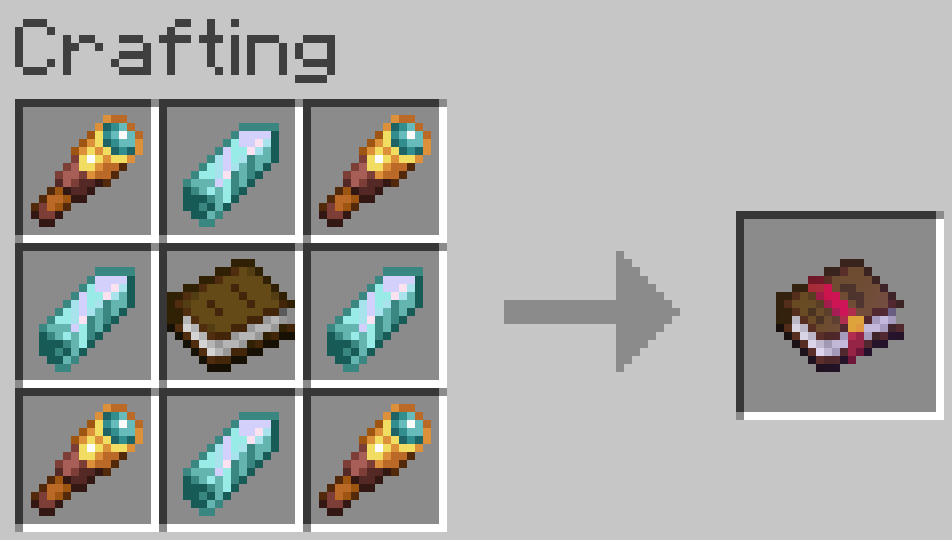
The standard Monitor Compass has a limited range. Apply the custom Reach enchantment to bypass the distance limit and connect to players even across different dimensionsObservation Crystal:

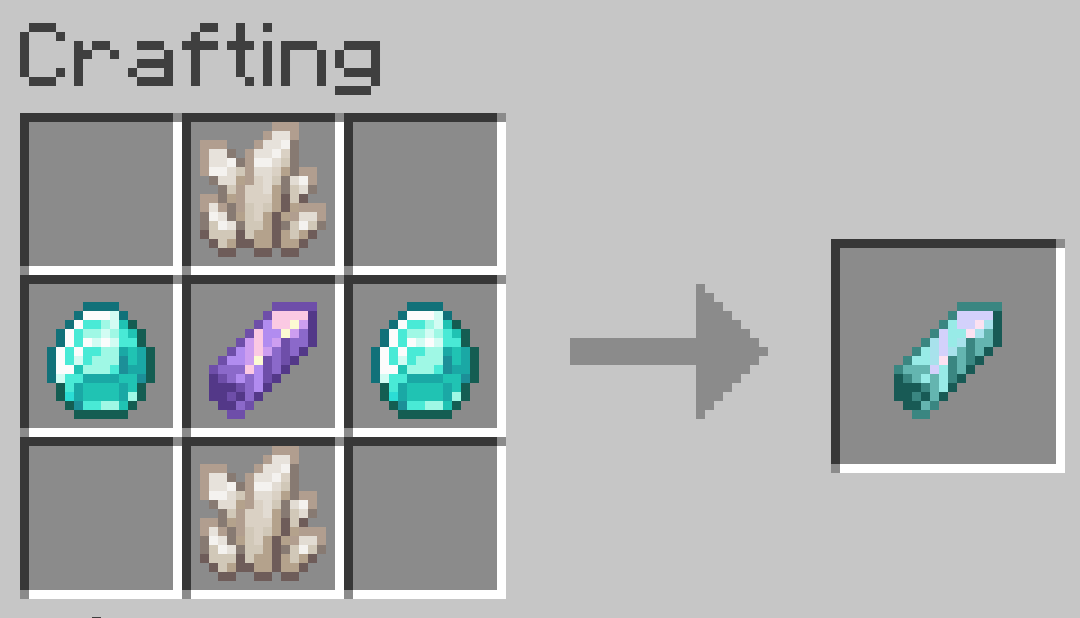
This crystal is strictly required as a core component to craft all bodycam items and blocksJammer:
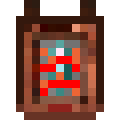
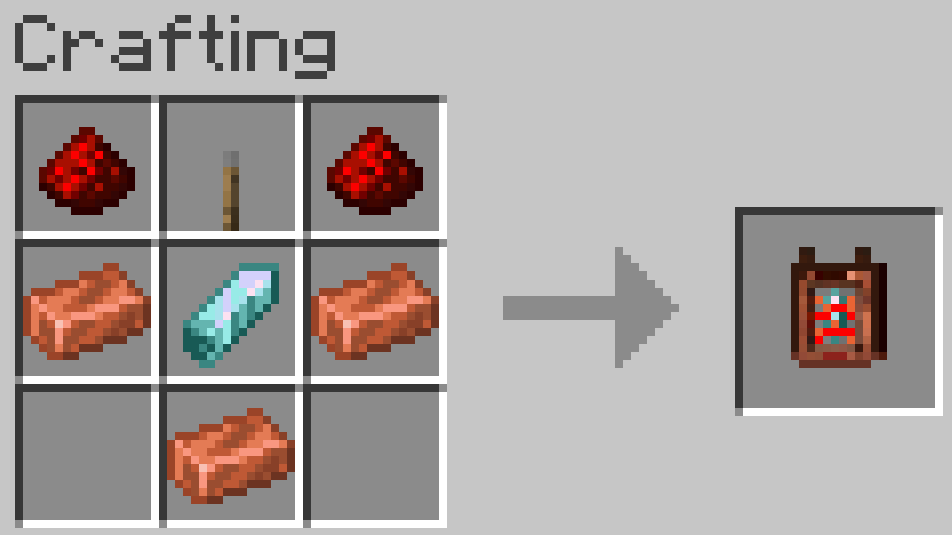
Blocks signals to prevent being observed
Features 3 dynamic modes:- 🟥 Off (everyone can observe you)
- 🟩 On (no one can observe you)
- 🟦 Limited (observation range is limited (std: 500 Blocks))
Dimension Locator:

Opens the player menu and displays the current dimension of every player on the server. Names are properly localizedHologram Block:

Allows starting an observation directly from the world. Just sneak on it, right-click, and the menu opens. This leaves behind a special Hologram Dummy that is completely immortal and cannot be attackedAnonymizer:
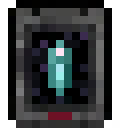
The perfect stealth tool. Hides your own observer status from others. If you have this item active, you won't show up as Blue in other players' menus, but will remain an inconspicuous White or Red
Features 2 modes:- 🟥 Off
- 🟩 On
Dummy
While you are spectating, a physical dummy of your character remains exactly where you left it, keeping your inventory and armor in the world.
This features 2 variants:
- Compass Dummy:
Any damage the dummy takes is applied directly to you. If your dummy dies, you die as well. Your Items will be at the Dummys death location - Hologram Dummy:
Completely immortal
Simple Voice Chat Support
This mod is fully compatible with Simple Voice Chat. When you are in the camera view, hearing will behave as if you are at the location of the player you are spectating
Selection Menu
Interacting with the Monitor Compass or Hologram Block will open a selection menu window with smooth scrolling. It will show all players on the server with name and player face: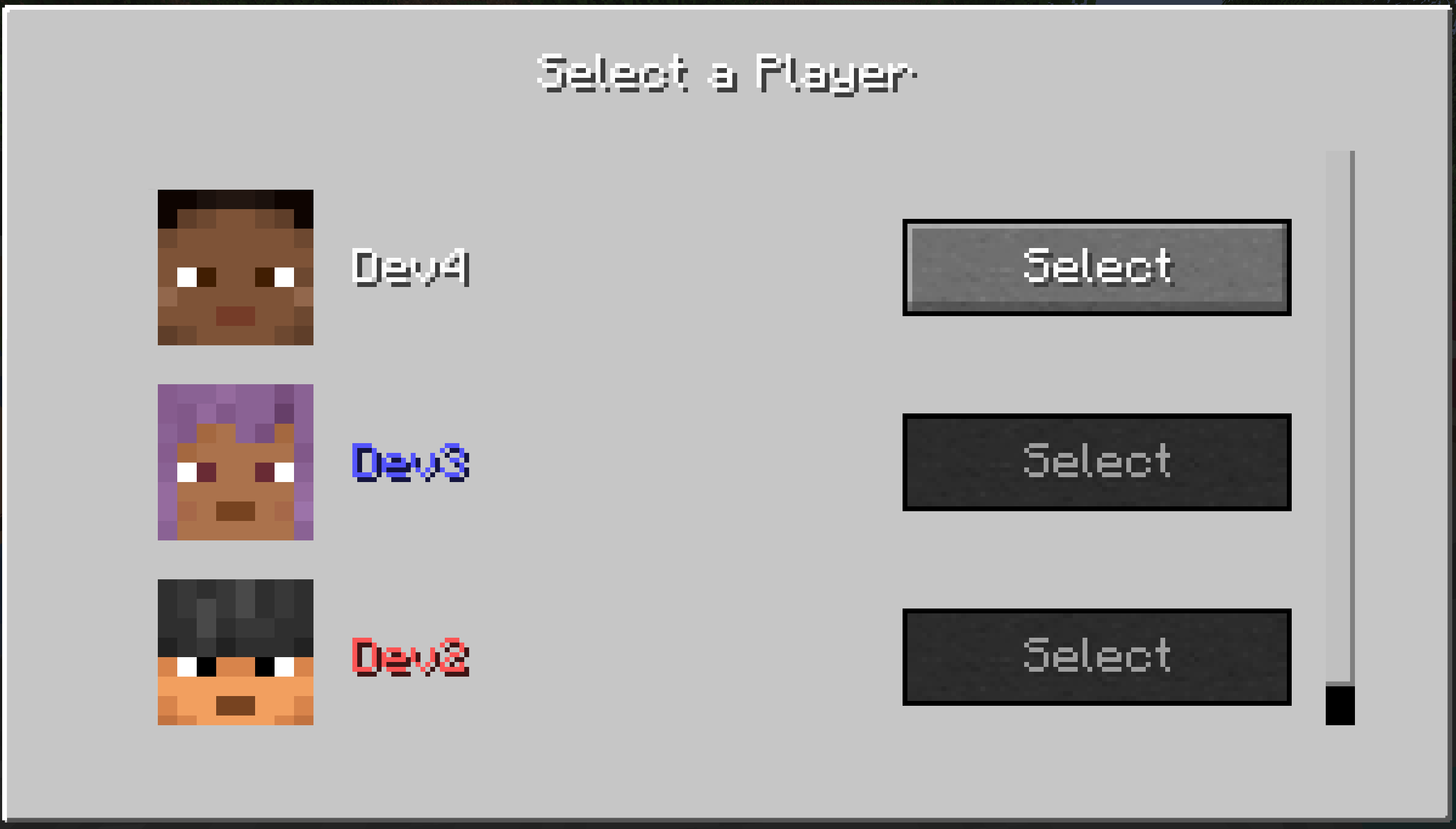
Smart Button System: Observation buttons are dynamically grayed out when:
- The target is out of range (over 500 blocks) or in another dimension
- The target has a Jammer set to Active or Limited (and is out of range)
- You are currently being observed by that specific person
Dynamic Status Colors: Playernames in the menu are automatically color-coded:
- 🟦Blue (Highest Priority): Player is currently observing you
- 🟥Red (Second Highest Priority): Player cannot be observed due to a Jammer
- White (Standard): Player can be observed normally
Immersive Camera Overlay
Adds a slightly transparent, darkened frame around the edge of the screen heavily enhances the authentic camera aesthetic. HUD elements (name of the observed player, your health, and sneak status) are seamlessly integrated and clearly visible: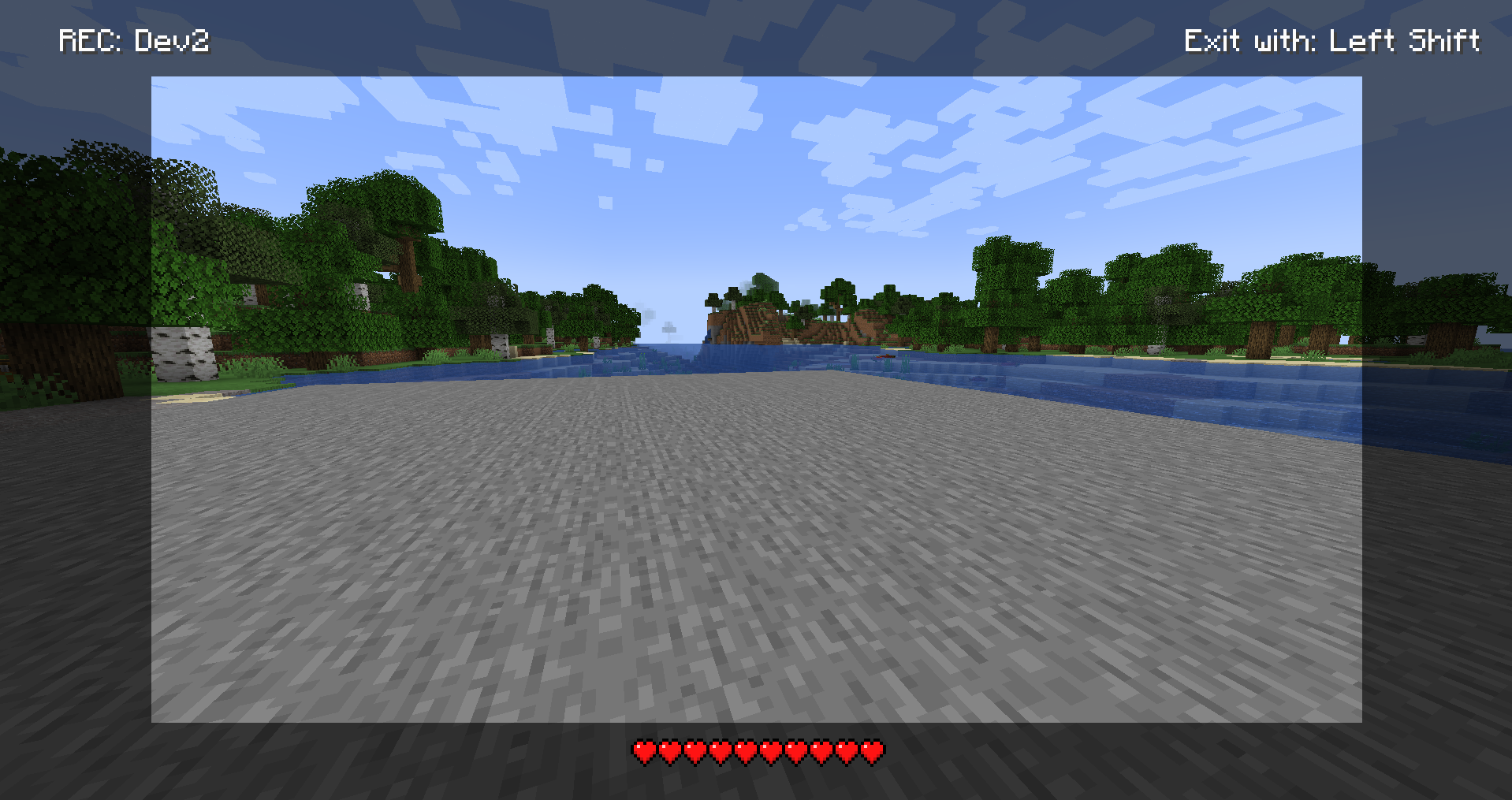
- Focus on Immersion: The crosshair is strictly hidden during observation
- Safe Return: Simply press sneak to end the camera connection and safely return to your own body
Commands
/bodycam- Main command for the mod/bodycam config- Opens or manages the server configuration in-game/bodycam give <item> <player>- Gives specific bodycam items to a player/bodycam tp dummy- Teleports a dummy to a specific location or player/bodycam remove dummy- Removes the targeted dummy/bodycam remove all dummies- Removes all active dummies from the world/bodycam tp cam- Teleports you to a dummy or player position (formerly/camtp)
Config System (Client & Server)
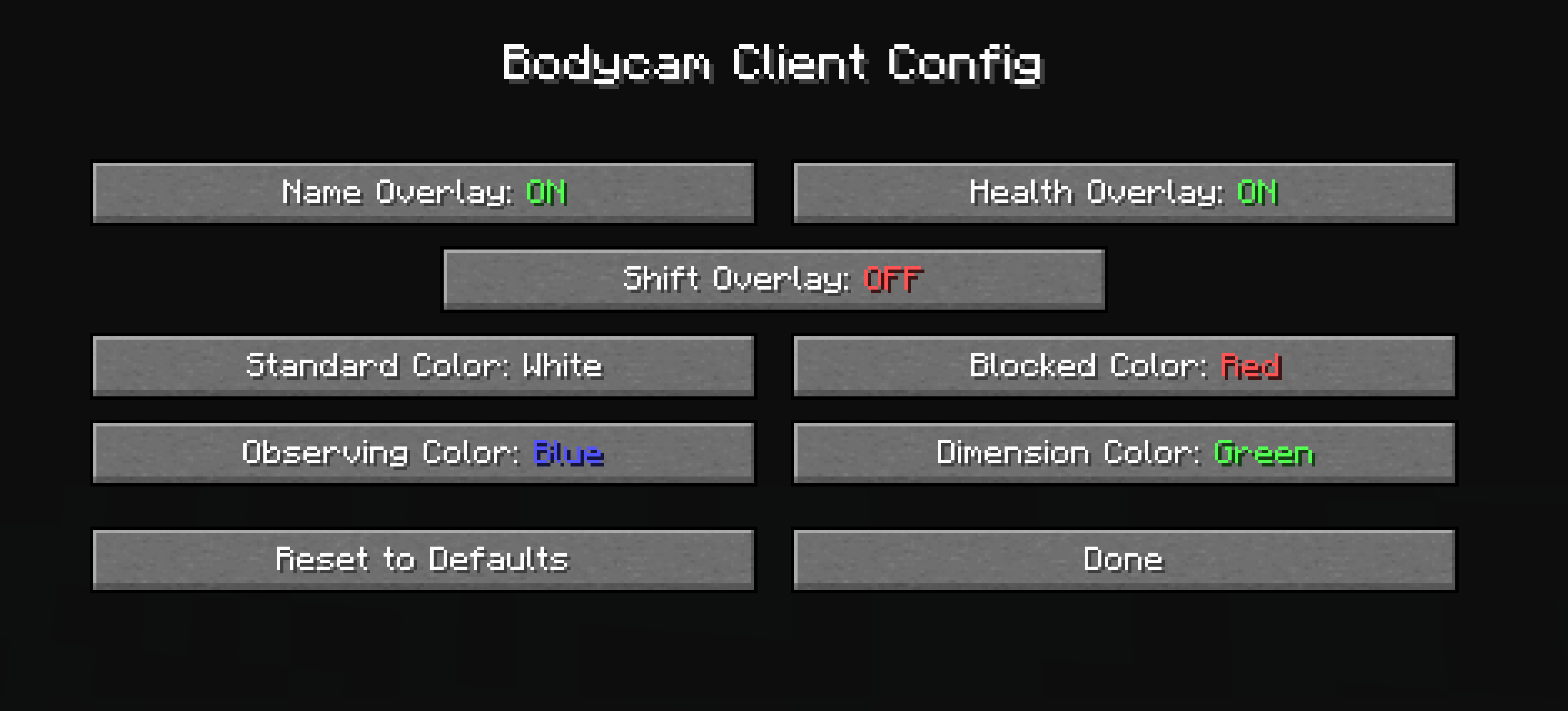
- Ingame Client Config: Players can now adjust their own settings directly in the game via the mod menu (including a scroll menu and reset button). Here, individual camera overlays (Name, Health, Shift) can be specifically toggled on and off. Additionally, all GUI colors can be personalized
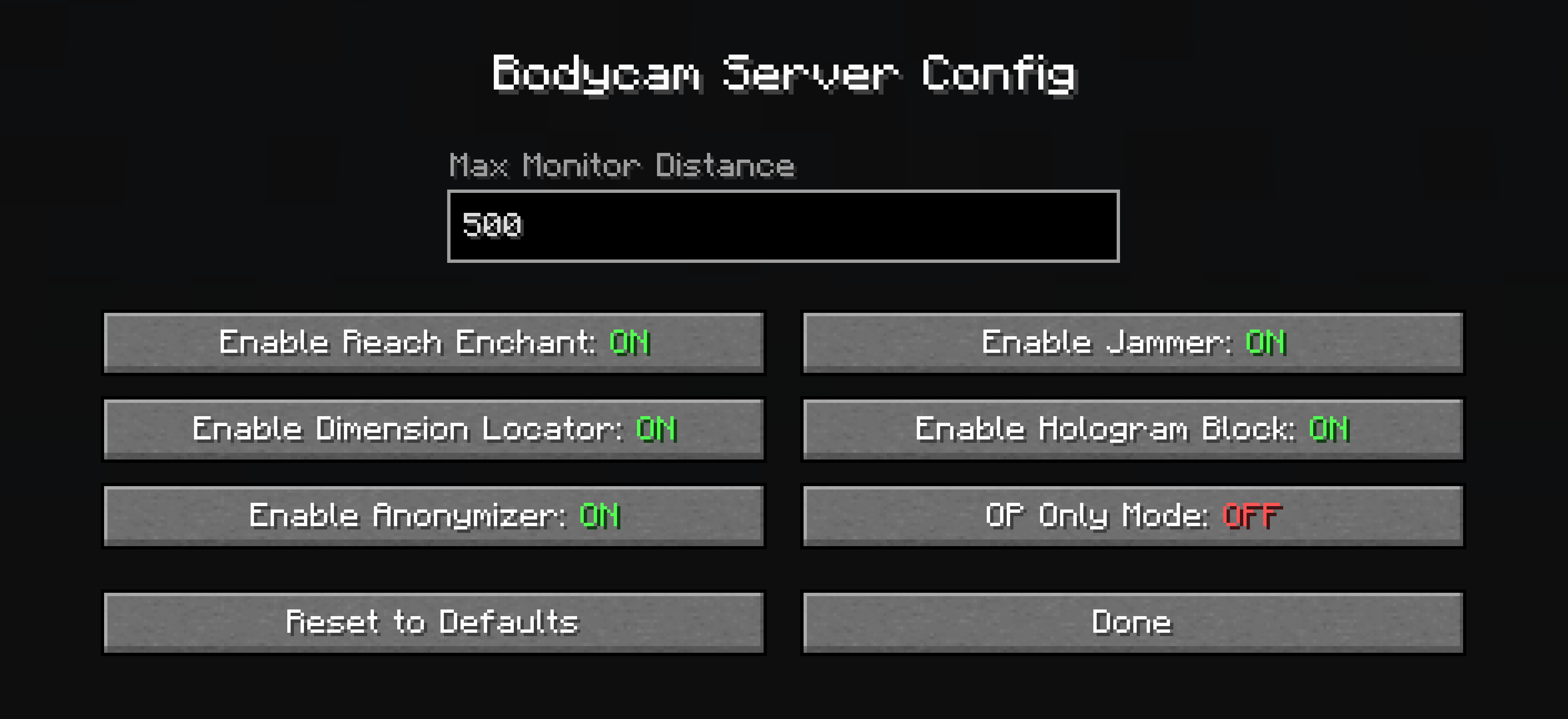
- Server Config (Host Only): Full control for server admins. The maximum monitor distance is adjustable (Default: 500). All new items as well as the Reach enchantment can be completely disabled. Furthermore, there is an OP-Only mode that unlocks the mod functions exclusively for server operators
Available Versions
How to Install Bodycam on Your Server
Order Server
Order a Minecraft Java server with at least 3 GB RAM (4 GB recommended).
Set fabric Loader
In the panel under "Egg", select the fabric loader and matching Minecraft version (1.21.11).
Install Mod
Open the mod browser in the dashboard and search for "Bodycam". Click "Install" – done! Alternatively, upload the .jar via SFTP to the /mods folder.
Compatibility
Mod Loaders
Minecraft Versions
1.21.11, 1.21.10, 1.21.9 (+9 more)
Server-side
✓ RequiredRecommended RAM
4 GB(min. 3 GB)Frequently Asked Questions
Bodycam server crashes on startup – what to do?
Most common cause: wrong fabric version or insufficient RAM. Check the server log (latest.log) for "OutOfMemoryError" or "Mixin" errors. With Mado Hosting: ensure at least 3 GB RAM is allocated and the loader matches the mod version (1.21.11). You can switch loaders with one click in the panel.
Is Bodycam compatible with fabric and forge and neoforge?
Bodycam officially supports fabric, forge, neoforge for Minecraft 1.21.11, 1.21.10, 1.21.9. Note: Forge and Fabric mods are NOT cross-compatible – pick one loader and stick with it. The Mado dashboard automatically detects incompatible loader combinations.
Server lagging with Bodycam – how to optimize performance?
Recommended RAM: 4 GB (per 8 players). Use /spark profiler to check if Bodycam consumes the most tick time. Common fixes: reduce server view-distance to 8-10, install "performant" or "starlight" as supplementary mods on Forge. With Mado Hosting, your server runs on NVMe SSDs with dedicated CPU cores for minimal latency.
Similar Mods




![[TaCZ] Timeless and Classics Zero](https://cdn.modrinth.com/data/SzzJttH8/fd27766d2bb8390d284696b1dbd358f87e081439_96.webp)

Rent Modded Server
Install Bodycam with just one click on your server.