
Screenshots
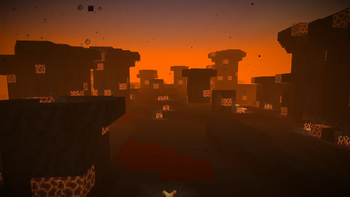
About this Mod
Adds two new biomes: Boiling Reef and Drylands. Also adds new blocks, items and more.
Boiling Reef
The Boiling Reef is a new ocean biome usually generating in the center of deep lukewarm oceans or between deep lukewarm oceans and deep oceans. There are new vegetation in the Boiling Reef, for example: Magmashrooms. Boilfishes live in the Boiling Reef and if touched, they explode. They won't explode if you hurt them, but they will explode if you kill one. Boilfishes (item) can be used to make Poison Resistance potions.
Drylands
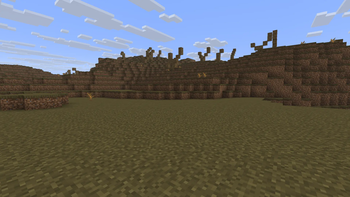
The Drylands is a biome that generates the same way as mushroom fields (generating as islands), it has dead trees and bushes and is usually surrounded by a Boiling Reef.
Uranium
Uranium is a new ore found in the Boiling Reef, Ocean Dunes And Drylands. Uranium can be used to make some things, for example: Uranium Rods.
Music
Music used:
- Voyage by Kaaosvos (plays in the Boiling Reef)
- Boildive by FrogDude5555 (plays in the Boiling Reef)
- Old Clockworks by FrogDude5555 (plays in the Drylands)
- Sphere by Creo (Music Disc, free to use if free, for example: a Geometry Dash level or a free video game)
Secret Sands Update
Ocean Dunes
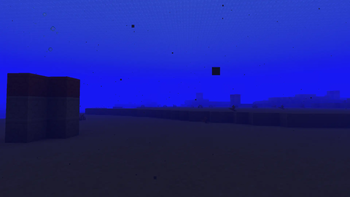
The Ocean Dunes is a new ocean biome that is a kinda like a underwater desert, with no fish.
Ferrouranium
Ferrouranium is a new metal alloy made from Uranium, Magmashrooms, Basalt and Iron Ingots. It can be used to upgrade Fishing Rods and Turtle Shells to Ferrouranium Fishing Rods and Turtle Shells.
Available Versions
How to Install Boilzone on Your Server
Order Server
Order a Minecraft Java server with at least 3 GB RAM (4 GB recommended).
Set neoforge Loader
In the panel under "Egg", select the neoforge loader and matching Minecraft version (1.21.8).
Install Mod
Open the mod browser in the dashboard and search for "Boilzone". Click "Install" – done! Alternatively, upload the .jar via SFTP to the /mods folder.
Compatibility
Mod Loaders
Minecraft Versions
1.21.8
Server-side
✓ RequiredRecommended RAM
4 GB(min. 3 GB)Frequently Asked Questions
Boilzone server crashes on startup – what to do?
Most common cause: wrong neoforge version or insufficient RAM. Check the server log (latest.log) for "OutOfMemoryError" or "Mixin" errors. With Mado Hosting: ensure at least 3 GB RAM is allocated and the loader matches the mod version (1.21.8). You can switch loaders with one click in the panel.
Is Boilzone compatible with neoforge?
Boilzone officially supports neoforge for Minecraft 1.21.8. The Mado dashboard automatically detects incompatible loader combinations.
Server lagging with Boilzone – how to optimize performance?
Recommended RAM: 4 GB (per 8 players). Use /spark profiler to check if Boilzone consumes the most tick time. Common fixes: reduce server view-distance to 8-10, install "performant" or "starlight" as supplementary mods on Forge. With Mado Hosting, your server runs on NVMe SSDs with dedicated CPU cores for minimal latency.
Rent Modded Server
Install Boilzone with just one click on your server.