
BookBook
No more bad loot enchants. Separate the enchantments!
Screenshots
About this Mod
Pitch
Are you tired of finding a near-broken golden axe with a high sharpness level at your local ruined portal? Iron swords with looting at a bastion, but you're using a diamond sword?
Look no further! BookBook introduces a vanilla-esque way to get the best out of bad loot combos! :)
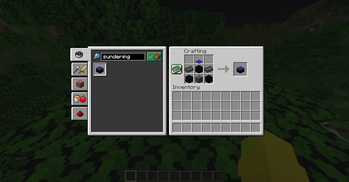
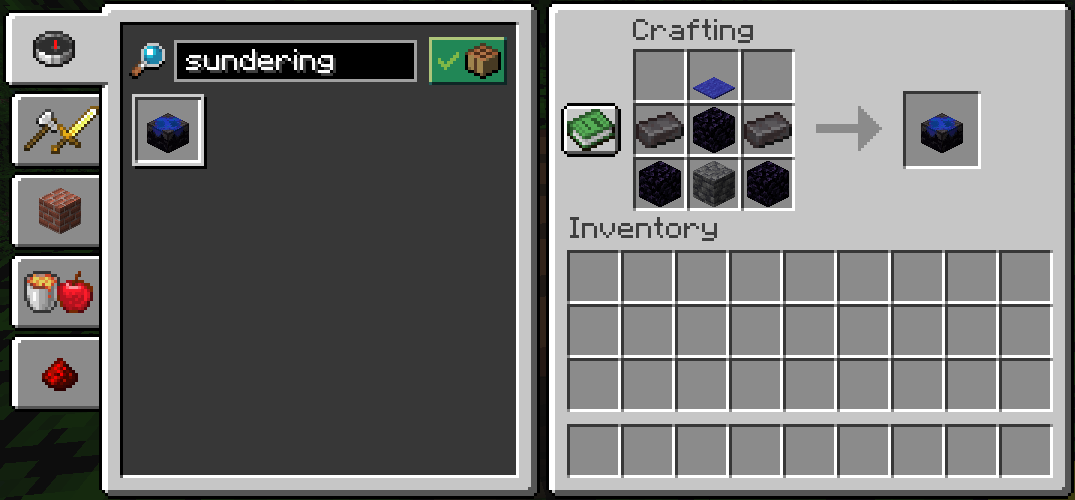
Just ((( acquire the netherite ingots ))) craft the Sundering Table, get some levels, a book and you're ready to split the enchants from your tool, weapon, armor or item of choice into two.
warning
As of v0.1.3 this mod separates curses at no extra cost compared to other enchantments. Note: I made this mod for myself, and decided to share it. Also, as of now, this will only be available for Fabric loader and Minecraft versions 1.21.X as I rarely play and am busy. If you wish to expand to other loaders and/or versions, please check out the bottom section.
If you believe this mod is cheating, don't use it.
Recipe
Instructions
- Place the Sundering Table wherever you may please.
- Right-click the Sundering Table.
- Insert your weapon, tool, armor, or enchanted book into the first input slot. Enchanted books need more than 1 enchantment to split into two.
- Insert at least one regular book into the second input slot.
- Take out your disenchanted item from either or both of the output slots to consume the inputs along with the specified levels. You need at least the specified amount of levels to split the enchants.
- The number of levels the table requires will be consumed. Be careful what you sunder!
Github
Feel free to contribute! Here's the github.
Available Versions
How to Install BookBook on Your Server
Order Server
Order a Minecraft Java server with at least 3 GB RAM (4 GB recommended).
Set fabric Loader
In the panel under "Egg", select the fabric loader and matching Minecraft version (1.21.10).
Install Mod
Open the mod browser in the dashboard and search for "BookBook". Click "Install" – done! Alternatively, upload the .jar via SFTP to the /mods folder.
Compatibility
Mod Loaders
Minecraft Versions
1.21.10, 1.21.9, 1.21.8 (+8 more)
Server-side
✓ RequiredRecommended RAM
4 GB(min. 3 GB)Frequently Asked Questions
BookBook server crashes on startup – what to do?
Most common cause: wrong fabric version or insufficient RAM. Check the server log (latest.log) for "OutOfMemoryError" or "Mixin" errors. With Mado Hosting: ensure at least 3 GB RAM is allocated and the loader matches the mod version (1.21.10). You can switch loaders with one click in the panel.
Is BookBook compatible with fabric?
BookBook officially supports fabric for Minecraft 1.21.10, 1.21.9, 1.21.8. The Mado dashboard automatically detects incompatible loader combinations.
Server lagging with BookBook – how to optimize performance?
Recommended RAM: 4 GB (per 8 players). Use /spark profiler to check if BookBook consumes the most tick time. Common fixes: reduce server view-distance to 8-10, install "performant" or "starlight" as supplementary mods on Forge. With Mado Hosting, your server runs on NVMe SSDs with dedicated CPU cores for minimal latency.
Similar Mods




Rent Modded Server
Install BookBook with just one click on your server.