
Border Quest
A Minecraft Fabric mod that shrinks the size of the world. Players must complete objectives to gradually expand it. Fully customizable.
Screenshots
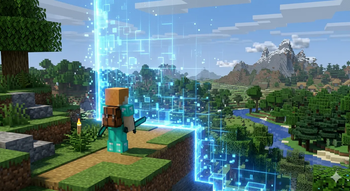
About this Mod
Border Quest
A server-side Fabric mod for Minecraft 1.21 that turns your world border into a cooperative progression challenge.
Players collect resources, donate them to altars, and unlock an ever-growing world — stage by stage.
Features
| Feature | Description |
|---|---|
| Progressive world border | Starts small and expands as players complete stages |
| Altar system | Donate items by right-clicking any altar block |
| Stage rewards | Give items, potion effects or XP to all players on stage completion |
| Dimension locks | Nether & End are gated behind configurable stages |
| Donation leaderboard | /bq ladder shows the top contributors |
| Altar particles | Visual END_ROD particle effect on every altar |
| Chat announcements | Server-wide broadcast on large donations |
| HUD sidebar | Tab-list header displays current objective |
| Map integrations | BlueMap, Dynmap, JourneyMap, Xaero's Minimap & World Map |
| Discord webhook | Sends a message on every stage completion |
| Fully configurable | All stages, radii and behaviour tunable via JSON |
Requirements
| Dependency | Version | Required? |
|---|---|---|
| Minecraft | 1.21.x | ✅ |
| Fabric Loader | ≥ 0.14.21 | ✅ |
| Fabric API | any | ✅ |
| BlueMap | any | Optional |
| Dynmap (Fabric) | any | Optional |
| JourneyMap | any | Optional (singleplayer / LAN) |
| Xaero's Minimap | any | Optional (singleplayer / LAN) |
| Xaero's World Map | any | Optional (singleplayer / LAN) |
Server-side only. Clients do not need to install this mod.
Installation
- Drop
border-quest-mod-x.x.x.jarinto your server'smods/folder alongside Fabric API. - Start the server once —
config/borderquest.jsonis generated automatically. - Edit the config to suit your server, then run
/bq reload.
Commands
All commands start with /bq (alias available via any registered alias).
Player commands
| Command | Description |
|---|---|
/bq or /bq status |
Show current stage, objective and progress |
/bq submit |
Donate all eligible items from your inventory |
/bq ladder |
Show the top 10 donors |
Operator commands (permission level 2)
| Command | Description |
|---|---|
/bq setaltar |
Register the block you are looking at as an altar |
/bq setaltar <name> |
Same, but assigns a display name (shown on maps) |
/bq removealtar |
Remove the looked-at block from the altar list |
/bq skip |
Force-advance to the next stage without filling the objective |
/bq reset |
Reset the game to stage 1 |
/bq reload |
Reload borderquest.json and the saved state without restarting |
To donate, right-click any altar block while holding items.
/bq submitworks from anywhere and scans your entire inventory.
Configuration
File location: config/borderquest.json
{
  // General -------------------------------------------------------------------

  // Duration of the celebration fireworks on stage completion (ticks, 20 = 1s)
  "celebrationDurationTicks": 200,

  // Damage per second while a player is outside the border
  "borderDamagePerBlock": 0.2,

  // Distance (blocks) at which the border warning is shown
  "borderWarningBlocks": 5,

  // Nether coordinate scale factor (Nether border = Overworld radius / netherScale)
  "netherScale": 8.0,

  // Altar particles -----------------------------------------------------------

  "altarParticlesEnabled": true,
  // How often particles spawn, in ticks (20 = once per second)
  "altarParticlePeriodTicks": 20,

  // Donation announcements ----------------------------------------------------

  // Broadcast a message to all players when a single donation reaches this count
  "donationAnnouncementsEnabled": true,
  "donationAnnounceMinItems": 16,

  // Dimension locks -----------------------------------------------------------

  // Prevent players from entering a dimension until the required stage is reached
  "worldLocks": [
    { "worldId": "minecraft:the_nether", "requiredStage": 5 },
    { "worldId": "minecraft:the_end",    "requiredStage": 7 }
  ],

  // Discord webhook -----------------------------------------------------------

  "discordEnabled": false,
  "discordWebhookUrl": "https://discord.com/api/webhooks/YOUR_ID/YOUR_TOKEN",
  "discordUsername": "Border Quest",
  "discordAvatarUrl": "",   // Leave empty to use the default webhook avatar

  // Stages --------------------------------------------------------------------

  "stages": [
    {
      "borderRadius": 10,
      "title": "Clear the area",
      // Fixed items required
      "requirements": [
        { "itemId": "minecraft:cobblestone", "count": 64 }
      ],
      // Biome-resolved categories (the mod picks the right log type automatically)
      "categoryRequirements": [
        { "category": "logs", "count": 64 }
      ],
      // Rewards distributed to ALL online players on completion
      "rewards": []
    },
    {
      "borderRadius": 25,
      "title": "First steps toward civilisation",
      "requirements": [
        { "itemId": "minecraft:iron_ingot", "count": 32 },
        { "itemId": "minecraft:bread",      "count": 32 }
      ],
      "categoryRequirements": [],
      "rewards": [
        // Give 3 bread to every online player
        { "type": "item",   "itemId": "minecraft:bread", "count": 3 },
        // Apply Haste I for 30 s
        { "type": "effect", "effectId": "minecraft:haste", "duration": 600, "amplifier": 0 },
        // Give 50 XP points
        { "type": "xp", "amount": 50 }
      ]
    }
    // ... add as many stages as you like
    // The LAST stage represents total freedom (use borderRadius: 29999984)
  ]
}
Stage anatomy
| Field | Type | Description |
|---|---|---|
borderRadius |
double | Half the side length of the square border (diameter = radius × 2) |
title |
string | Displayed in chat and the tab-list sidebar |
requirements |
list | Specific items required — itemId + count |
categoryRequirements |
list | Biome-adaptive requirements — category + count |
rewards |
list | Rewards given to all online players on stage validation |
Built-in categories: logs, planks, wool, sand, stone — resolved to the most common variants found in the spawn biome.
Reward types
type |
Required fields | Example |
|---|---|---|
"item" |
itemId, count |
{ "type": "item", "itemId": "minecraft:diamond", "count": 2 } |
"effect" |
effectId, duration (ticks), amplifier (0 = level I) |
{ "type": "effect", "effectId": "minecraft:speed", "duration": 400, "amplifier": 1 } |
"xp" |
amount |
{ "type": "xp", "amount": 100 } |
Altar setup
Altars can be any block — a beacon, a chest, a custom banner — whatever fits your server's theme.
- Place the block in-world.
- Look at it and run
/bq setaltar(optionally/bq setaltar Altar du Spawn). - Players can now right-click the block to donate items.
To remove an altar: look at it and run /bq removealtar.
Altar positions are saved in
world/data/borderquest_state.jsonand survive restarts.
Map integrations
BlueMap
Requires BlueMap installed on the server.
The mod automatically renders:
- A green rectangle showing the current border extent on the overworld map.
- A POI marker for each altar (with its display name if set).
Markers rebuild automatically when BlueMap reloads.
Dynmap
Requires Dynmap for Fabric installed on the server.
Same markers as BlueMap — rendered via reflection, no extra dependency needed.
JourneyMap & Xaero's Minimap / World Map
Singleplayer & LAN only. These mods run client-side and are not available on a dedicated server's classpath.
When running in singleplayer or LAN, if JourneyMap, Xaero's Minimap, or Xaero's World Map is installed:
- A waypoint is created for each altar when it is registered.
- The waypoint is removed when the altar is removed.
- Border shapes are not supported (client-side map limitation).
The integration uses reflection — no additional configuration is needed.
Discord webhook
- Create a webhook in your Discord server: Channel Settings → Integrations → Webhooks.
- Copy the URL and paste it in
borderquest.json:"discordEnabled": true, "discordWebhookUrl": "https://discord.com/api/webhooks/123456789/abc...", "discordUsername": "Border Quest", "discordAvatarUrl": "" - Run
/bq reload.
A message is sent automatically each time a stage is completed.
Dimension locks
By default:
- The Nether is locked until stage 5.
- The End is locked until stage 7.
Attempting to enter a locked dimension cancels the teleport and displays a red message.
Customise or remove locks in borderquest.json under worldLocks.
Saved state
The game state (current stage, submitted items, altar list, donor stats) is saved in:
<world>/data/borderquest_state.json
Back up this file if you want to preserve progress between map resets.
Building from source
git clone <repo>
cd border-quest-mod
./gradlew build
# Output: build/libs/border-quest-mod-x.x.x.jar
Requirements: Java 21, internet access (to download Fabric Loom and BlueMap API).
Dependencies at a glance:
| Artifact | Scope | Purpose |
|---|---|---|
net.fabricmc.fabric-api |
modImplementation |
Fabric API |
de.bluecolored:bluemap-api:2.7.7 |
compileOnly |
BlueMap markers at compile time |
| Dynmap, JourneyMap, Xaero's | none | Integrated via reflection — no compile dependency |
License
MIT — see LICENSE.
Available Versions
How to Install Border Quest on Your Server
Order Server
Order a Minecraft Java server with at least 3 GB RAM (4 GB recommended).
Set fabric Loader
In the panel under "Egg", select the fabric loader and matching Minecraft version (26.1.2).
Install Mod
Open the mod browser in the dashboard and search for "Border Quest". Click "Install" – done! Alternatively, upload the .jar via SFTP to the /mods folder.
Compatibility
Mod Loaders
Minecraft Versions
26.1.2, 26.1.1, 26.1 (+12 more)
Server-side
✓ RequiredRecommended RAM
4 GB(min. 3 GB)Frequently Asked Questions
Border Quest server crashes on startup – what to do?
Most common cause: wrong fabric version or insufficient RAM. Check the server log (latest.log) for "OutOfMemoryError" or "Mixin" errors. With Mado Hosting: ensure at least 3 GB RAM is allocated and the loader matches the mod version (26.1.2). You can switch loaders with one click in the panel.
Is Border Quest compatible with fabric?
Border Quest officially supports fabric for Minecraft 26.1.2, 26.1.1, 26.1. The Mado dashboard automatically detects incompatible loader combinations.
Server lagging with Border Quest – how to optimize performance?
Recommended RAM: 4 GB (per 8 players). Use /spark profiler to check if Border Quest consumes the most tick time. Common fixes: reduce server view-distance to 8-10, install "performant" or "starlight" as supplementary mods on Forge. With Mado Hosting, your server runs on NVMe SSDs with dedicated CPU cores for minimal latency.
Similar Mods




Rent Modded Server
Install Border Quest with just one click on your server.